
What is Xero Accounting and How Does It Work?

Xero is cloud-based accounting software that automates invoicing, expense tracking, and bank reconciliation to give businesses real-time financial visibility without manual spreadsheet work.
Cloud accounting is about more than just digital receipts. Learn how Xero automates bank reconciliation and invoicing so you can spend less time on admin and more running your business
If you have ever had to close a month in a spreadsheet, you know that one wrong formula or one missing receipt can throw the whole thing off. Xero is designed to help you move past the delicate setup of a spreadsheet and into a more reliable, auditable accounting workflow — while still allowing you to avoid taking an accounting class as part of your daily routine. It is cloud-based accounting software that combines invoicing, expense tracking, bank reconciliation, reporting and integrations into one place.
Essentially, Xero serves as a safety net for people like me who were not born to be bookkeepers. Xero ensures that a single typographical error does not escalate into a disaster waiting to happen during tax season. The software pulls transactional data directly from the user’s bank, removing the guesswork and long hours spent entering data to try to verify where every dollar was spent.
What is Xero?

Xero is a cloud-based accounting platform that was developed specifically for use by small businesses, startups and service-based teams that require clean books, real-time visibility and better communication with an accountant. Rather than using multiple tools to track income and expenses (i.e., bank app + Excel + invoicing tool + email threads), Xero has integrated the core accounting functions within one dashboard: invoicing, bank reconciliation, expense tracking, reporting and app integrations.
Practically speaking, Xero enables you to maintain a proper system of record: transactions are imported from your bank and assigned to categories; the transactions are matched to invoices or bills and finally reflected in the financial statements (P&L, Balance Sheet, Cash Flow Reporting). That is what converts "I think we're making money" into "Here is the actual amount of money and here is the trail of evidence."
If you’re evaluating accounting tools broadly, it can also be useful to compare Xero against close competitors (for example, here’s a Xero vs QuickBooks breakdown and a FreshBooks vs Xero comparison to frame the differences.
How does it work?
While Xero has a relatively straight-forward workflow process, it will take some learning to understand the "accounting loop" that Xero is attempting to create: Import Data → Reconcile → Review → Report. Ultimately, the success of Xero lies in the ability to repeat this process regularly, so closing the month is no longer a fire drill. Xero is also capable of supporting collaboration and integrations, which is why it is often utilized as the "hub" of the accounting portion of a modern SaaS stack.
1) Connect your financial data (bank feeds + apps)

Step 1 in setting up Xero is configuration of the organization details and connection of the financial sources that generate the transactions. Typically, for most organizations this involves connecting bank accounts and credit cards so Xero can pull transactions into the application automatically. Using bank feeds and integrating with apps reduces manual entry and keeps your records consistent with what has actually been cleared through the bank.
The "ecosystem" layer of Xero is the next component. Xero is frequently used along side other SaaS applications — such as payment processing, e-commerce, expense tracking, payroll, and these applications can push data into Xero, so you do not have to enter the same information twice. For example, a Shopify sale, a Stripe payout, and a subscription invoice can all be converted from unstructured lines that you would manually paste into a spreadsheet into structured accounting entries.
Xero is specifically marketed as an integration-friendly and cloud-based platform to support this type of workflow.
2) Categorize and reconcile transactions (the daily bookkeeping loop)
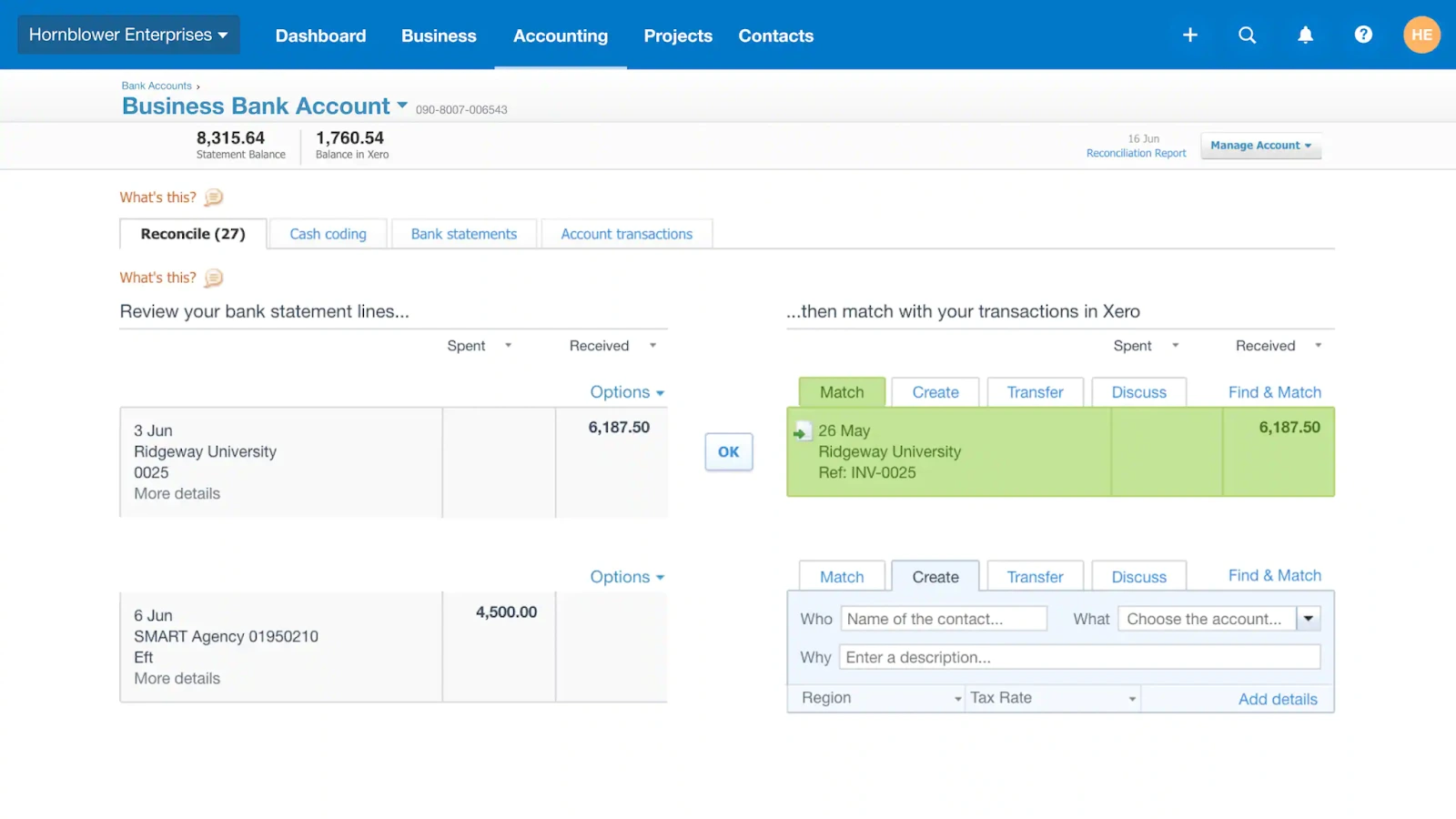
This is where Xero really shines. When Xero receives bank transactions, you reconcile them: you identify each bank line as a specific type of transaction (a customer invoice payment, a vendor bill, a subscription expense) and assign it to the appropriate account category. Proper reconciliation is what transforms "We spent money" into "We spent $X on hosting vs ads vs contractors."
A good habit is to establish a rhythm — for instance, reconcile twice per week — so that you do not accumulate 300 unreconciled transactions. As you perform more reconciliations over time, you can begin to standardize your categorization and develop rules, which means that recurring charges (rent, tools, software subscriptions) will be quicker to apply and have less chance of errors. Xero is commonly used to automate bank reconciliation and decrease the manual nature of accounting.
3) Turn bookkeeping into decisions (invoicing, reporting, collaboration)

Once transactions are reconciled, Xero is more than "Where Receipts Go." It is now the location where you can confidently run the numbers: Revenue, Expenses, Margins, and Cash Position. You can create invoices, follow the status of those invoices, and track outstanding invoices — useful if you want to improve collections without pursuing payments randomly.
Collaboration is also supported by Xero. Many teams grant their accountants or bookkeepers access to review reconciliations, make adjustments, and assist with preparing tax-ready reports. In practice, that means fewer CSV exports, fewer "Which Version Is Correct?" arguments, and a clearer audit trail when needed (financing, due diligence, grants, etc.)

Top Xero features and benefits
While Xero's feature list appears lengthy, most businesses typically find value in fewer capabilities; those which reduce administrative tasks and provide greater financial transparency. Below are some of the top Xero features that impact most businesses' daily operations
Invoicing and payment tracking that improves cash collection
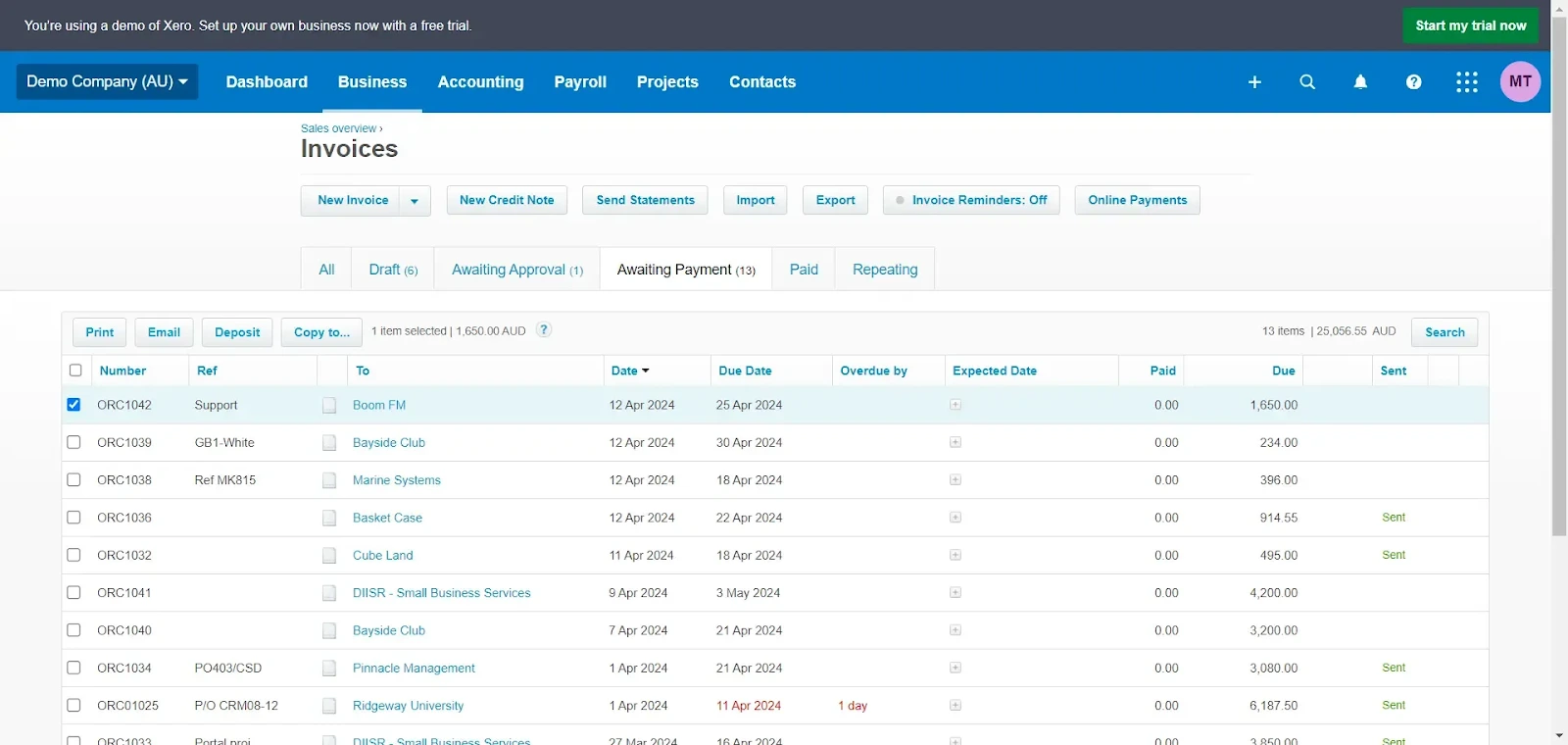
Xero provides invoicing functions to assist in creating and distributing invoices faster, identifying payments received and amounts outstanding, and providing a better visual representation of accounts receivable. For service-based businesses, Xero can often be the difference between "We're Busy" and "We're Getting Paid On Time." One example is sending milestone invoices and then utilizing the Outstanding Balance View to follow up on only those invoices that are truly past due — without having to scan through email threads or a spreadsheet.
Bank reconciliation designed to reduce manual work
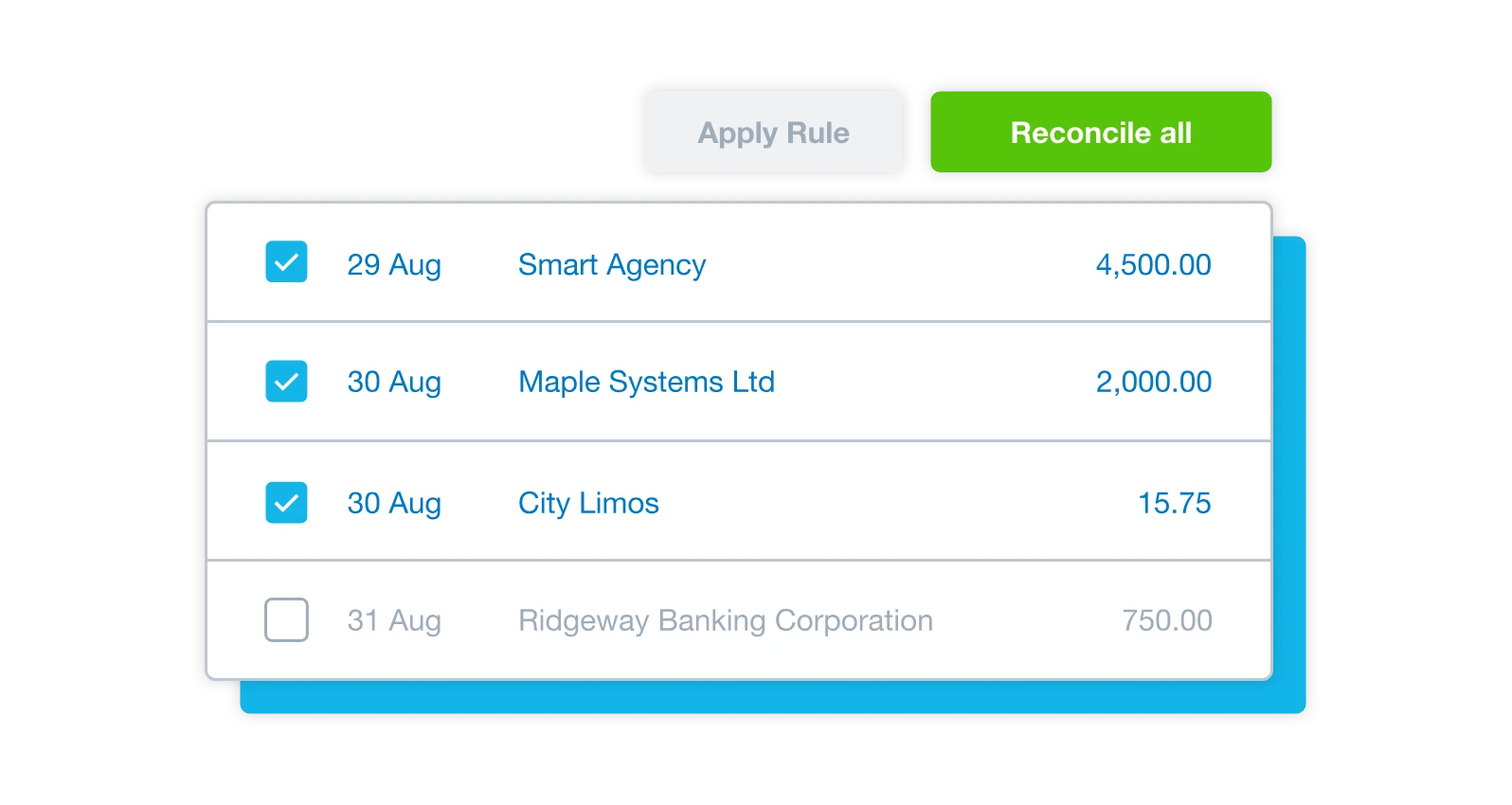
Xero is heavily utilized for bank reconciliations: importing bank transactions and matching these to invoices, bills, and categories. Consistent monthly reconciliation reduces the stress associated with reconciliations at the end of each month, and enables reconciliation to become a recurring, short task. As noted above, automated bank reconciliations are an important core function of Xero's position as a cloud-based accounting solution for small to medium-sized businesses.
Expense tracking and payable workflows in one accounting hub
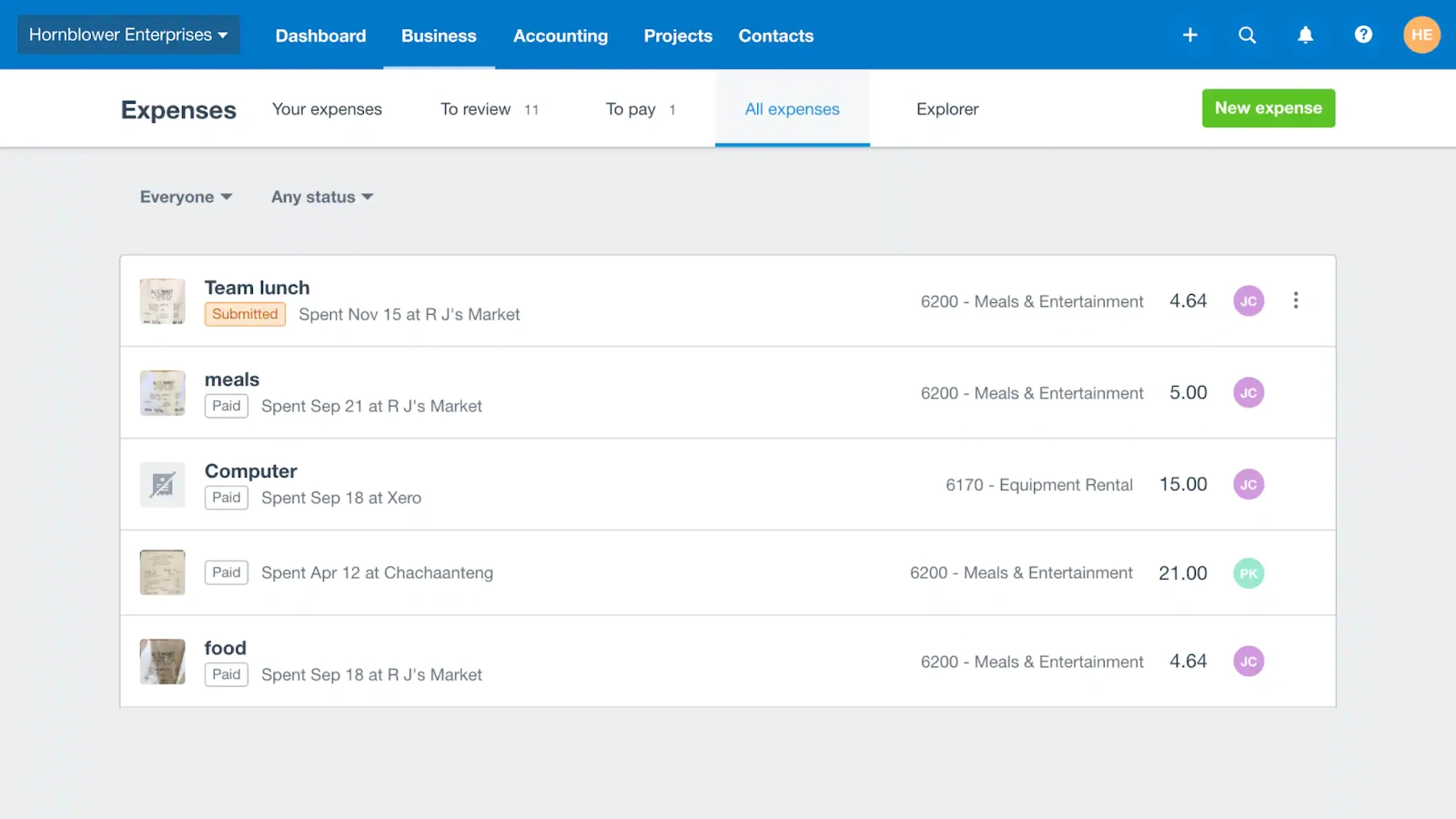
The operational advantage is control: you can clearly see where your money is going, you can keep documents cleaner, and your reporting will be more accurate. For businesses managing contractors and equipment, you can correlate subscriptions (i.e., software, professional services and operational expenses) more accurately — especially when you create consistent categories (e.g., "Software," "Marketing," "Contractors") and maintain consistency from one month to the next.
Reporting and integrations that scale with your business
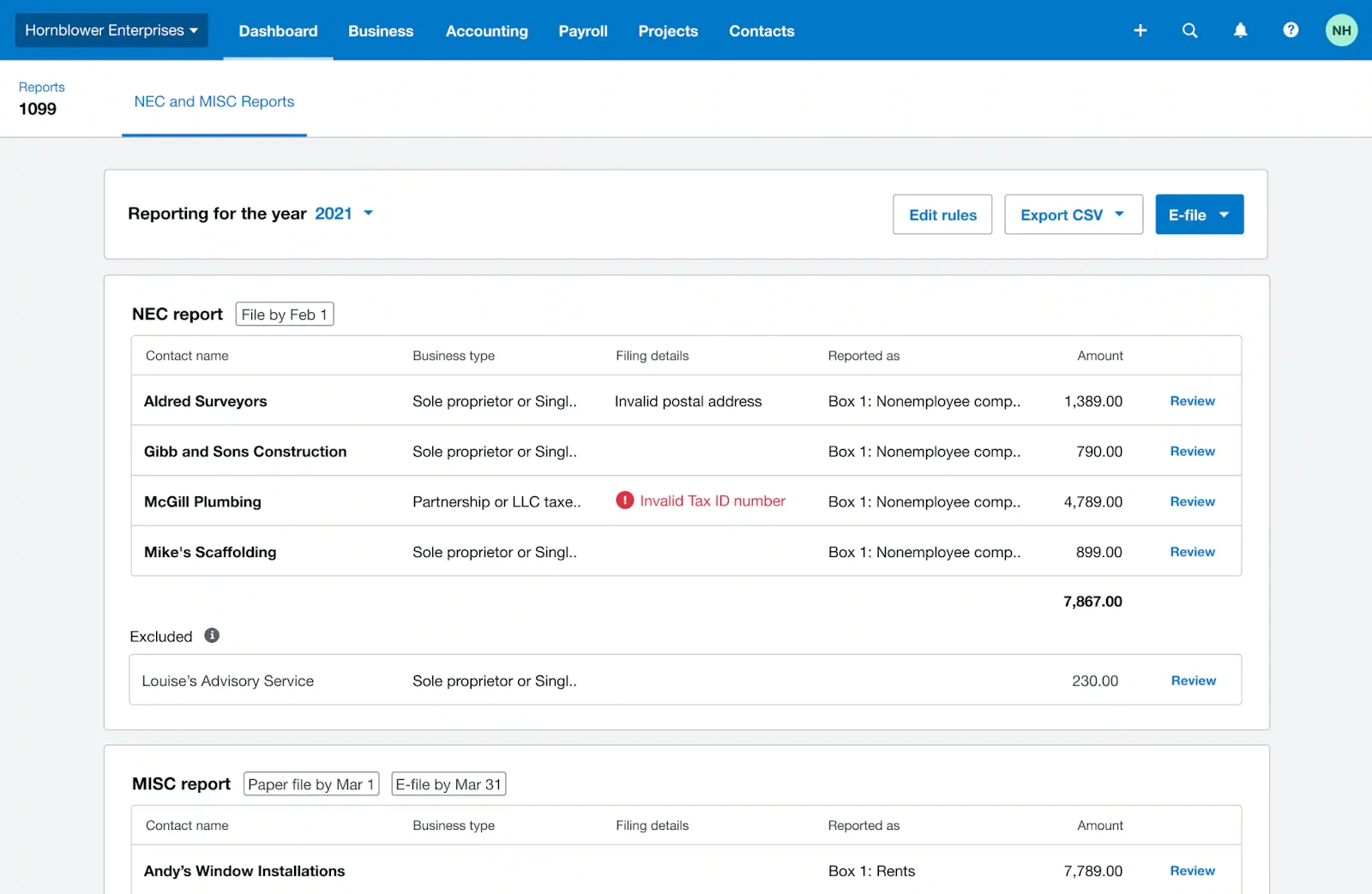
Xero has the capability to support financial reporting (i.e., management reporting and basic financial reports) and is designed to integrate with other applications and systems. This is significant once you begin adding systems such as e-commerce, billing, expense management, or payroll. As your operational stack increases, the more valuable it is to have one accounting "Source of Truth" versus disparate data.
Is Xero right for your business? Pros and cons
Xero is well-suited for companies who desire a modern, cloud-based accounting process and are willing to maintain their books "live" on a weekly basis. Xero can seem too much to handle if you only generate a few invoices per month and do not need formal reporting — yet, Xero can also be the solution that keeps your accounting practices from becoming messy and quietly accumulating problems.
Pros
- Cloud-based collaboration: easier to share access with accountants and teammates.
- Automation: bank feeds and reconciliation workflows reduce manual entry and repetitive admin.
- Operational clarity: consistent categorization makes reporting and planning less guessy.
- Integrations: Xero is positioned to work with popular SaaS tools so accounting can keep up with the rest of your stack.
Cons
- You still need process discipline: if you don’t reconcile regularly, the dashboard will become noise instead of insight.
- Learning curve for non-accountants: you can be productive quickly, but good categorization requires a bit of accounting literacy.
- Complex finance needs may require add-ons or another platform: certain advanced scenarios (multi-entity complexity, ERP-level workflows) can push teams elsewhere.
If you desire clear, up-to-date financial transparency and are willing to maintain your books regularly, Xero is a suitable option. Many businesses experience less cleanup work after establishing a reliable system earlier in the growth cycle and enjoy increased ease in managing growth.
Pricing plans

Xero has developed several pricing plans that cater to various business requirements and stages, generally based on usage limitations and advanced features. The practical method to select a plan is to map it to your workflow: your average number of invoices generated, your average number of bills processed, whether you need to operate in multiple currencies, and the number of users (including your accountant) that require access to your company's financial records.
Save up on Xero with our exclusive promo code
If you’re a startup watching burn rate, it’s worth checking whether you can reduce your accounting software cost before you commit. On Secret, there’s a Xero offer described as 90% off for 6 months for eligible customers, positioned as an exclusive startup discount.
Here’s the fastest path: Xero discount code (the discount is applied via the dedicated link after signup for free).
What is the best alternative to Xero for small business accounting?
"Best” depends on whether you care about how many times you will call your accountant for help, if you would rather not spend hours dealing with complicated accounting functions, if you are trying to save money, if you want access to a robust ecosystem of applications that can interact with each other, or if you are looking for advanced accounting features. Of the alternatives to Xero included in your data set, these five are viable options to explore.
QuickBooks
QuickBooks is a popular choice among those looking for an accounting standard used by almost all businesses and a community of accountants familiar with the application. If you plan to hire finance personnel down the road, having a familiar application can reduce transition time.
For a deeper comparison, see Xero vs QuickBooks.

FreshBooks
FreshBooks may be a good option for services-based businesses that are primarily concerned with providing streamlined client billing (i.e., invoices, simplified workflow) versus "accounting-focused" activities. If your business consists primarily of projects + clients + invoices, the user experience of FreshBooks may seem more intuitive.
See FreshBooks vs Xero.

Zoho Books (Zoho)
Zoho Books is attractive to users that utilize several Zoho applications and want greater integration and consistency across invoicing, CRM, and operations. Zoho Books may also be a viable option for businesses that wish to adopt a comprehensive integrated business suite as opposed to integrating multiple vendor solutions.
For a direct comparison, see Zoho vs Xero.
Wave Accounting
Wave Accounting is a pragmatic alternative for very small businesses that need basic invoicing and bookkeeping without committing to a heavier platform. If transaction volume is low and reporting needs are simple, Wave can be “good enough” while you’re validating your business model.
NetSuite
NetSuite is generally utilized when you exceed the scope of a typical Small Business Accounting Platform and move into Enterprise Resource Planning (ERP) territory. This is a far cry from being a comparable substitute to Xero, but it could represent a logical next step for businesses requiring multi-entity and Enterprise Grade Financial Operations.
What customers say about Xero
Customers tend to appreciate Xero's ability to simplify routine accounting activities. They particularly enjoy Xero when teams consistently reconcile their accounts and utilize the platform as the central hub for managing financial information (invoicing, expense tracking, reporting, integrations).
Frustrations typically arise due to misaligned expectations and/or improper initial configuration of the platform. Inconsistencies in category assignments, improperly configured rules, and requirements that fall outside of "normal" SMB accounting can also cause frustration.
FAQ
Is there a promo code for Xero?
Yes—Secret lists an exclusive Xero offer : 90% off for 6 months. The deal is activated through a dedicated signup link, with the discount applied automatically (so you don’t necessarily paste a code at checkout). You can check eligibility and activate the offer here:
Can you learn Xero by yourself?
Generally yes--as long as you begin with the fundamentals, and expand outward from there. A good step-by-step progression would be: First, create some invoices. Next, set up and connect your bank feeds and then reconcile your transactions on a regular basis. After that, set up your bills and expenses. Finally, move to reporting. Most people find themselves stuck when they attempt to "do reporting" before their categorizations are consistent.
Do you still need an accountant if you use Xero?
Yes, but probably for different reasons. Xero can make many of the routine aspects of bookkeeping easier, but an accountant can provide real value by: Setting up your Chart of Accounts and establishing a rule-based system for categorizing your financial information. Reviewing your reconciliations on a regular basis. Providing compliance and tax advice. As your company grows, the strategic advice provided by an accountant could end up being more valuable than the cost of using Xero.
Is Xero similar to Excel?
Xero and Excel both allow you to "look at the numbers", but they are fundamentally different tools. Excel allows you to quickly and easily perform an ad-hoc analysis on your financial information, while Xero provides a structured accounting solution which includes transactional history, reconciliation, and reporting. Many users will use Xero as the "source of truth" and then use Excel for running forecast models (runway, hiring plans, etc.) based on that historical data.
Is Xero easy to learn and use?
Xero is generally very user-friendly for the types of tasks that most businesses perform every day, such as generating invoices and reconciling accounts. However, the primary learning curve with Xero is less related to navigating the user interface, and more about making sure that you understand the fundamental categories of accounting so that your data remains clean.
What are the disadvantages of Xero?
While it's hard to think of any true "disadvantages" with using Xero, the biggest disadvantage is that Xero rewards consistency. If you're not reconciling on a regular basis, you'll never realize the full potential of having access to real-time reporting. Additionally, if you have more sophisticated needs (i.e. enterprise resource planning workflows) than Xero supports natively, you may need to consider add-on solutions or a more complex platform. In those cases, you should also evaluate alternative solutions such as QuickBooks, FreshBooks, Zoho Books, or NetSuite to determine which option best aligns with your specific needs.
Where Xero fits best and when it doesn’t
I am very straightforward about this; Xero performs its best if you are using accounting (bookkeeping) as a 'routine', rather than a 'quarterly crisis'. If you link all of your bank accounts, perform regular reconciliations and maintain consistency within your categories; you will have access to reliable information with a clear audit trail. For many early stage founders, having this clarity can provide great comfort.
Xero also tends to do well for teams that utilize numerous revenue streams or tools to feed their financial data, as they now have everything located in one location, as opposed to being spread out across multiple dashboards. The same holds true for those reviewing financials on a monthly basis with an accountant or advisor, as the data is likely already organized and available for review."
If you want to reduce the cost of getting started, I’d check the Xero offer on Secret before choosing a plan
{{cta-marketplace="/blog-elements"}}