


Gmail is one of those few applications that "just work", it has quick search capabilities, very good spam filters and most people are able to use the application on their first day. However once your email address represents your company, then the questions change from which inbox do I like? To Which system can I trustably run?
Google Workspace provides all of the above and also provides an administrative, secure and compliant layer of functionality for companies using Gmail at the user interface level. This article will provide some information about what you get by using Google Workspace and what you don't get when using Gmail alone, and how you can make the best choice for your needs based upon cost.
If you would like to review the pricing options for both, click here to visit the Google Website.For deals and plan comparisons, you can also check our dedicated page for Google Workspace deals.
- 01 Vue d'ensemble : Gmail vs Google Workspace
- 02 Quelle est la différence entre Gmail et Google Workspace ?
- 03 Avantages et inconvénients de Gmail
- 04 Avantages et inconvénients de Google Workspace
- 05 Gmail par rapport à Google Workspace
- 06 Google Workspace par rapport à Gmail
- 07 Comparaison des fonctionnalités
- 08 Gmail vs Google Workspace : Quel est le meilleur choix pour votre entreprise ?
- 09 Alternatives à Gmail et Google Workspace
- 10 Promos sur les logiciels Email Marketing
- 11 Gmail vs Google Workspace : Conclusion
Commencez à économiser sur les meilleurs SaaS
Secret a déjà aidé des dizaines de milliers de startups à économiser des millions sur les meilleurs SaaS comme Microsoft Teams, Google Workspace et bien d'autres. Rejoignez Secret maintenant pour acheter des logiciels de manière intelligente.

01 Vue d'ensemble : Gmail vs Google Workspace
In the same Google environment, both Gmail and Google Workspace provide the same user interface and have similar features such as labels, filters, excellent searching capabilities and integration with Google Calendar and Google Drive. Where these two applications differ is that Gmail is a consumer email product, whereas Google Workspace is a complete business solution that includes Gmail as one of its many components.
When looking for a simple personal inbox with limited configuration options, Gmail is the best option. This is also true for individual users, side projects and any workflow that does not require a customized domain name or a central governing body. In addition to the Gmail user interface and other intelligent features such as auto-categorization, Gmail provides a basic level of security, without requiring an administrative layer.
If you are looking for a professional domain email (you@yourcompany.com) and need an administrative layer to manage your email account, Google Workspace is the answer. Consider Google Workspace as "Gmail with IT controls" with additional productivity tools designed to be managed by businesses on a large scale.
Below is a comparison of some of the key features to help you better understand the differences between the two solutions.

Security & policy enforcement
Gmail is secure for individuals, but enforcement is user by user. Workspace enables company-wide settings like mandatory MFA and SSO policies, plus administrative auditing.

Gmail
Google Workspace
Storage & governance
Gmail storage is limited on free accounts and shared across services. Workspace offers larger pooled storage and better organizational governance over data usage.
Gmail
Google Workspace
Team workflows (aliases, groups, routing)
Gmail can approximate team workflows via delegation and filters, but Workspace supports structured aliases and groups, plus mail routing that scales cleanly and securely.
Gmail
Google Workspace
Customer reviews
Gmail is widely praised for reliability and UX. Workspace also scores well, but admins sometimes mention licensing costs and policy configuration overhead.
Gmail
Google Workspace
Admin & user management
With Gmail, each user owns their account. Workspace introduces the Admin Console for provisioning, access control, groups, policies, and centralized lifecycle management.
Gmail
Google Workspace
Ease of use
Same Gmail interface day to day. Workspace adds admin setup and organization policies, which increases complexity mainly for IT, end users still feel “Gmail”.
Gmail
Google Workspace
Pricing plan
Gmail is free for personal use (with shared Google account storage). Workspace is per user, per month, priced for domain email, admin controls, and business support.
Gmail
Google Workspace
Customer support
Gmail is mostly self-serve support. Workspace offers business-grade support channels and response objectives, which matters when email is mission-critical.
Gmail
Google Workspace
Custom domain email
Workspace is built for professional identity (you@company.com). Gmail alone is tied to consumer accounts and doesn’t provide organization-grade domain email management.
Gmail
Google Workspace
Collaboration controls (Drive, Docs, Meet)
Both integrate tightly with Google tools. Workspace adds admin-level controls (sharing restrictions, shared drives) that prevent data sprawl as your team grows.
Gmail
Google Workspace
02 Quelle est la différence entre Gmail et Google Workspace ?

Your email simplified with Gmail
Gmail
Communication illimitée : Gmail, bien plus qu'un email.

Turn your inbox into a business email system with Google Workspace
Google Workspace
Accueil des applications que plus de 3 milliards d'utilisateurs connaissent et adorent – Gmail, Calendar, Drive, Meet et plus encore. Maintenant avec Gemini pour Workspace pour augmenter la productivité grâce à l'IA. Essayez-le gratuitement pendant 14 jours.
You could view Gmail and Google Workspace as being different in the sense of the former as simply an e-mail inbox; whereas the latter is an organizational operating system for company e-mail. Both will allow you to send and receive e-mails, with the e-mail interfaces looking almost alike. However, with Google Workspace, there is now a management layer that allows an organization rather than an individual to be responsible for managing the identities of users, defining who has access to data, and implementing data governance.
As such, with Google Workspace, you are able to create standardized processes for hiring employees and have them set up with e-mail accounts quickly (in minutes) so they can begin working immediately. The same goes for security baselines, for example, requiring all users to have multi-factor authentication. Also, with Google Workspace, you can easily take away an employee's e-mail access once they leave the company.
With Gmail, each e-mail account is essentially "an island" and therefore is fine to manage individually, until you have to implement similar policies and controls across teams, contractors, or other departments within your organization.
Now, let's look at pricing. For personal use, Gmail is free. Many individuals do not need anything else, and therefore, for many, Gmail is sufficient. Google Workspace is priced based on how many users are in an organization. However, you are not paying for an improved inbox; you are paying for credibility of your brand by having a custom domain name associated with your e-mail, you are paying for administrative tools to control access to the e-mail, you are paying for enforcing security for your e-mail, and you are paying for support that views e-mail as part of your business' IT infrastructure.

Google Workspace
Une suite complète pour améliorer la productivité des employés
20 % de réduction sur les plans Plus pendant 1 an
Économisez jusqu'à $518
03 Avantages et inconvénients de Gmail
Quels sont les avantages de Gmail ?
- Zero-cost entry point: You get a fully capable inbox without a monthly subscription. For personal usage, that cost advantage is hard to argue with.

- Industry-leading search and organization: Labels, filters, categories, and search are not “nice-to-haves”, they’re what keep inboxes usable when volume spikes.
- Excellent spam and phishing filtering: Gmail’s filtering is consistently strong out of the box, which reduces noise and lowers the risk of clicking malicious messages.
- Instant setup: No DNS configuration, no admin console, no licensing decisions. You can be productive in minutes rather than hours.
- Broad integrations: Gmail plays well with calendars, CRMs, helpdesks, and automation tools, making it easy to plug into existing workflows.
Quels sont les inconvénients de Gmail ?
- No organization-grade domain email management: If you need consistent company addresses and identity control, Gmail alone won’t give you the admin primitives to run it cleanly.

- Limited centralized governance: You can’t reliably enforce policies across multiple people because each account is owned and configured individually.
- Support is not business-oriented: When issues hit, the escalation paths and response guarantees are not comparable to paid business support.
- Offboarding risk: If email and files live in personal accounts, employee exits can turn into access, continuity, and data ownership headaches.
- Harder to prove compliance: Even if a Gmail account is secure, demonstrating and enforcing company-wide retention, audit, and eDiscovery practices is much harder.
04 Avantages et inconvénients de Google Workspace
Quels sont les avantages de Google Workspace ?
- Custom domain email: You can run Gmail on your own domain, which boosts professionalism and trust, especially for sales, partnerships, and customer support.
- Admin Console and lifecycle management: Provision users, assign roles, manage groups, and standardize security settings. This is the backbone of scalable operations.
- Policy enforcement and auditability: Workspace makes it realistic to enforce MFA, control access patterns, and create an administrative record of changes and activity.
- Collaboration with governance: Shared drives, controlled sharing, and organization-wide directories help teams collaborate without scattering files across personal accounts.
- Business support: Support expectations are simply different when your company is paying, response targets and escalation paths are designed for operational continuity.
Quels sont les inconvénients de Google Workspace ?
- Per-user pricing compounds: What feels affordable for a small team becomes a real budget line as headcount grows.
- Admin overhead: DNS setup and policy decisions, sharing, retention, device access, require time and competence, otherwise you underutilize what you’re paying for.
- Potential overkill for solo users: If you don’t need governance, paying for it is wasted.
- Change management friction: Enforcing MFA or tightening sharing can disrupt workflows unless you roll it out thoughtfully.
- Switching costs: Once email, storage, and identity are deeply embedded, migrating away later is more complex, not impossible, just non-trivial.
Comparez Google Workspace à d'autres outils


Microsoft Teams vs Google Workspace


Google Workspace vs Zoho Mail

Google Workspace vs Squarespace

Google Workspace vs Microsoft 365

Zoho vs Google Workspace

Google Drive vs Google Workspace
05 Gmail par rapport à Google Workspace
When you want to optimize your inbox for individual productivity and do not wish to commit to an entire IT stack, then Gmail is likely to provide the greatest value. Gmail is an optimal solution for providing a powerful inbox without the administrative overhead associated with an entire suite of products; it is lightweight, reliable, and focused on individual productivity and not enterprise governance.
On the other hand, Google Workspace is designed for the point at which email becomes an important team dependency and onboarding, security baselines, and continuity begin to matter much more than "the way I prefer my inbox to look".
Gmail est-il meilleur que Google Workspace ?
 Gmail est-il meilleur que Google Workspace ?
Yes, Gmail will generally provide better results for an individual as it provides almost everything you would expect from a mail client without requiring a license and without administrative overhead. Therefore, if you are looking for speed, simplicity and lower costs, Gmail was designed to win.
However, for a team, Gmail will only remain "better" if you deliberately exclude the use of domain email and enterprise governance. The instant you require consistent security rules, professional identity and the like, Workspace will become the more robust solution even though it will continue to have the same user interface as Gmail.
À quoi sert principalement Gmail ?
Gmail is best suited for personal communications, freelancers who operate without having to adhere to strict branding guidelines, and low-risk environments where an inbox is primarily a convenience rather than an asset that must be managed.
Additionally, Gmail excels as a "utility inbox" for product sign-up notifications, alerts, newsletters, and non-essential workflow processes where you want excellent filtering and searching capabilities but with minimal administrative overhead.
Est-ce que Gmail peut remplacer Google Workspace ?
Practically speaking, Gmail cannot replace Workspace unless you do not require customized domain email, centralized onboarding and offboarding, or enforced security controls. In general, this is typically a single person operation or a very early stage of development.
Replacing Workspace with Gmail in a true organization will result in either implementing work-arounds (e.g., using shared passwords), manually managing access, implementing ad-hoc policies, etc. These work-around solutions represent the areas where organizations create operational risk.
Gmail est-il moins cher que Google Workspace ?
Yes. Gmail is a free email service for consumers so this makes Gmail the least expensive option for an email client if your usage is going to be on a casual/personal level as there is no need to spend money just for spending money.
If you're still thinking about using workspace then, the better comparison would be "Paid Workspace vs. the costs associated with unorganized processes".
If you do decide to go paid, check Google Workspace promo code before you subscribe.
Existe-t-il un meilleur logiciel Email Marketing que Gmail ?
If you're a business, google workspace is the next logical step. If you're looking at an alternative system with a focus on office heavy environments or simply an alternative suite level product, Microsoft 365 is probably your best option.
In terms of a general list of alternatives to consider, you may wish to look at Gmail alternatives and compare what “better” means in your context, privacy, admin controls, or ecosystem fit.
Is Gmail included in Google Workspace?
Yes, Gmail comes with Google Workspace; however, the difference is the additional features and tools available for a work environment such as a customized domain name for email, company-wide administrative policies and company-wide security settings for email.
Many companies will say "we're moving our team to Google Workspace" but they'll also say "you'll continue to use Gmail". In both cases, it's simply the same experience as Gmail; however, instead of using your personal account, it would be using a company-managed identity.
06 Google Workspace par rapport à Gmail
When you purchase Google Workspace, you're buying more than just an email service; you're creating an infrastructure to support all aspects of your company's communications. While the overall experience of using your Gmail inbox will feel very similar, the level of management over your company's email will become enterprise grade.
If you want to maintain a professional image (branding) for your company, want to improve your company's security posture and ensure that your employees have a seamless process of onboarding and offboarding, then Google Workspace is a necessary platform to reduce unnecessary risks associated with employee email.
Google Workspace est-il meilleur que Gmail ?
Google Workspace is best for companies or departments that require a branded corporate email experience, a custom domain name for their email, the ability to collaborate and share files through Google Drive, Docs, Sheets and Slides, as well as video conferencing through Google Meet, and most importantly, a single location to manage all of these features, users, and security settings.
Companies with rapid growth phases will especially find value in using Google Workspace since the costs associated with operational chaos, lost access to important documents, uncontrolled data being spread across multiple platforms, and varying levels of security can exceed the monthly cost of a Google Workspace subscription.
À quoi sert principalement Google Workspace ?
Google Workspace is best for teams that need professional email identity, custom domain, shared collaboration, Drive, Docs, Meet, and a centralized way to manage users, access, and security settings.
It’s particularly strong for fast-growing companies where the cost of operational chaos, lost access, unmanaged data, inconsistent security, quickly exceeds the subscription cost.
Est-ce que Google Workspace peut remplacer Gmail ?
Yes. As mentioned earlier, Google Workspace does include Gmail. Therefore, instead of replacing Gmail, you're essentially changing how you manage your email from a personal account to a company managed account. Once you're using Google Workspace, you'll still be able to communicate with anyone else using Gmail, whether it's for a work project or just as a friend.
Google Workspace est-il moins cher que Gmail ?
No. Since Gmail is completely free for consumers to use, Google Workspace has an added cost per user per month to provide the additional business-class features and support. CDW provides a current pricing comparison of the different plans along with storage allowances.
If you’re shopping for savings rather than a plan change, look at Google Workspace promo offers before committing.
Existe-t-il un meilleur logiciel Travail Collaboratif que Google Workspace ?
What makes "best" will depend on the ecosystem you use to support your business. The most commonly used alternative to Google Workspace is Microsoft 365 because many organizations live in an Excel or PowerPoint world and want to leverage deep desktop applications for their workflow.
However, if you are looking at other suites that meet your specific needs, I recommend starting with Google Workspace alternatives and weigh governance, admin controls, collaboration style, and total cost at your team size.
What are the disadvantages of Google Workspace?
The largest disadvantage of Google Workspace (and by extension, all cloud productivity software) is both economic and operational; the per-user charge grows in proportion to your head count, and you will need to either hire someone or find a partner to establish proper policy configurations otherwise you are simply buying governance that you do not enforce.
There is a small trade-off here as well: while centralizing your systems can provide consistency across your team, it may make switching to alternative systems more difficult down the road. The extent to which this is a drawback depends largely on how you approach Workspace as part of your overall security strategy. As long as you view Workspace as one piece of your security stack rather than something you can add as an after-thought, you should be able to tolerate the potential drawbacks.
Google Workspace
Une suite complète pour améliorer la productivité des employés
20 % de réduction sur les plans Plus pendant 1 an
Économisez jusqu'à $518
07 Comparaison des fonctionnalités
Gmail Often Wins on Customer Reviews for Simplicity, While Workspace Wins on Control

Effortless email management and search enhanced by AI
Many reviewers love Gmail because it is straightforward: users get rapid search results, solid filtering capabilities, and a simple interface that requires no understanding of policy layers.
Reviews of Workspace are similarly positive, however, the sentiment changes: administrators discuss control, licensing, and security posture. In essence, Workspace is reviewed, not merely as an email client, but as a fully functional IT system.
Therefore, if reviews are important to you, look at them through the lens of persona: what end users praise, simplicity, is typically distinct from what IT leaders require, governance.
Google Workspace Is the Better Choice for Security Enforcement and Compliance-Ready Controls

Centralized security and compliance controls in Google Workspace
In B2B environments, having a custom email domain is a trusted indicator of credibility. It is also more organized: as opposed to creating ad-hoc aliases like billing@, support@, or partnerships@, you can create these intentionally.
Workspace provides this capability natively, with administrators owning the identity and routing of emails. Gmail cannot provide this type of organization-level functionality for a business without employing some form of duct tape solution.
If your email address is included on invoices, procurement documents, contracts, etc., then Workspace's custom domain-based identity is more than just a "nice-to-have," it is a necessity.
Gmail Feels Slightly Easier to Use, Until You Need to Standardize Anything
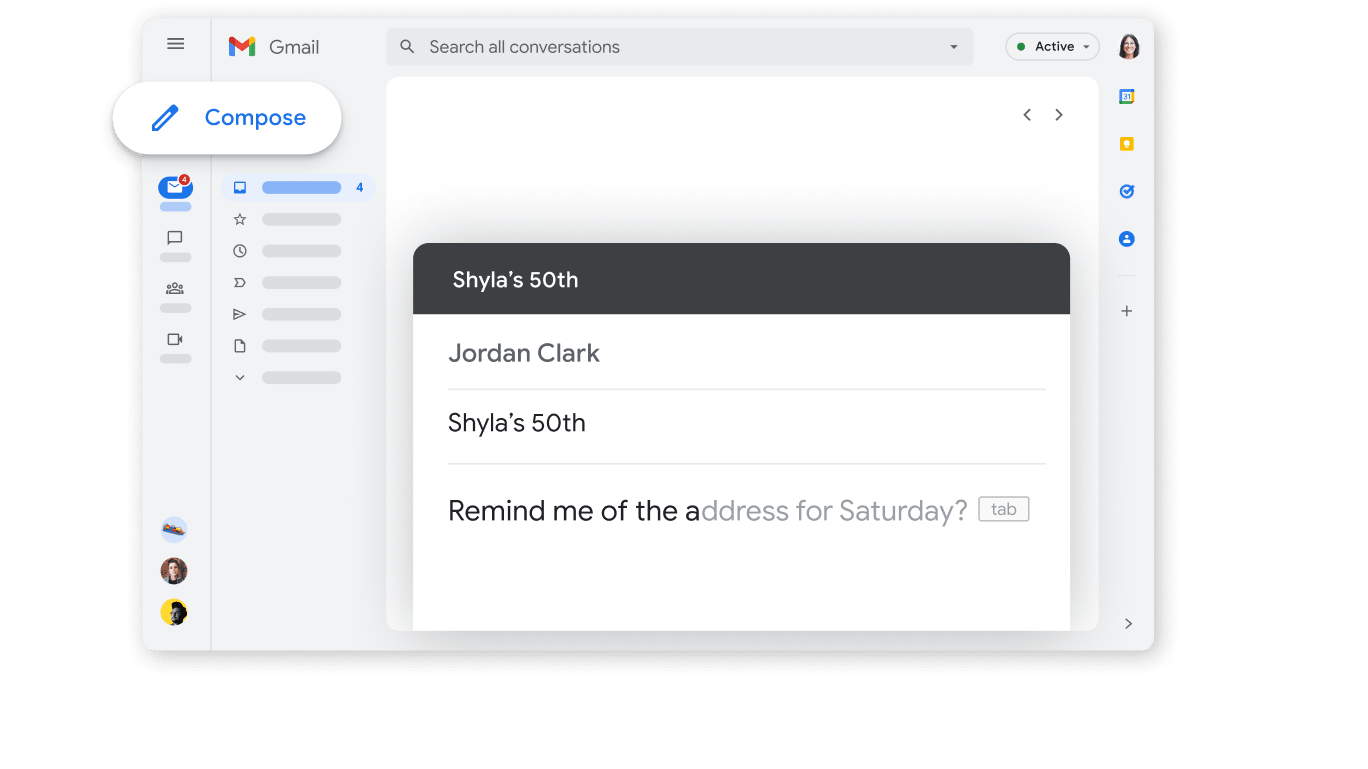
Start sending emails in seconds with Gmail
For a single person, Gmail is easier: fewer settings that matter, no domain work, no admin console. You’re productive immediately.
Workspace is nearly identical for day-to-day emailing, but the setup phase introduces real choices, domain verification, user provisioning, security baselines. That effort is justified when you need repeatability across a team.
If you’re solo, Gmail’s ease is hard to beat. If you’re building a company, Workspace’s “structured complexity” is exactly what keeps things sane later.
Gmail Remains the Most Cost-Efficient Choice on Pricing Plan

From free email to scalable business plans
On price, Gmail wins, hands down. As a consumer, it is completely free and offers such a robust feature set that many individuals and businesses never feel the need to upgrade.
Workspace pricing is logical and reasonable only when your "email needs" extend beyond simple email functionality and into areas including identity, security enforcement, and governance. Therefore, the most honest comparison is not Gmail vs Workspace on features, but rather Gmail vs Workspace as an operational model.
To keep your costs optimized on Workspace, first identify the correct pricing tier for your needs, and only pay for additional capabilities, storage, compliance tools, etc., when you can articulate a valid business justification.
Google Workspace Pulls Ahead for Customer Support That Matches Business Criticality

Enterprise-grade support for critical email
When your email is directly connected to your revenue stream (i.e., your sales cycle), your support queue, your billings process, your invoicing process, etc., then "community forums" (a la Stack Overflow) aren't going to cut it as a primary support mechanism. Gmail has been reliable, however, its support model is based upon supporting individual consumers, whereas Google Workspace supports businesses in the same way they would expect their business infrastructure to be supported. This does not mean that there will never be outages, it simply means that you will have more clearly defined escalation procedures and service objectives, similar to what a business would expect.
If your inbox being unavailable would cause you to lose customers due to missed renewals, loss of reputation, etc., then Workspace's support posture is a clear and tangible difference maker in this space versus Gmail, and not simply a marketing bullet point.
Google Workspace Dominates Custom Domain Email and Professional Identity

Build a professional identity on Google Workspace
As a singular person using Gmail, you'll experience ease of use: fewer relevant options, no need to deal with a domain name, and no administrative console. You're productive right away.
Workspace is virtually identical to Gmail in terms of daily use, but the initial setup process provides actual decisions, domain verification, user provisioning, and security baselines. This upfront effort is necessary if you wish to maintain a consistent process among multiple members of a team.
If you're working alone, Gmail's ease-of-use is extremely difficult to beat. However, if you're building a company, Workspace's "structured complexity" is precisely what keeps your processes organized and sane down the line.
Google Workspace Offers Superior Team Collaboration Governance, Not Just Collaboration

Manage users, permissions, and ownership across your organization
Both products are integrated with Drive and Docs, but Workspace was built around the idea of governance (shared drives, controlled sharing, group based permissions, same level of access to all employees)
Using Gmail alone can lead to a lack of continuity and a lack of clear ownership of projects, which leads to project data being spread out across multiple accounts. This can be functional until it becomes unfunctional.
If you want to continue to have your projects survive after an employee leaves, Workspace's governance layer will convert your collaboration from just a habit to a system.
08 Gmail vs Google Workspace : Quel est le meilleur choix pour votre entreprise ?
Gmail est le meilleur outil pour vous si :
- You want a free, high-quality inbox for personal or informal use.
- You don’t need a professional address like you@yourcompany.com.
- You’re not managing multiple users, contractors, or access policies.
- Your priority is speed and simplicity, not governance.
- Email isn’t a compliance-heavy or operationally critical system for you.
 You want a free, high-quality inbox for personal or informal use.
Google Workspace est le meilleur outil pour vous si :
- You need custom domain email to look credible and consistent.
- You want centralized onboarding and offboarding through the Admin Console.
- You need enforceable security baselines across a team.
- You want collaboration with governance, shared drives, controlled sharing.
- You value business-oriented support when email is mission-critical.
Google Workspace
Une suite complète pour améliorer la productivité des employés
20 % de réduction sur les plans Plus pendant 1 an
Économisez jusqu'à $518
09 Alternatives à Gmail et Google Workspace

lemlist
Utilisé par 1223 membres
Premier mois offert + 20% de réduction sur tous les abonnements annuels payants
Économisez jusqu'à $291

Mailchimp
Utilisé par 1165 membres
30 % de réduction sur tous les plans pendant 12 mois
Économisez jusqu'à $5 760

Proton Mail
Utilisé par 303 membres
16 % de réduction sur tous les plans pendant 1 an
Économisez jusqu'à $30

Hubspot Sales Hub
Utilisé par 166 membres
30 % de réduction sur les plans Sales Hub Professionnel et Entreprise pendant 1 an
Économisez jusqu'à $2 000
10 Promos sur les logiciels Email Marketing et Travail Collaboratif
Gmail et Google Workspace sont d'excellents outils, mais Secret propose des codes promo avec des réductions sur plus de 2210+ solutions SaaS différentes. De nouvelles promos sont ajoutées régulièrement, vous aidant à économiser sur vos abonnements en ligne. Accédez aux codes pour d'autres logiciels Email Marketing et Travail Collaboratif que vous pourriez vouloir acheter.

Promotions pour Brevo (ex. Sendinblue)
75 % de réduction sur les plans annuels Starter et Standard

Offre Airtable
1 000 $ de crédits sur les licences pour 1 an
Code de réduction Mailchimp
30 % de réduction sur tous les plans pendant 12 mois

Coupons pour Notion
6 mois offerts sur le plan Business avec IA illimitée

Code de réduction ActiveCampaign
90 % de réduction sur tout plan annuel pour la première année

Code reduc pour Slack
25% de réduction sur l'achat d'un nouvel abonnement

Coupons pour Bouncer
20% de réduction sur Pay-as-you-go

Code promotionnel Miro
1000$ de crédits (valable à vie)
Code reduc pour lemlist
Premier mois offert + 20% de réduction sur tous les abonnements annuels payants

Code promotionnel Monday
Premier mois offert
11 Gmail vs Google Workspace : Conclusion
The first step is to make sure that both systems work in an identical way. Many organizations feel there is no reason to choose one over another as they appear nearly identical. However, while they may appear to be similar at first glance, each has been designed to address completely different issues. Gmail was developed specifically to serve as a superior personal inbox, with speed, cleanliness, and cost-free service. If the purpose of your email use is primarily centered around your individual productivity needs, I find it difficult to encourage you to spend money on something more than what you have now.
On the other hand, Google Workspace (formerly G Suite) is where you will want to focus if your email becomes a business system requiring features such as identity, access control, security enforcement, continuity and business-level support. It seems that in my experience the turning point is rarely “features,” but rather “governance.” The minute you start caring about consistency of policy, clean off boarding processes, and a professional looking domain name, Workspace moves from being optional to being sensible.
If you are ready to review plans and reduce your subscription costs thanks to our Google Workspace discounts. Or you’re staying on the free path, or keeping a personal inbox alongside business email.
Commencez à économiser sur les meilleurs SaaS
Secret a déjà aidé des dizaines de milliers de startups à économiser des millions sur les meilleurs SaaS comme Microsoft Teams, Google Workspace et bien d'autres. Rejoignez Secret maintenant pour acheter des logiciels de manière intelligente.