


Most of the time when people do "compare presentation tools," they are missing the biggest problem. The big problem is not how good your slide looks, but instead how you get from some ideas, notes, bullet points, a document, to a clear narrative with visuals that will survive changes after stakeholders have reviewed them. I've tried out enough decks processes to realize that the tool you choose for creating your deck will subtly affect how you create your deck. Will you begin with a story line, or with an image template?
In this comparison of Gamma and Canva, I'll be looking at four key aspects of both products through a practical lens; how quickly you can get to your first draft, how much control over your branding you have, what options you have available for exporting your work, what kind of collaboration exists within each product, and how each product functions under typical business use case conditions.
- 01 Gamma vs Canva: overview
- 02 What's the difference between Gamma and Canva?
- 03 Gamma pros and cons
- 04 Canva pros and cons
- 05 Gamma compared to Canva
- 06 Canva compared to Gamma
- 07 Features comparison
- 08 Gamma vs Canva: Which is the best for your business?
- 09 Alternatives to Gamma & Canva
- 10 Promotions on AI Design software
- 11 Gamma vs Canva: Conclusion
Start saving on the best SaaS
Secret has already helped tens of thousands of startups save millions on the best SaaS like Microsoft Teams, Google Workspace & many more. Join Secret now to buy software the smart way.

01 Gamma vs Canva: overview
Both Canva and Gamma are capable of creating high quality presentation documents; however each is created with different starting points.
- Gamma is native to content: It was built to create and shape a narrative in minutes, and then deliver that narrative as a deck, or a URL link to be shared.
- Canva is native to design: Canva is designed to provide on-brand design for teams across all mediums of visual creation (presentations, social media, flyers, etc.) using a wide array of pre-designed templates and design elements.
Gamma functions like an AI-powered "idea-to- artifact" machine. With Gamma you can create content based upon prompts, upload existing content to create new pieces of content, and output those created pieces of content as PDF's, PPTX files, or even directly to Google Slides.
The pricing for Gamma is based on need: The free version allows you to try out the service. The Plus version removes branding, increases AI capabilities, and provides the ability to export to Google Slides. The Pro version allows for advanced sharing features, analytics, custom branding, fonts, custom domains, and API integration.
Canva is probably the safest choice if your team has multiple types of projects to work on (i.e., presentations, social media graphics, flyers, etc.), and you want to have one place to do all of them visually.
Like Gamma, Canva uses AI for its tooling; however, Canva's AI is focused on helping users create on-brand design, and iterating within the overall visual suite of tools, instead of just focusing on the production of presentation decks.
Below is the comparison chart to outline the differences.

Link sharing and publishing
Gamma is excellent for shareable link-based web-style presentations and engagement tracking. Canva shares designs well but is more file and workspace-centric.

Gamma
Canva
Brand control
Gamma Pro supports custom branding and fonts plus custom domains. Canva’s Brand Kit and on-brand AI generation are a major advantage for organization-wide consistency.
Gamma
Canva
AI-assisted creation (outline to deck)
Gamma is engineered around prompt and outline generation and AI reshaping. Canva AI can generate on-brand designs and slide content, but the workflow is more suite-first.
Gamma
Canva
Export options
Gamma exports to PDF, PPTX, PNG, and Google Slides, and it can import PPTX and PDF too. Canva supports PPT conversion and common export formats.
Gamma
Canva
Analytics
Gamma Pro includes detailed analytics and advanced sharing controls, which is especially useful for client pitches and investor decks. Canva analytics vary by use case and plan.
Gamma
Canva
Collaboration
Both support team collaboration. Canva is typically stronger for cross-functional creative production. Gamma is strong for co-editing narratives quickly.
Gamma
Canva
Ease of use
Canva’s editor feels familiar to most teams. Gamma is simple too, but its cards model a different mindset than classic slide canvases.
Gamma
Canva
Templates and asset library
Canva wins on breadth: templates, stock assets, and multi-format design types. Gamma is more focused on decks, docs, and web-style outputs.
Gamma
Canva
Customer support
Gamma includes priority support on paid tiers (Plus and Pro). Canva has mature support expectations due to massive adoption and enterprise usage patterns.
Gamma
Canva
Pricing plan
Gamma’s Free, Plus, and Pro tiers are clear: higher card limits, branding removal, premium models, domains, analytics, and API in Pro. Canva pricing depends more on suite-wide needs.
Gamma
Canva
02 What's the difference between Gamma and Canva?

Turn ideas into beautiful presentations instantly with Gamma
Gamma
Design brilliance, powered by AI

Design anything on Canva, all in one place
Canva
Canva is a browser-based design platform that makes it easy to create professional visuals without needing advanced design skills. It combines drag-and-drop editing with templates, stock assets, and increasingly powerful AI tools for content generation and editing.
The easiest method of framing the comparison is to say: Gamma is a "story to deck" machine, and Canva is a "design to anything" suite. If the input to the tool is disorganized , meeting notes, a rough outline, a document to transform into a deck , Gamma will generally be seen as a "shortcut" due to its use of artificial intelligence for generating, restructuring, and modularity in the creation of decks. Furthermore, Gamma formalizes the output by defining "cards per prompt," i.e., scaling from Free (up to 10 cards) to Plus (up to 20 cards) to Pro (up to 60 cards), which is a very direct way of measuring the size of the generated artifacts.
On the other hand, Canva excels at consistently producing brand elements. It's not simply making a pitch deck; it's making a pitch deck, a social media campaign, a one pager, a job posting graphic, and an event banner. Canva's AI direction is very closely aligned with the suite of tools it provides: generate concepts, iterate on them, and utilize the Brand Kit, so generated outputs do not diverge from brand standards when there are multiple users creating different assets.
Regarding the free plan option, Gamma offers a Free tier for trying out Gamma, and it allows exporting in PDF and PPTX formats, and importing PDF and PPTX files. Canva also offers a popular free tier, however, the distinction lies in what users receive in terms of paid plans. Gamma's paid tiers provide more power and control over the AI and publishing options available, whereas Canva's paid tiers provide brand governance, premium graphics, and scaled design output options.

Gamma
Design brilliance, powered by AI
400 credits + 25% off annual plans for Individuals
Save up to $52
03 Gamma pros and cons
What are the advantages of Gamma?
- Outline-to-deck speed: Gamma is engineered to skip the blank page, generate a structured presentation from a prompt or outline, then refine it with AI rather than rebuilding slide by slide.

- Modular cards that encourage better storytelling: Instead of overstuffing slides, you naturally chunk ideas into sections, which makes executive narratives cleaner and easier to rearrange.
- Serious export and import flexibility: Import PPTX and PDF, then export back out to PDF, PPTX, PNG, or Google Slides. This is useful when stakeholders demand a PowerPoint file at the last minute.
- Advanced sharing and analytics for business delivery: Gamma Pro includes detailed analytics and advanced sharing. It’s built for “send a link, see engagement,” not just “send a file.”
- Customization that matters for client work: Pro includes custom branding and fonts, plus the ability to publish custom domains, which helps your work look like a branded deliverable, not a tool-generated artifact.
What are the disadvantages of Gamma?
- Less of a full creative suite: Gamma can do more than slides, it also supports documents and web outputs, but it isn’t designed to be an all-purpose design platform with massive template breadth.

- Pro features can be all-or-nothing for teams: If you need custom domains, detailed analytics, and advanced sharing, you’ll likely be driven toward Pro.
- Card limits may influence content decisions: The cards per prompt model is practical, but it also means large, complex decks may require more deliberate structuring.
- Template variety is not the headline feature: If your workflow is to pick a niche template and tweak it, Canva can feel faster purely on aesthetics.
- Different mental model than classic slide editors: Teams deeply attached to slide-by-slide layout control may need a short adjustment period before Gamma feels natural.
Compare Gamma to other tools


Gamma vs Microsoft PowerPoint

04 Canva pros and cons
What are the advantages of Canva?
- Template and asset depth: Canva’s breadth across design types and templates makes it easy to produce polished work without a designer, especially for marketing teams.
- On-brand creation with AI: Canva AI is designed to generate editable designs, iterate quickly, and align outputs with your Brand Kit, reducing brand drift across teams and channels.
- Multi-format leverage: The same campaign can spawn a deck, social posts, and other visuals with shared components, which means less rework and more consistency.
- Familiar editor: Canva’s drag-and-drop UX is widely known, which makes onboarding smoother for non-designers and occasional contributors.
- Fast presentation kickstart: Canva’s Magic Design can generate presentation starting points, including slide content and outlines, when you need something usable quickly.
What are the disadvantages of Canva?
- Decks can become design-first, story-second: Canva makes it easy to perfect visuals before the narrative is coherent. That’s great for polish, but risky for persuasion-heavy decks.
- Less optimized for restructuring long narratives: If your deck changes weekly, pricing, roadmap, ICP, Canva can feel more manual than an AI-native structure editor.
- Governance requires discipline: Without strong workspace rules, teams can proliferate versions, off-brand assets, and duplicated templates.
- AI isn’t the whole product: Canva AI is powerful, but it’s one capability inside a suite. If AI draft generation is your core KPI, Gamma can feel more direct.
- Tool sprawl risk: Canva can become a catch-all repository, which is convenient, until findability and asset hygiene become your next bottleneck.
Compare Canva to other tools


Piktochart vs Canva

Prezi vs Canva

InVideo vs Canva

Visme vs Canva

Flipsnack vs Canva

Simplified vs Canva
05 Gamma compared to Canva
Gamma’s #1 advantage over Canva is simply this: Gamma is the go-to tool for developing a solid first draft of a document quickly. Canva’s #1 advantage over Gamma is equally simple: Canva is the tool you always have open because it is where all of your organizations’ visual development occurs.
If the quality of your presentations depends upon the clarity of the narrative, if you are developing fundraising decks, proposals, strategy updates, etc., Gamma will generally save you from the "empty slide" problem. If your team is producing visual assets daily and maintaining consistent branding is paramount to you, then Canva will be difficult to replace.
Is Gamma better than Canva?
 Is Gamma better than Canva?
Gamma will be the better choice than Canva when your problem is thinking out loud: taking raw or poorly formed ideas and organizing those ideas into a clear narrative with visuals, and then iterating quickly as feedback comes back to you. Gamma’s pricing plans are built around the idea of how much AI throughput you need, how much you want to spend to remove branding, and how many advanced delivery options (like analytics and custom domains) you want to include in your subscription.
While Canva can certainly create great presentations and Canva's AI can provide a good starting point, Gamma's workflow is much more prescriptive about how to organize your content. And that is probably why most business decks lack such structure.
What is Gamma best used for?
Gamma is best for:
• Pitch decks
• Sales narratives
• Internal strategy documents
• Training modules
• Client deliverables
• When you want the content to feel tight and the visuals to look cohesive without spending countless hours on layout.
Also very effective when you want to create a shareable link experience and you care about measuring engagement. Gamma's plan features focus on export options, publishing options, and tracking engagement metrics instead of just creating slides.
Can Gamma replace Canva?
Gamma can replace Canva if you are using Canva primarily as a presentation creation tool, and your team values the use of AI for generating drafts more than they value having access to a wide range of templates.
In that case, Gamma provides the complete lifecycle of generating, refining, exporting, and sharing. However, Gamma will never completely replace Canva if Canva is serving as your company's central visual operating system for multiple forms of development. While Canva has breadth in its ability to support various types of visual development, Gamma has depth in its ability to generate and deliver narrative content.
Is Gamma cheaper than Canva?
In terms of how to upgrade capabilities at Gamma (free), Plus ($19/month), Pro ($39/month) , the higher tiers include additional cards per prompt and allow for increased customization and sharing. If you want to reduce cost, it’s worth checking the Gamma promo code before you subscribe, because it can change the effective cost per deck for heavy users.
Is there a better AI Design software than Gamma?
There are scenarios where another tool is better, but it’s usually because the definition of better changes. If compatibility with existing corporate workflows is the number one constraint, Microsoft PowerPoint is still the safest common denominator, and it’s often the final export format anyway.
If you want more dynamic, non-linear storytelling, Prezi can be a better fit than Gamma for certain presentation styles. You can explore that angle through this internal comparison: compare Prezi vs Canva for presentations.
Is Gamma PPT worth the cost?
Gamma is worth using for a paid subscription when creating presentations is a repeatable business process , i.e., weekly sales deck, monthly investor updates, training materials, client proposals, etc. , and you are looking for a process that creates a polished output from raw input quickly.
The Plus plan ($19/month) provides the professional polish layer , specifically, removing all Gamma branding; The Pro plan ($39/month) includes the client delivery layer , which includes advanced analytics, more robust sharing options, and the ability to control domain names and branding.
When the use of the additional features described above decreases revision cycles or increases conversion rates , the subscription to Gamma is easily justified by cost savings.
Gamma
Design brilliance, powered by AI
400 credits + 25% off annual plans for Individuals
Save up to $52
06 Canva compared to Gamma
Canva is normally the most popular option as it's more than a slide making app; it is a visual system. Within many organizations, Canva is the location where marketing, sales, and HR come together to create their own assets without having to submit design requests to a designer.
Gamma is slightly wider, but much sharper for AI native narrative creation. If you're deciding to use Canva instead of Gamma, then you're generally selecting based on the size of the ecosystem, not just how fast you can generate a deck.
Is Canva better than Gamma?
Yes, Canva will outperform Gamma if your end product isn't simply a deck, but a series of related branded collateral. The overall number of templates and the variety of types of assets available within Canva allow for a greater consistency of design throughout multiple formats.
Additionally, Canva has an established AI development path within the platform; Canva AI will provide editable designs that can be fine-tuned by multiple users and will also align with your company's Brand Kit rules. This is very important since there will be many individuals that will touch the work.
What is Canva best used for?
Canva is best suited for large volume, brand aligned content creation: marketing campaign materials, sales enablement materials, internal communications, social media, and presentations.
Additionally, Canva is a fantastic design democratization tool. Teams can get to their goals and produce products that look and feel consistent and thoughtful without requiring a high level of design software experience.
Can Canva replace Gamma?
Yes, Canva will replace Gamma if you have no problem using a templated presentation format and your team is okay with creating the narrative themselves. While Canva's Magic Design will assist you in getting started on a new presentation, you will likely still need to manually define the flow and structure of the presentation.
However, if your company regularly takes raw text and converts them into decks or changes the exact same deck for different audiences, the AI native flow in Gamma to reshape is a key differentiator.
Is Canva cheaper than Gamma?
Yes, Canva will be less expensive if you don't require anything other than the basics from your design solution and you primarily reside in either the free tier or one paid subscription. Gamma will become less expensive once it begins to reduce the amount of time that you spend creating draft versions and revisions of decks.
When evaluating total cost, think about cost per deliverable rather than cost per user. Canva may be the better value for larger content operations; however, Gamma may be the better value for those teams where the deck is a major revenue driver.
Is there a better Design software than Canva?
If you consider presentations to be a separate form of craftsmanship or a way to tell stories, present interactively, and create a non-linear flow of ideas, then I think the better option might be to use specialized tools such as Prezi. However, if you want an AI-first experience in building a deck, Gamma may be a better fit for your needs in this specific area of use.
However, Canva remains a very versatile tool for a wide variety of visual work, particularly when combined with a well-defined set of branding guidelines, and templates designed for use by your organization.
Who is Canva’s biggest competitor?
Canva's competitors vary based on what you're doing, so in general terms, Canva is competing against other lightweight design suites for quick designs and templates. In addition, Canva is competing against specialized presentation-first tools such as PowerPoint, Prezi, Visme, and new AI-based presentation builders.
It is worth noting that Canva is able to expand its competitive footprint into other applications through the integration of design capabilities into other systems and tools including AI assistants. As such, Canva does not simply exist as an application, but rather as a capability that can show up in other parts of the workflow.
07 Features comparison
Gamma Is Better for Link-First Sharing and Engagement Tracking

Share, engage, and track with Gamma
Gamma is heavily optimized around delivering a link to a presentation as a primary output, and the Pro version includes analytics and other advanced sharing options. As such, this is extremely valuable when your presentation is part of a larger funnel: e.g., proposal documents, investor update packages, client pitches, etc., where tracking audience engagement is critical.
Canva does allow you to share designs; however, it is less optimized than Gamma for presentation as a trackable web artifact. While Canva is excellent for creating and managing assets, Gamma excels at delivering those assets in a manner that supports iteration.
If you plan to present externally and want to control the experience your audience receives, Gamma's publishing functionality often feels built for that type of experience.
Canva Wins Brand Governance, Gamma Pro Covers Client-Ready Customization

Canva is built for consistent brand governance at scale
While Canva has a very robust Brand Kit and on-brand AI-based generative capabilities, if you require a high level of brand consistency (i.e., all content created using Canva appears identical), then Canva is difficult to beat. Furthermore, the workflow within Canva is designed to support the development of design systems, which can be beneficial when numerous contributors are involved in the creation of similar assets.
Gamma Pro is more focused on providing finish level customization options at the point of delivery (e.g., custom fonts, custom domains). This is ideal when you want your final deck to appear as though it was created by your organization and not a template from a generic tool.
In summary, Canva is much stronger in terms of supporting brand as a system; whereas, Gamma Pro is much stronger in terms of supporting brand as a completed artifact.
Gamma Outruns Canva for AI-Generated First Drafts
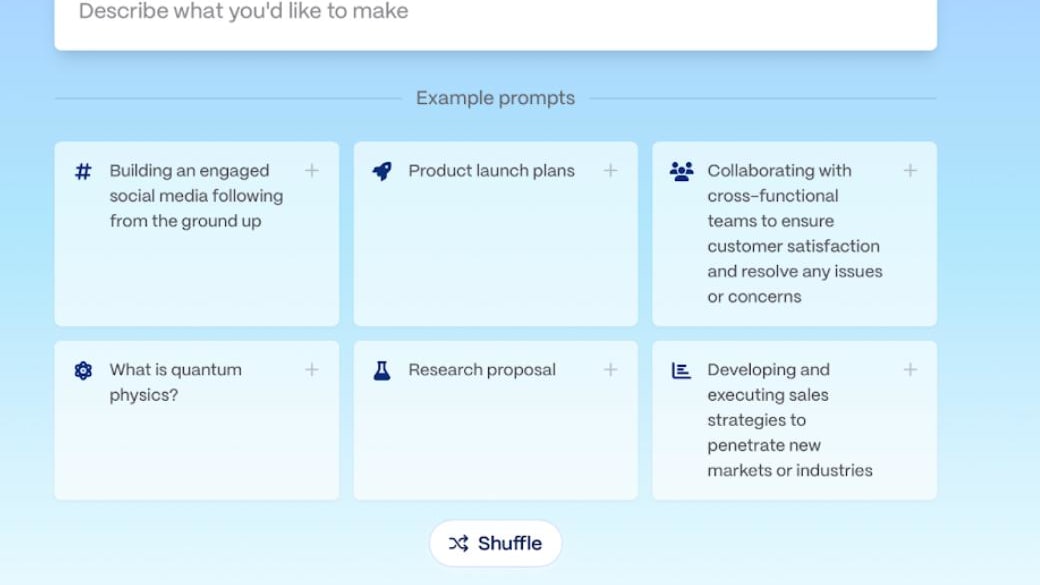
From prompt to presentation in minutes with Gamma
In most cases when you begin with a text, an outline, a memo, or a jumbled group of bullets, Gamma seems to be able to read your mind. It's easier to create a first draft using Gamma and then refine individual sections of content using AI rather than having to spend hours reformatting slides. As such, the structure of the plans for Gamma will focus on generating capability, how many cards per prompt, and which models of AI are accessible to you through the interface.
Canva's AI is capable of creating a first draft of a presentation as well; however, it is designed to support the suite as a whole (designs, documents, presentations) and once created you then have to go back into the Canva editor to finish polishing your work.
If you value your ability to move quickly with respect to the narrative, I would recommend using Gamma as the better tool for that purpose.
If you want a deeper look at how Gamma’s tiers map to AI throughput, look at ,or Gamma pricing plans breakdown.
Canva Edges Gamma on Ease of Use for Cross-Functional Teams

Canva is easy for teams to create and collaborate
When comparing Canva and Gamma, I would say that both tools are relatively simple to use, but Canva is far superior in terms of ease of use with cross-functional teams. Both tools are user-friendly; however, the way people work together with Canva is very similar, regardless of whether they're creating an executive briefing or re-sizing a social media graphic.
Gamma is also very easy to use; however, it has a different workflow. Instead of a typical editor, users are presented with a series of prompts, cards, and AI-driven editing capabilities. Therefore, for organizations that have limited exposure to presentations, Canva's familiarity will help reduce the amount of time and effort required for training and make the overall adoption process less fragile.
Although Canva is likely easier to adopt, Gamma provides a more efficient way to create well-defined structures in presentations.
Canva Pulls Ahead for Template Depth and Visual Range

Thousands of Canva templates for every use case
The main advantage Canva has over Gamma is its use of templates; it offers an incredible number of common template requests for all types of businesses (pitch decks, flyers for events etc.) in addition to offering assets that help complete your templates.
Gamma provides a more opinionated approach with modern layouts, clean structures and an AI-driven way to assemble designs, this is perfect for clarity but if you want to create a niche template style, or simply a unique aesthetic style, that your marketing team has already used, then Canva will probably be able to provide what you are looking for faster than Gamma.
For an overview of Canva’s AI direction within the broader suite, Canva’s own newsroom announcements are worth reading.
Customer Support: Canva Scales, Gamma Adds Priority Support Where It Matters
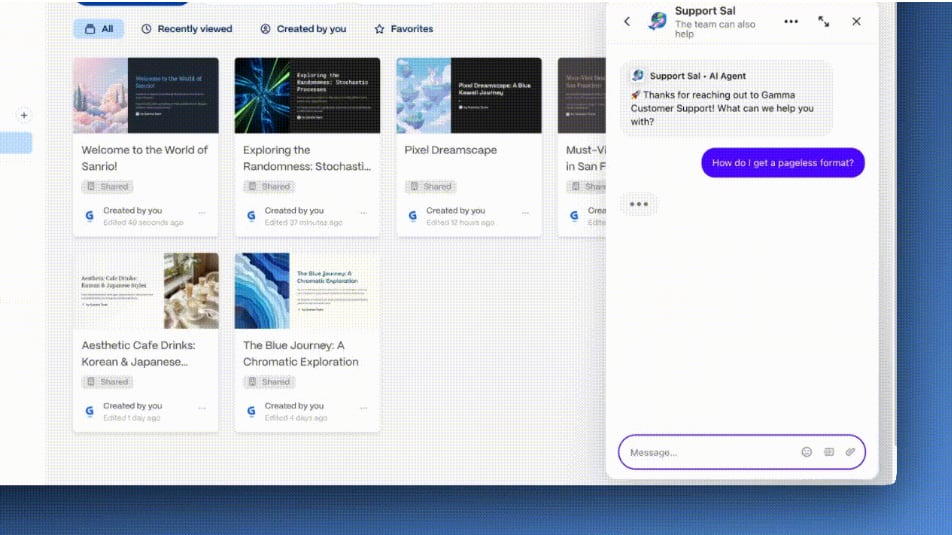
Receive priority Gamma support when you need it most
Canva will likely have the same level of customer service that you would expect from a well-known product like Adobe Creative Cloud or Microsoft Office Online, as they have a large number of customers and many enterprise users. Gamma will offer priority service to those that pay for the premium features and plans, this could be very beneficial to those whose presentations are critical to generating revenue and in turn want to receive answers and solutions to their issues quickly.
In my own experience, it's not necessarily how big a companies' Help Center is, but rather if the product works easily into your workflow. I found that Gamma made the process of creating content much easier (i.e. less complicated) than using Canva, Canva makes it easy to create multiple pieces of content at once.
If most of your team's roadblocks are around managing brand identity and using existing assets again, I believe that Canva customer service and overall ecosystem of resources are your best option. If your team's roadblocks are primarily centered around creating content, deploying the content, and tracking metrics, I believe that Gamma customer service through their paid plans will meet your needs.
Gamma’s Pricing Structure Is More Deck-Centric Than Canva’s

Gamma's pricing is built around presentation creation
Gamma pricing appears as an end-to-end checklist of what a presentation creator would want for their decks (premium AI models, analytics, custom domain, api access in Pro, remove branding, and more cards per prompt).
Canva pricing has traditionally been based on a company-wide value proposition (templates, stock, governance, collaboration) that supports all types of content creation; therefore if you are primarily creating a deck rather than a full-fledged content engine, Gamma’s packaging often maps more cleanly to what you actually do every week. For Gamma discounts, the Gamma promo offer is worth checking before committing.
08 Gamma vs Canva: Which is the best for your business?
Gamma is the best tool for you if:
- You need AI to generate a strong first draft from prompts, notes, or imported content.
- Your decks are narrative-heavy, fundraising, proposals, strategy, and you restructure them often.
- You want exports that play nicely with traditional stakeholders (PPTX and PDF) plus Google Slides export.
- You care about shareable links and engagement insights, especially with Pro analytics.
- You need client-ready customization like custom branding and fonts and custom domains.
 You need AI to generate a strong first draft from prompts, notes, or imported content.
Canva is the best tool for you if:
- You want a single visual suite for presentations plus many other formats.
- Your organization needs templates and a large asset library to move quickly.
- You rely on Brand Kit consistency across teams and channels.
- You want minimal onboarding and a familiar editor for non-designers.
- You want AI that helps generate on-brand designs inside a broader workflow.
Gamma
Design brilliance, powered by AI
400 credits + 25% off annual plans for Individuals
Save up to $52
09 Alternatives to Gamma & Canva

Microsoft PowerPoint
Used by 85 members

Prezi
Used by 79 members
40% off for 1 year
Save up to $91

Simplified
Used by 74 members
30% off for 1 year
Save up to $428

Visme
Used by 74 members
30% off the Pro plan for 1 year
Save up to $212
10 Promotions on AI Design and Design software
Gamma and Canva are great tools, but Secret offers promo codes with discounts on over 2230+ different SaaS solutions. New deals are added regularly, helping you save money on your online subscriptions. Get access to codes for other AI Design and Design software you might want to purchase

Descript promotion code
35% off annual plans

OpenAI - ChatGPT discount code
$1,000 in free credits across OpenAI's models through LLM API

CapCut discount
7 days free + 25% off annual plans

Piktochart deal
50% off the annual Business plan

Promo code for Miro
$1,000 in credits (lifetime validity)

Shutterstock discount
25% off all packs and plans

Picsart discount code
10% off monthly or annual plans

Infogram offer
3 months free on the Business and Teams plans

Riverside.fm discounts
20% off your first payment for any monthly or yearly plan

Framer discounts
1 year free on the Pro Plan
11 Gamma vs Canva: Conclusion
Experience with both platforms into one sentence, here is what that would look like: Gamma is a place for creating clear, simple structures to publish your ideas quickly; Canva is a place for producing large quantities of on-brand visual content.
When you have raw content and you want a way to quickly create a persuasive structure and can easily export that into PPTX or PDF or share an analytic-enabled, customizable link, those will be some of the best times you use Gamma.
On the other hand, if presentations are part of a larger machine (templates, brand governance, multi-format production by multiple people) then Canva will be a better long-term choice for you. If you are working to optimize your speed-to-narrative, begin with Gamma. If you are working to maximize your brand's visual output across different formats, anchor yourself in Canva, and use Gamma to draft your most critical, high-stakes decks.
If you’re ready to test both with the best available offers, you can grab the Gamma promo code for free credits or check the availability for a Canva deal.
Start saving on the best SaaS
Secret has already helped tens of thousands of startups save millions on the best SaaS like Microsoft Teams, Google Workspace & many more. Join Secret now to buy software the smart way.