


Selecting the right password manager can greatly enhance your online security and digital life management. Choosing between Bitwarden and 1Password, two leading password management solutions, can be a pivotal decision. Both offer robust security features and convenience, but which one suits your specific requirements better?
In this comparison, we delve into the key aspects of Bitwarden vs 1Password, examining their features, security, usability, and pricing. Our aim is to equip you with the information needed to make an informed choice about which password manager aligns best with your digital security and convenience preferences. Let's begin by providing an overview of these two prominent password management solutions.
- 01 Bitwarden vs 1Password: overview
- 02 What's the difference between Bitwarden and 1Password?
- 03 Bitwarden pros and cons
- 04 1Password pros and cons
- 05 Bitwarden compared to 1Password
- 06 1Password compared to Bitwarden
- 07 Features comparison
- 08 Bitwarden vs 1Password: Which is the best for your business?
- 09 Alternatives to Bitwarden & 1Password
- 10 Promotions on Security software
Start saving on the best SaaS
Secret has already helped tens of thousands of startups save millions on the best SaaS like Microsoft Teams, Google Workspace & many more. Join Secret now to buy software the smart way.

01 Bitwarden vs 1Password: overview
Bitwarden and 1Password are two prominent contenders in the domain of password management software, each catering to distinct aspects of securing and organizing your digital credentials.
Bitwarden is known for its open-source nature and emphasis on user privacy. It offers robust password management features, secure storage, and a wide range of platform support. Conversely, 1Password is recognized for its user-friendly interface, strong encryption, and intuitive design, making it a popular choice among both individuals and businesses.
In the following comparison of Bitwarden vs. 1Password, we'll delve into their features, security protocols, ease of use, and pricing models. By the end of this exploration, you'll be better equipped to determine which password manager aligns best with your specific digital security requirements. Let's begin by gaining an understanding of the key characteristics of these two leading password management solutions.

Customer Reviews
Both Bitwarden and 1Password are celebrated for their strong security protocols, earning them acclaim on various review sites, like Capterra and GetApp, and user forums.

Bitwarden
1Password
Pricing Plan
Bitwarden is favored for its free tier and low-cost premium options, making it accessible for a wider audience. 1Password's plans, while higher priced, offer additional perks that may be appealing to users looking for more features.
Bitwarden
1Password
Sharing capabilities
Bitwarden provides basic sharing functionalities suitable for individual users and small teams. 1Password, in contrast, has a more sophisticated sharing mechanism catering to families and larger teams with different sharing needs.
Bitwarden
1Password
Password generation
Both services excel in creating complex and secure passwords, with generators that are both easy to use and highly configurable to meet various security standards.
Bitwarden
1Password
Customer Support
Bitwarden users benefit from a comprehensive range of support through documentation and community forums. 1Password excels with its dedicated customer service, providing timely and helpful support.
Bitwarden
1Password
User interface
Bitwarden's user interface is straightforward and efficient, making it easy for users to navigate. 1Password offers a more modern and polished interface, which some users find more appealing.
Bitwarden
1Password
Ease of Use
Users appreciate the intuitive interfaces of both Bitwarden and 1Password, with 1Password receiving extra points for its more aesthetically pleasing design and navigation.
Bitwarden
1Password
Security
Both Bitwarden and 1Password are committed to providing strong security measures, including end-to-end encryption and a zero-knowledge model, ensuring user data remains private and secure.
Bitwarden
1Password
Device compatibility
Both platforms excel in device compatibility, offering comprehensive support across various operating systems and devices for a frictionless user experience.
Bitwarden
1Password
Integrations
Bitwarden offers essential integrations geared more towards technical users, including command line tools and directory services, while 1Password boasts a wider range of mainstream application integrations for a more diverse user base, like Slack, Dropbox and Visual Studio Code.
Bitwarden
1Password
02 What's the difference between Bitwarden and 1Password?

Bitwarden, originating from an open-source background, places a strong emphasis on user privacy and data security.
Bitwarden
Securely store and access your passwords, everywhere.

1Password has garnered acclaim for its user-friendly interface, robust encryption, and intuitive design
1Password
1Password makes it easy to create and store unique passwords. With this tool, your passwords will always be secured, and you'll only need one click to log in to all your accounts.
Bitwarden and 1Password are two premier password management solutions, each excelling in distinct areas while sharing a common goal of enhancing your online security.
Bitwarden, originating from an open-source background, places a strong emphasis on user privacy and data security. It offers comprehensive password management features, secure storage, and widespread platform compatibility. Its open-source nature provides transparency and reassurance to users concerned about the security of their credentials.
On the other hand, 1Password has garnered acclaim for its user-friendly interface, robust encryption, and intuitive design. It caters to individuals and businesses alike, prioritizing ease of use without compromising on security. 1Password's strength lies in its ability to seamlessly integrate with various platforms and devices, making it a convenient choice for those seeking both security and usability.
The main differentiator between Bitwarden and 1Password lies in their approach to security and their pricing models. Bitwarden's open-source foundation and self-hosting options provide advanced users with complete control over their data, ensuring the highest level of security and customization. In contrast, 1Password simplifies the user experience, making it an ideal choice for those who prioritize ease of use and a consistent, seamless experience across devices.
Furthermore, Bitwarden offers a more budget-friendly option for individuals and businesses with its free and affordable premium plans. 1Password, while offering competitive features, tends to be positioned at a slightly higher price point.

1Password
The simplest way to secure your passwords
14 days free on 1Password Business
Save up to $48
03 Bitwarden pros and cons
What are the advantages of Bitwarden?
- Open source: Bitwarden is open-source software, which means its source code is available for scrutiny by anyone. This transparency enhances trust and security, as the community can review and audit the code for vulnerabilities.

- Cross-platform compatibility: Bitwarden is available on a wide range of platforms, including Windows, macOS, Linux, iOS, Android, and web browsers. This ensures that you can access your passwords and secure information from virtually any device.
- Strong security: Bitwarden employs robust encryption standards like AES-256 bit encryption to protect your data. It also offers features like two-factor authentication (2FA) and secure password generation to enhance security.
- Self-hosted option: For users with advanced technical skills and a desire for maximum control, Bitwarden offers a self-hosting option. This allows you to host your Bitwarden server, giving you complete ownership of your data.
- Affordable pricing: Bitwarden offers competitive pricing, including a free tier with many essential features. The premium plans are reasonably priced, making it an economical choice for individuals and businesses.
What are the disadvantages of Bitwarden?
- Self-hosted complexity: While the self-hosting option is a pro for some, it can be a con for those who lack the technical expertise or the desire to manage their own server. Setting up and maintaining a self-hosted instance can be challenging.

- Learning curve: Bitwarden's user interface, while functional, may not be as intuitive or polished as some competitors. New users might experience a slight learning curve in navigating the app.
- Limited support options: Bitwarden's support options are somewhat limited compared to larger companies. While there is a community forum and documentation available, premium users receive priority support.
- Fewer advanced features: Some users may find that Bitwarden lacks certain advanced features and integrations that are available in other password managers. This might be a drawback for those with very specific needs.
- Less recognizable brand: Bitwarden may not have the same level of brand recognition as some of its competitors like LastPass or 1Password, which could be a concern for users who value a well-established company.
Compare Bitwarden to other tools


Keeper Security vs Bitwarden

04 1Password pros and cons
What are the advantages of 1Password?
- Strong security: 1Password is known for its robust security features, including end-to-end encryption and secure password generation. It ensures that your sensitive data is well-protected.
- User-friendly interface: 1Password offers an intuitive and user-friendly interface, making it easy for both beginners and experienced users to manage their passwords and other secure information.
- Cross-platform compatibility: 1Password is available on various platforms, including Windows, macOS, iOS, Android, and popular web browsers, ensuring seamless access to your passwords from different devices.
- Two-factor authentication (2FA) support: It supports two-factor authentication, adding an extra layer of security to your account access.
- Advanced features: 1Password provides additional features such as secure document storage, password sharing with family or team members, and travel mode, which temporarily removes sensitive data from your devices when crossing borders.
What are the disadvantages of 1Password?
- Pricing: While 1Password offers a free trial, its premium plans can be relatively expensive compared to some other password manager options. This could be a drawback for budget-conscious users.
- Limited free features: The free trial is limited in features and duration, so users may feel pressured to subscribe to a premium plan after the trial period expires.
- Limited self-hosted options: 1Password primarily operates as a cloud-based service, and its self-hosted option, known as "1Password Business," may not provide the same level of customization and control as other self-hosted solutions.
- No open source: Unlike some other password managers, 1Password's source code is not open for public scrutiny, which may concern users who prioritize open-source software for security.
- Lack of some advanced features: While 1Password offers a wide range of features, it may not have as extensive app integrations and advanced automation options as some other competitors, which could be a limitation for power users.
Compare 1Password to other tools

Keeper Security vs 1Password

Dashlane vs 1Password

1Password vs LastPass
05 Bitwarden compared to 1Password
Bitwarden and 1Password are two leading password managers, each with distinct advantages. Bitwarden stands out for its open-source nature, robust security features, and affordability. Its transparency appeals to privacy-conscious users, and it offers self-hosting options for advanced control.
On the other hand, 1Password is known for its user-friendly interface, seamless cross-platform integration, and strong encryption. While it leans towards simplicity, it comes at a slightly higher price point. Ultimately, the choice between Bitwarden and 1Password depends on your priorities—open-source security and budget-friendliness with Bitwarden or user-friendly convenience and premium features with 1Password.
Is Bitwarden better than 1Password?
 Is Bitwarden better than 1Password?
Determining whether Bitwarden is superior to 1Password depends on individual priorities. Bitwarden offers open-source transparency, robust security, and affordability, making it a favorite for privacy-conscious users and budget-conscious individuals. Its self-hosting options also appeal to those who desire control over their data. In contrast, 1Password boasts a user-friendly interface, seamless cross-platform integration, and strong encryption. It targets convenience and offers a premium experience, albeit at a slightly higher price point.
The choice hinges on whether one values open-source security and affordability (Bitwarden) or user-friendly simplicity and premium features (1Password), making it a subjective decision.
What is Bitwarden best used for?
Bitwarden is best used as a secure and versatile password management solution. It excels in safeguarding and organizing your passwords, credit card details, and other sensitive information. Its open-source nature and strong encryption ensure robust security, appealing to privacy-conscious individuals and businesses.
Bitwarden also offers the flexibility to securely store and manage other confidential data such as notes, secure files, and software licenses. With cross-platform compatibility and affordable pricing options, Bitwarden is ideal for anyone seeking a reliable and cost-effective password manager that prioritizes data privacy and security.
Can Bitwarden replace 1Password?
Bitwarden can effectively replace 1Password for many users. Bitwarden offers robust security, open-source transparency, and cost-effectiveness, making it a compelling alternative. It excels in password management and secure data storage, offering features similar to 1Password, such as strong encryption and two-factor authentication. Users can seamlessly migrate their data from 1Password to Bitwarden, ensuring a smooth transition.
However, individual preferences and specific needs may vary, so it's essential to assess whether Bitwarden meets your requirements for password security, user experience, and platform compatibility before making the switch.
Is Bitwarden cheaper than 1Password?
Bitwarden is generally considered more cost-effective than 1Password. Bitwarden’s pricing offers a free tier with essential features, making it a budget-friendly choice for individuals. Its premium plans, which include additional features, are competitively priced.
In contrast, 1Password offers a free trial but typically comes with a higher price point for its premium plans. While 1Password provides a robust set of features, including secure document storage and password sharing, it may be considered less affordable for some users. Ultimately, the choice between Bitwarden and 1Password depends on your budget and the specific features you require in a password manager.
Is there a better Security software than Bitwarden?
When considering password management solutions, it's crucial to evaluate if there might be a more fitting option for your specific needs.
Several notable alternatives to Bitwarden in the password management realm include 1Password, LastPass, Dashlane, Keeper, and NordPass.
The decision of which password manager to use hinges on factors like your security preferences, usability requirements, platform compatibility, and pricing considerations. While Bitwarden offers transparency and affordability, other solutions may excel in areas like user-friendliness, premium features, or ecosystem integration, offering a better fit for your password management strategy.
06 1Password compared to Bitwarden
1Password and Bitwarden are two reputable password managers, each with distinct strengths. 1Password is lauded for its user-friendly interface, seamless cross-platform integration, and strong encryption, making it an ideal choice for those valuing convenience. It comes with a higher price point but offers a premium experience.
On the other hand, Bitwarden shines with its open-source nature, robust security, and affordability, making it a preferred option for privacy-conscious users and budget-conscious individuals. Both offer secure password storage and generation, but the choice between 1Password and Bitwarden ultimately depends on your priorities, whether it's user-friendliness or open-source transparency.
Is 1Password better than Bitwarden?
Whether 1Password is better than Bitwarden depends on individual preferences and needs. 1Password is known for its user-friendly interface, seamless cross-platform integration, and robust encryption. It offers a premium experience with advanced features.
In contrast, Bitwarden stands out for its open-source transparency, strong security, and affordability. It caters to privacy-conscious users and budget-conscious individuals. The choice between 1Password and Bitwarden hinges on your priorities - whether you prioritize user-friendliness and premium features (1Password) or open-source security and cost-effectiveness (Bitwarden).
What is 1Password best used for?
1Password excels as a secure and user-friendly password management solution. Its primary purpose is to safeguard and manage your digital credentials, such as passwords, PINs, and login information, across various online accounts. It ensures that you can access your passwords and sensitive data with ease while maintaining top-notch security through robust encryption.
Additionally, 1Password can be utilized for secure document storage, secure note-taking, and password sharing with trusted individuals or team members. Its versatility and strong focus on password security make it an ideal choice for individuals, families, and businesses seeking to protect their sensitive digital information effectively.
Can 1Password replace Bitwarden?
1Password can potentially replace Bitwarden, depending on your specific needs. 1Password offers robust password management, secure storage, and advanced features, making it a strong alternative to Bitwarden. It excels in user-friendliness, seamless cross-platform integration, and a polished interface.
However, the decision to replace Bitwarden with 1Password should consider factors such as your preference for open-source software, budget considerations, and the level of control you desire over your password management solution. Carefully evaluate whether 1Password aligns with your requirements for password security and usability before making the switch from Bitwarden.
Is 1Password cheaper than Bitwarden?
1Password is typically considered more expensive than Bitwarden. While Bitwarden offers a free tier with essential features, making it a budget-friendly option, 1Password’s pricing comes with a higher price point for its premium plans. While 1Password provides a comprehensive set of features, including secure document storage and password sharing, it may be considered less cost-effective for some users.
Therefore, if cost is a significant factor in your decision-making process, Bitwarden may be the more economical choice, offering robust security and affordability. However, the final choice should also consider other factors, such as user experience and specific feature requirements.
Is there a better Security software than 1Password?
When assessing alternatives to 1Password, it's crucial to investigate if there might be a more fitting password management solution for your particular needs.
Several notable alternatives to 1Password in the password management realm include Bitwarden, LastPass, Dashlane, Keeper, and NordPass.
The decision on which password manager to use depends on factors like your security preferences, user-friendliness, platform compatibility, and pricing considerations. While 1Password offers a robust set of features, including strong encryption and user-friendly design, other solutions may prioritize open-source security, budget-friendliness, or specialized features. Carefully evaluate these factors to determine if there is a password management software better suited to your specific requirements than 1Password.
1Password
The simplest way to secure your passwords
14 days free on 1Password Business
Save up to $48
07 Features comparison
1Password's Seamless Form-Filling Advantage Over Bitwarden

1Password's automatic form filler streamlines the login experience, making it an attractive option for users seeking unparalleled ease of use in their password manager.
While both password managers offer autofill options to simplify the login process, 1Password distinguishes itself with an automatic form-filling feature. With just a single click, users can effortlessly sign into various platforms and web applications.
This functionality significantly enhances user-friendliness and convenience, particularly for individuals dealing with multiple accounts across various platforms in their daily routines. Whether it's accessing email accounts, online banking, or social media profiles, 1Password's automatic form filler streamlines the login experience, making it an attractive option for users seeking unparalleled ease of use in their password manager.
Bitwarden's Team Collaboration Excellence Over 1Password

Bitwarden allows users to create shared vaults, assign specific user roles, and control access permissions within these shared vaults.
While both Bitwarden and 1Password offer features for safely sharing passwords and sensitive data, Bitwarden goes a step further with its dedicated team collaboration functionality.
Bitwarden allows users to create shared vaults, assign specific user roles, and control access permissions within these shared vaults. This level of control and customization facilitates seamless and secure collaboration among team members. For example, an organization can establish different access levels for team members, ensuring that only authorized individuals can view or edit specific passwords and credentials.
This team collaboration feature sets Bitwarden apart, making it an ideal choice for businesses and teams seeking a password manager that not only prioritizes security but also streamlines collaborative efforts.
Bitwarden and 1Password are Equally Robust in Secure Password Management

This convenience empowers users to safeguard their online accounts effectively.
Bitwarden and 1Password stand as formidable contenders in the realm of secure password management. These platforms share a common objective—to streamline users' online security by centralizing password storage, generating robust and unique passwords, and automating login processes. This convenience empowers users to safeguard their online accounts effectively.
Both Bitwarden and 1Password prioritize data privacy through advanced encryption measures. They employ industry-standard security protocols to protect sensitive information, ensuring that user data remains confidential and secure. While both platforms excel in these fundamental aspects of password management, users may choose one over the other based on additional features, pricing, or specific preferences.
Bitwarden Surpasses 1Password in User-Friendliness
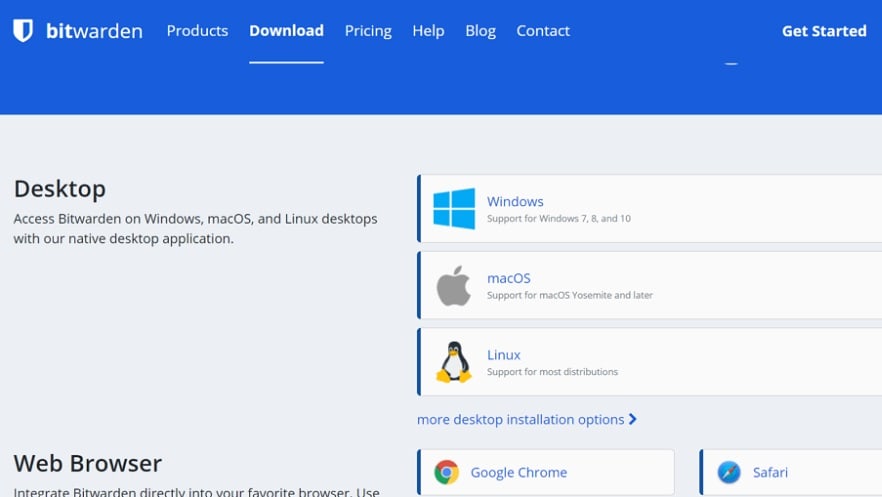
The browser extensions and mobile application maintain this straightforward approach, ensuring users can swiftly access their stored data.
When it comes to ease of use, both Bitwarden and 1Password provide accessible interfaces for streamlined password and credential management. Yet, Bitwarden holds a noticeable advantage in this arena. Its simplicity and intuitive design facilitate a swift learning curve, allowing users to efficiently harness its capabilities. The browser extensions and mobile application maintain this straightforward approach, ensuring users can swiftly access their stored data.
Conversely, while 1Password boasts an intuitive user interface, some individuals have reported difficulties when delving into its more intricate features. This slight complexity can occasionally impede the seamless experience Bitwarden offers, particularly for those who prioritize ease of use in their password manager.
Bitwarden Leads in Two-Factor Authentication Flexibility

Bitwarden goes the extra mile by offering multiple 2FA methods, allowing users to choose a second form of verification that best suits their preferences.
While both Bitwarden and 1Password utilize two-factor authentication, Bitwarden emerges as the stronger contender due to its flexibility and options. Both Bitwarden and 1Password support 2FA, an essential security feature that adds an extra layer of protection to user accounts. However, Bitwarden goes the extra mile by offering multiple 2FA methods, allowing users to choose a second form of verification that best suits their preferences.
Bitwarden's 2FA options include mobile apps, hardware tokens, and more. This versatility empowers users to tailor their security measures to their specific needs, enhancing the overall effectiveness of 2FA implementation. In contrast, while 1Password provides 2FA support, it may not offer the same level of customization and choice as Bitwarden in this crucial security aspect.
Bitwarden's Vault Health Reports Trump 1Password's Password Strength Assessment

Bitwarden's feature-rich reports offer users comprehensive insights into their password security.
Although both tools provide a way to assess password strength, Bitwarden outshines 1Password with its robust vault health reports. Bitwarden's feature-rich reports offer users comprehensive insights into their password security. These reports not only assess password strength but also identify instances of password reuse and highlight potential vulnerabilities within the password vault.
Bitwarden's emphasis on promoting better security practices and superior password hygiene empowers users to take proactive measures in fortifying their digital defenses. It provides actionable information that helps individuals and businesses enhance their overall password security posture. While 1Password also provides password strength assessment, it may not offer the same level of detail and depth as Bitwarden's vault health reports, potentially leaving users with a less comprehensive understanding of their password security.
1Password Outshines Bitwarden in Integrations

1Password boasts a seamless integration experience with a wider array of platforms, encompassing browsers and operating systems.
On the integration front, 1Password takes a lead over Bitwarden. 1Password boasts a seamless integration experience with a wider array of platforms, encompassing browsers and operating systems. Its compatibility extends to essential business tools like Slack and Trello, which enhances collaboration and secure password sharing across various applications. This breadth of integration possibilities offers teams a more cohesive and efficient workflow.
On the other hand, Bitwarden also offers integrations, albeit not as extensive as 1Password's. However, it's noteworthy that Bitwarden's developers are actively expanding their roster of supported integrations, potentially closing the gap in the future.
08 Bitwarden vs 1Password: Which is the best for your business?
Bitwarden is the best tool for you if:
- You prioritize open-source transparency, seeking the utmost security for safeguarding your digital credentials and valuing data privacy.
- Affordability is crucial, with Bitwarden offering cost-effective premium plans aligning with your budget-conscious approach.
- You require cross-platform compatibility across various devices and browsers, ensuring a seamless experience.
- Customization options and the possibility of self-hosting are vital for maintaining control over your password management solution.
- Collaborative password management is essential, and Bitwarden excels with robust features for team use and secure data sharing.
 You prioritize open-source transparency, seeking the utmost security for safeguarding your digital credentials and valuing data privacy.
1Password is the best tool for you if:
- You prioritize an intuitive, user-friendly interface and seamless cross-platform integration, simplifying password management across devices and platforms.
- Robust encryption and a polished design are paramount, ensuring both top-tier security and an exceptional user experience.
- You are willing to invest in premium features and convenience, valuing the convenience of advanced password management.
- Integration with popular software tools like Slack and Trello is crucial for your workflow, and 1Password excels in this aspect.
- You value a password manager that seamlessly combines security with a user-centric approach, prioritizing digital privacy enhancements for your peace of mind.
1Password
The simplest way to secure your passwords
14 days free on 1Password Business
Save up to $48
09 Alternatives to Bitwarden & 1Password

Auth0
Used by 1375 members
12 months free
Save up to $20,000

Proton Pass
Used by 342 members
60% off the Pass Professional plan for 1 year
Save up to $35

Keeper Security
Used by 285 members
50% off personal and 30% off Business Starter for 1 year
Save up to $180

Hypervault
Used by 72 members
50% off all plans for 1 year
Save up to $238
10 Promotions on Security software
Bitwarden and 1Password are great tools, but Secret offers promo codes with discounts on over 2210+ different SaaS solutions. New deals are added regularly, helping you save money on your online subscriptions. Get access to codes for other Security software you might want to purchase
Auth0 promo
12 months free

Deal for Avast
50% off for 1 year

Cloudflare coupon code
$5,000 in credits for self-funded startups // $250,000 in credits funded startups

McAfee promo code
$100 off your yearly subscription

Surfshark promotion
79% off and 2 months free on 2 year plans

Credits for NordVPN
60% off for 1 year or 74% off for 2 years

AWS Activate promo
Up to $100,000 in credits or 20-50% off your monthly spend through an AWS partner (must be spending $100+/month)

PureVPN discount
70% off annual plans for 1 year

Microsoft Azure coupon
$5,000 in credits for 6 months if you didn't raise funds // Up to $150,000 in credits for 2 years if you did

Drata promo code
30% off for 1 year
Start saving on the best SaaS
Secret has already helped tens of thousands of startups save millions on the best SaaS like Microsoft Teams, Google Workspace & many more. Join Secret now to buy software the smart way.