


Many companies don't "select" Google Drive; they simply begin using it. It starts out as a single shared folder and before long, there are two, or ten, or dozens of folders in use and suddenly Google Drive is where your organization stores its collective memory. When problems arise, it is usually too late to rectify them; ownership is often inconsistent and permissions may be confusing; and many files will be stored on personal Google accounts rather than on the organizational account.
This article is intended to provide clarity regarding what you receive when you use Google Drive versus Google Workspace (G Suite) and how moving from a personal, unmanaged use of either service to a managed service by an administrator impacts the use of each service. I will also discuss how you should determine which service best fits the needs of your team(s). Additionally, if you're interested in optimizing costs, please review the Google Drive promo code for Standard and Plus plans and the Google Workspace discount on Standard plans.
- 01 Google Drive vs Google Workspace: overview
- 02 What's the difference between Google Drive and Google Workspace?
- 03 Google Drive pros and cons
- 04 Google Workspace pros and cons
- 05 Google Drive compared to Google Workspace
- 06 Google Workspace compared to Google Drive
- 07 Features comparison
- 08 Google Drive vs Google Workspace: Which is the best for your business?
- 09 Alternatives to Google Drive & Google Workspace
- 10 Promotions on Document Management software
- 11 Google Drive vs Google Workspace: Conclusion
Start saving on the best SaaS
Secret has already helped tens of thousands of startups save millions on the best SaaS like Microsoft Teams, Google Workspace & many more. Join Secret now to buy software the smart way.

01 Google Drive vs Google Workspace: overview
Google Drive and Google Workspace are closely linked at a basic level; however, they are not the same product. Think of Drive as a file storage and collaboration solution, and Workspace as a collection of applications (Drive) along with enterprise features like identity management, administration, security and communications.
Drive was built to provide reliable storage, synchronization, searching, and sharing capabilities for your files. Drive provides the place your documents will reside, the version history that prevents "Final Version #7 REALLY FINAL," and the ability to share links which greatly reduces the amount of friction in collaborative efforts. For those using Drive on an individual basis, such as freelancers or small groups looking for cloud-based file storage capabilities plus the ability to co-edit files, it may be sufficient.
Workspace was created for businesses that require a managed solution (including centrally managed billing), organization-wide identity management, centralized policy administration and a comprehensive productivity suite that includes email, calendar, meeting and chat solutions in addition to Drive.
In summary, Drive is something you can use immediately, while Workspace is essentially a corporate operating system for how a company operates.
Let's now compare these two by feature.

Customer support
Workspace is sold and supported as a business product. With Drive-only usage, support expectations are typically closer to consumer-style experiences and self-serve documentation.

Google Drive
Google Workspace
Customer reviews
Both are widely adopted and generally well rated. Dissatisfaction usually comes from mismatched expectations, a storage tool versus full productivity suite governance.
Google Drive
Google Workspace
Team collaboration on files
Drive collaborates well, but Workspace standardizes collaboration across a managed organization, especially for shared ownership, consistent access, and team-wide policies.
Google Drive
Google Workspace
Cloud storage and file sync
Both rely on Drive technology. Workspace doesn’t change storage, it adds governance, admin tooling, and business-grade usage patterns around the same storage foundation.
Google Drive
Google Workspace
Shared drives, team ownership
Workspace is the cleanest path to company-owned content via shared drives. Drive alone often becomes a web of user-owned folders that turn risky during offboarding.
Google Drive
Google Workspace
Admin and user management
Workspace is built for provisioning, policy enforcement, and controlling who can access what. Drive by itself is far harder to govern as headcount grows.
Google Drive
Google Workspace
Security and compliance controls
Drive is secure, but Workspace tiers are designed for admin-led security, retention, and enterprise controls, which are more appropriate for regulated or security-sensitive teams.
Google Drive
Google Workspace
Pricing plan
Drive can be cheaper when you only need storage and collaboration. Workspace costs more but bundles multiple apps, and deal options can reduce the gap.
Google Drive
Google Workspace
Ease of use
Drive is simple and familiar. Workspace adds admin layers and policy decisions, which are worth it for control, but they add configuration and change-management overhead.
Google Drive
Google Workspace
Email, meetings, and chat, suite
Drive doesn’t solve business email or internal communication. Workspace bundles Gmail, Calendar, Meet, and Chat with Drive, reducing tool sprawl for teams.
Google Drive
Google Workspace
02 What's the difference between Google Drive and Google Workspace?
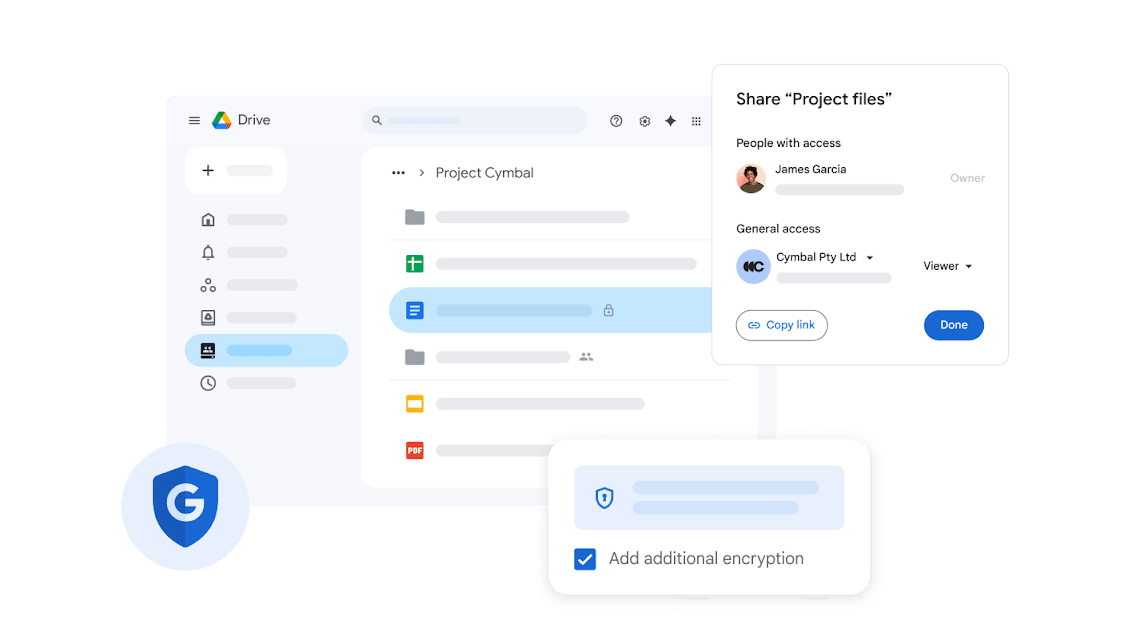
Secure file sharing and access control in Google Drive
Google Drive
One place for documents, teams, and ideas

Manage your business identity with Google Workspace
Google Workspace
Home to the apps that more than 3 billion users know and love – Gmail, Calendar, Drive, Meet and more. Now with Gemini for Workspace to boost productivity with AI. Try it free for 14 days.
The shortest accurate explanation is this, Google Drive is a storage and file collaboration product, while Google Workspace is a business productivity suite that includes Drive. If you remember that, most confusion disappears.
Where the choice becomes practical is in ownership, identity, and governance. With Drive-first setups, teams often share folders from personal accounts or loosely controlled user accounts. That works until an employee leaves, a contractor’s access is never revoked, or a critical spreadsheet ends up owned by someone who no longer has a relationship with your company. Workspace is built to reduce that operational risk by putting the organization, not individuals, at the center of identity and access.
Pricing also reflects that difference. Drive can be approached as storage plus collaboration, often with an easy entry point and deal options like the Google Drive discount for Standard and Plus plans. Workspace is positioned and priced as a suite, including email, meetings, admin tooling, and more, with deals like the Google Workspace offer on Standard plans. The real question isn’t which is better, but whether you are buying a place to put files or a managed environment for how people work.

Google Drive
Used by 1161 members
20% off Standard plans for 1 year
Save up to $3,460

Google Workspace
Used by 10323 members
20% off Standard plans for 1 year
Save up to $3,460
03 Google Drive pros and cons
What are the advantages of Google Drive?
- Frictionless file sharing, Drive is one of the fastest ways to share a file or folder with granular roles, viewer, commenter, editor. That speed matters when collaboration spans clients, partners, and vendors.

- Search and retrieval, Drive’s search experience is a genuine productivity feature when your library grows. The best teams treat searchability as infrastructure, not a nice-to-have.
- Version control for non-technical teams, automatic version history reduces duplicate files and prevents wrong attachment mistakes. It quietly eliminates entire categories of workflow noise.
- Easy onboarding, most people already know Drive, so adoption is immediate. You get collaboration benefits without a heavy enablement program.
- Cost optimization via deals, if you’re keeping things lightweight, the Google Drive promo code for Standard and Plus can meaningfully reduce recurring cost without changing workflows.
What are the disadvantages of Google Drive?
- Weak governance in drive-only reality, many Drive setups rely on user-owned folders. That’s fine for a tiny team, it’s fragile for anything resembling an organization.

- Offboarding risk, when files are tied to personal identities, offboarding becomes a file-ownership migration project. That’s the kind of admin debt that shows up at the worst time.
- Policy enforcement is harder, you can set sharing rules, but enforcing consistent behavior across a growing team is easier when identity and admin policies are centralized.
- Not a complete productivity stack, Drive won’t replace business email, meetings, calendars, and internal communication. If you need an integrated environment, you’ll end up stitching tools together.
- Storage sprawl, without retention habits, archiving, lifecycle rules, deletion policies, Drive can become a dumping ground, cheap at first, expensive later.
Compare Google Drive to other tools


Dropbox vs Google Drive

Google Cloud (GCP) vs Google Drive
04 Google Workspace pros and cons
What are the advantages of Google Workspace?
- Company-grade identity and administration, Workspace is built to manage users, enforce security policies, and centralize control, exactly what breaks down in informal Drive-only environments.
- Shared drives and organization ownership, for many teams, this is the turning point. Shared drives shift content ownership from a person to the company, which is the correct model for most business-critical assets.
- Integrated productivity surface, email, calendar, meetings, chat, and files are designed to work together. That reduces context switching and lowers the cognitive tax of which tool we are using.
- Scales cleanly with hiring, provisioning accounts, standardizing access, and applying policies becomes repeatable, less improvisation, fewer security gaps.
- Clear path to cost control, if you’re buying the suite anyway, the Google Workspace discount on Standard plans improves total cost of ownership.
What are the disadvantages of Google Workspace?
- More setup and change management, Workspace is a system. You’ll make real decisions about domains, policies, and access models, worth it, but not instant.
- Overkill for storage-only needs, if your only goal is a shared file cabinet, the suite can be more than you need.
- Admin choices can be misconfigured, the flexibility is powerful, but poor policy design can recreate chaos at a larger scale.
- Higher baseline spend, bundling increases per-user cost versus a storage-only mindset. The value is real, but you should be intentional about it.
- Suite gravity, once email, identity, and files are coupled, migration becomes a strategic project, not a quick tool swap.
Compare Google Workspace to other tools


Gmail vs Google Workspace

Microsoft Teams vs Google Workspace

Google Workspace vs Zoho Mail

Slack vs Google Workspace

Google Workspace vs Squarespace

Google Workspace vs Microsoft 365
05 Google Drive compared to Google Workspace
Google Drive is superior for a simple use case where you can clearly define the task to store files, share files, quickly collaborate with other users, and keep the process as lightweight as possible. If you want to gain productivity with a quick solution that does not have to be rolled out like a large IT project, it's the practical way to go.
Google Workspace will earn its money when you are dealing with organizationally driven issues (i.e., the users' life cycle), access to governing your users, owning the content within your organization, and when you want to integrate multiple forms of communication with file sharing. It's less about having many more features, but more about providing a solid foundation for your organization's structure and stability.
Is Google Drive better than Google Workspace?
 Is Google Drive better than Google Workspace?
Google Drive is best for document-based work; such as, proposals, project folders, internal wikis built from documents, and shared libraries that require robust search and version history. Additionally, it's particularly well-suited for businesses where the majority of their work is creating written artifacts versus large binary assets.
Also, it is an excellent choice when collaborating with people outside of your organization (i.e., client approvals, agency deliverables, investor updates) since the ability to share links along with permission settings enables rapid coordination without requiring all parties to be placed inside a rigid directory structure.
What is Google Drive best used for?
Yes, Google Drive can replace the Storage component of Google Workspace for certain teams. However, Drive cannot replace the core components of Workspace (managed identity, central administration, unified communication layer to reduce tool proliferation).
Therefore, while you can certainly create a technology stack around Drive, you will have to evaluate the costs of doing so (governance, etc.) to determine whether this model works for your organization. At scale, the hidden cost of using a DIY stack isn't necessarily the cost of the subscriptions -- it's the operational friction and access risk associated with trying to manage that environment yourself.
Can Google Drive replace Google Workspace?
Drive can replace the storage portion of Workspace for some teams, but it cannot replace the suite’s backbone, managed identity, centralized admin, and the unified communications layer that reduces tool sprawl.
If you’re already paying for separate email hosting, meeting software, and chat, you can absolutely build a stack around Drive. Just be honest about governance, at scale, the hidden cost is not subscription price, it’s operational friction and access risk.
Is Google Drive cheaper than Google Workspace?
Yes, in many cases, Drive is less expensive than Workspace. This is largely due to the fact that you're likely only purchasing the storage and file collaboration components of Workspace.That’s especially true when you use the Google Drive promo code. This is particularly true when you factor in the promo codes for Standard and Plus plans on Google Drive that can significantly lower your monthly recurring cost.
However, Workspace can potentially provide a more cost-effective solution when comparing the total cost of all of the tools you'd otherwise purchase separately (e.g., email provider, meeting platform, portions of your collaboration stack). When the suite economics begin to make sense (i.e., when the total cost of all of the tools you'd purchase individually is greater than the cost of the suite), that's when Workspace begins to look like a more attractive option.
Is there a better Document Management software than Google Drive?
Depending on what you are looking for in an application, there can be; if you have other priorities such as multiple governance models or enterprise control features then alternatives may be a better choice for you.
Dropbox, Microsoft OneDrive, and Box are commonly evaluated alternatives to Google Drive; each has their own strong points (workflows, desktop workflows, enterprise governance, external sharing) and can offer similar services but will do it differently; the Google Drive deal page also references key alternatives.
How do I transfer Google Drive to Google Workspace?
Most actual moves aren't about taking your Google Drive into a new workspace; it's about changing your individual identity into an account for your company. In many cases, this involves making sure that all of the company’s business critical content is in a place that cannot be left behind (e.g., shared drives vs. individual accounts).
There are a couple of things to consider when looking at migrating content: mapping out what you currently have (shared folders, owner, etc.), creating an architecture for your shared drive and planning how you will migrate teams one by one. After you have migrated all of the teams, you can start tightening up your sharing rules.If you’re also cost-conscious during rollout, pairing the migration with a Google Workspace discount can make the transition easier to justify.

Google Drive
One place for documents, teams, and ideas
20% off Standard plans for 1 year
Save up to $3,460
06 Google Workspace compared to Google Drive
You will want to select Google Workspace if your organization requires a structured, managed way to work, with identity management, policy management, communication tools and content ownership separate from an individual's habits.
The core functionality (storage) of Google Drive does not change; however, Google Workspace alters how Google manages the environment for Drive. Workspace converts file sharing into team based collaboration, which is a big leap in terms of function.
Is Google Workspace better than Google Drive?
If your company needs to have repeatable processes or controls; if your hiring process involves onboarding many employees at once; if your company has access rules that need to be enforced; if your company has sensitive data that needs to be protected; if your company wants to ensure all of its employees will have access to certain documents even after they no longer work there, then Google Workspace would be the superior product.
While Drive is an excellent product, by itself, it does not provide the administrative layer that is needed by a growing team. Workspace does, therefore, typically represent the more sustainable choice for companies with expanding staffs.
What is Google Workspace best used for?
A company would use Workspace most effectively as their company wide productivity platform (i.e., their calendar system, meeting systems, chat systems, file collaboration etc.) that also provides email through your own domain, calendars, meetings, chat, and file collaboration with admin driven governance. This allows your company to reduce "tool sprawl" by having all of your core collaboration primitives in one system.
This is particularly effective for remote/distributed teams who require integration of meetings, asynchronous collaboration, and document workflow into one invitation, one meeting URL, one shared document, and one managed identity.
Can Google Workspace replace Google Drive?
It’s true to say that Google Workspace does not replace Google Drive, but rather it uses Drive as its back-end “storage” component, with all other components being wrapped up in a “managed” package.
Therefore, the correct way to view this is that Drive is the "engine" and Workspace is the "vehicle". You are not changing your "engine", you are deciding if you wish to have a complete vehicle around it.
Is Google Workspace cheaper than Google Drive?
Google Workspace will generally cost more than Google Drive if used for "Storage Only" needs, however, Google Workspace may reduce the overall spend of a team which would otherwise need to purchase additional software for mail, meetings, and other collaborative tools from different vendors.
And if you are still optimizing the storage side during evaluation, it’s worth comparing against the Google Drive discount on Standard and Plus plans to see where the price and value boundary lands for your team.
Is there a better Collaboration software than Google Workspace?
At times, yes; particularly when your company operates heavily in Microsoft-based workflows or has an alternate Enterprise posture.
Microsoft 365 is likely to be the closest productivity suite replacement of a full productivity suite for a team which is reliant upon desktop Office applications as well as native Windows based governance.If you would like a structured comparison, see Google Workspace vs Microsoft 365. As an external reference point, Google also provides an official overview of what’s included in the suite on Google Workspace.
Are Google Drive and Google Workspace the same?
No. Google Drive is a single product designed to provide cloud-based storage, file syncing, file-sharing, and file collaboration. It is a basic product you can use for personal or very small team work.
Google Workspace is a larger suite of products which include Drive, but also include a business layer, managed identities (for users), admin controls (for admins), and includes all of your communications tools. The most important question when someone says "we are using Google" is to determine if "we are using Google" means "we are storing our files in Google Drive", or "we are running our company using Google Workspace.".

Google Workspace
A complete suite to improve employee productivity
20% off Standard plans for 1 year
Save up to $3,460
07 Features comparison
Workspace Standardizes Collaboration, Drive Keeps It Lightweight
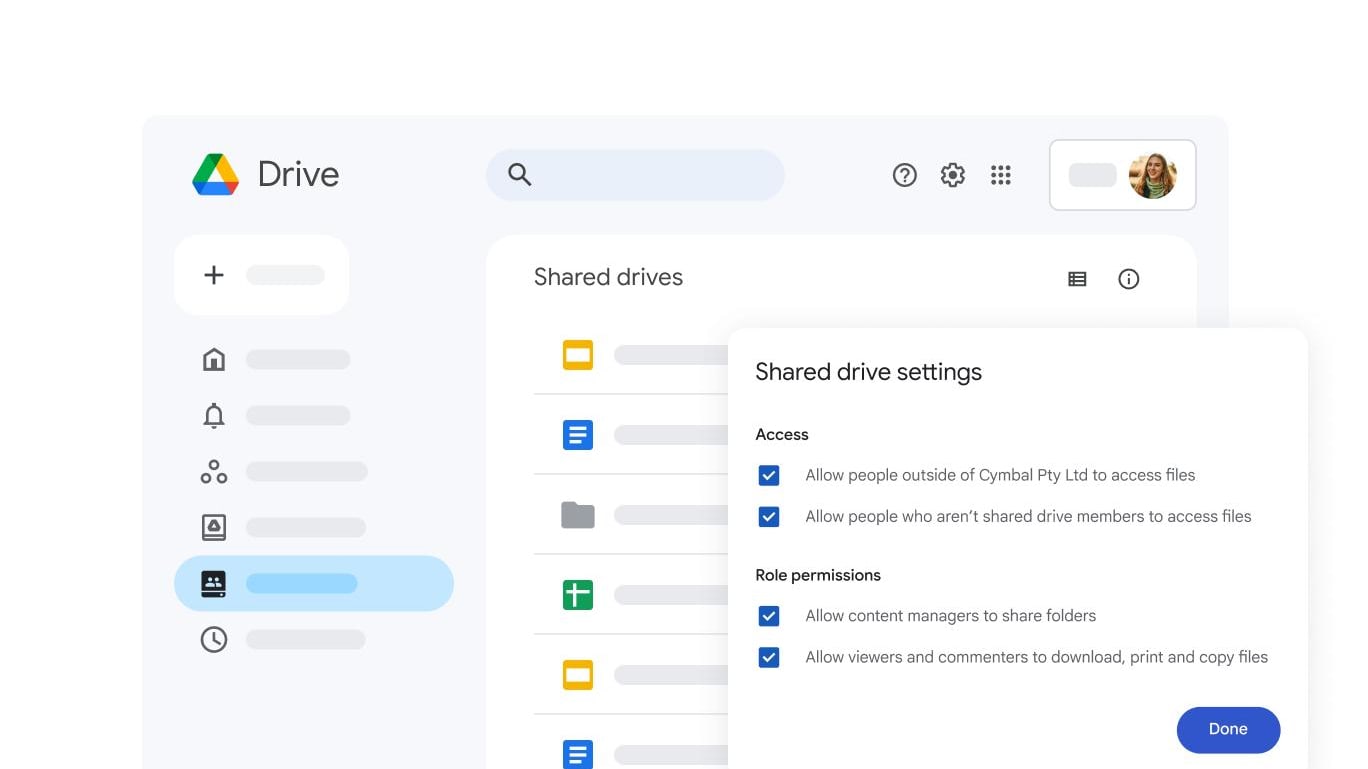
Lightweight collaboration with Google Drive
Drive provides a simple way to collaborate. Workspace creates a simple way to collaborate consistently.
If your business requires common folder organization, multiple people owning shared drives, group permissions, and consistent off-boarding procedures , Workspace is your best bet.
If your team requires speed, the ability to share files externally, and a low overhead in terms of processes , Drive may still make good practical sense.
Google Workspace Dominates for Business Email and Identity
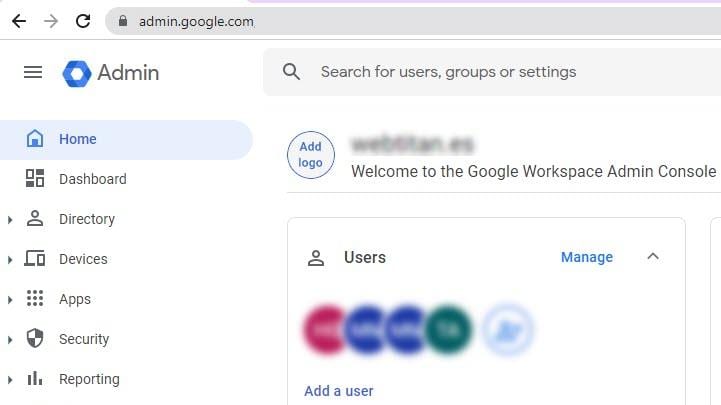
Google Workspace's business email and identity management
Drive does not provide identity management and identity management is the skeletal key to enable business collaboration – Who is an employee, who is a contractor, what happens when someone leaves and how can I revoke access cleanly?
Workspace provides company-managed accounts, which allows for the ability to provide structured access governance -- This is the difference between sending a file to an email address versus sending a file to a role within a directory.
If you care about maintaining ownership continuity and a clean offboarding process, then Workspace provides a more structurally sound solution.
Google Workspace Pulls Ahead for Admin and User Management
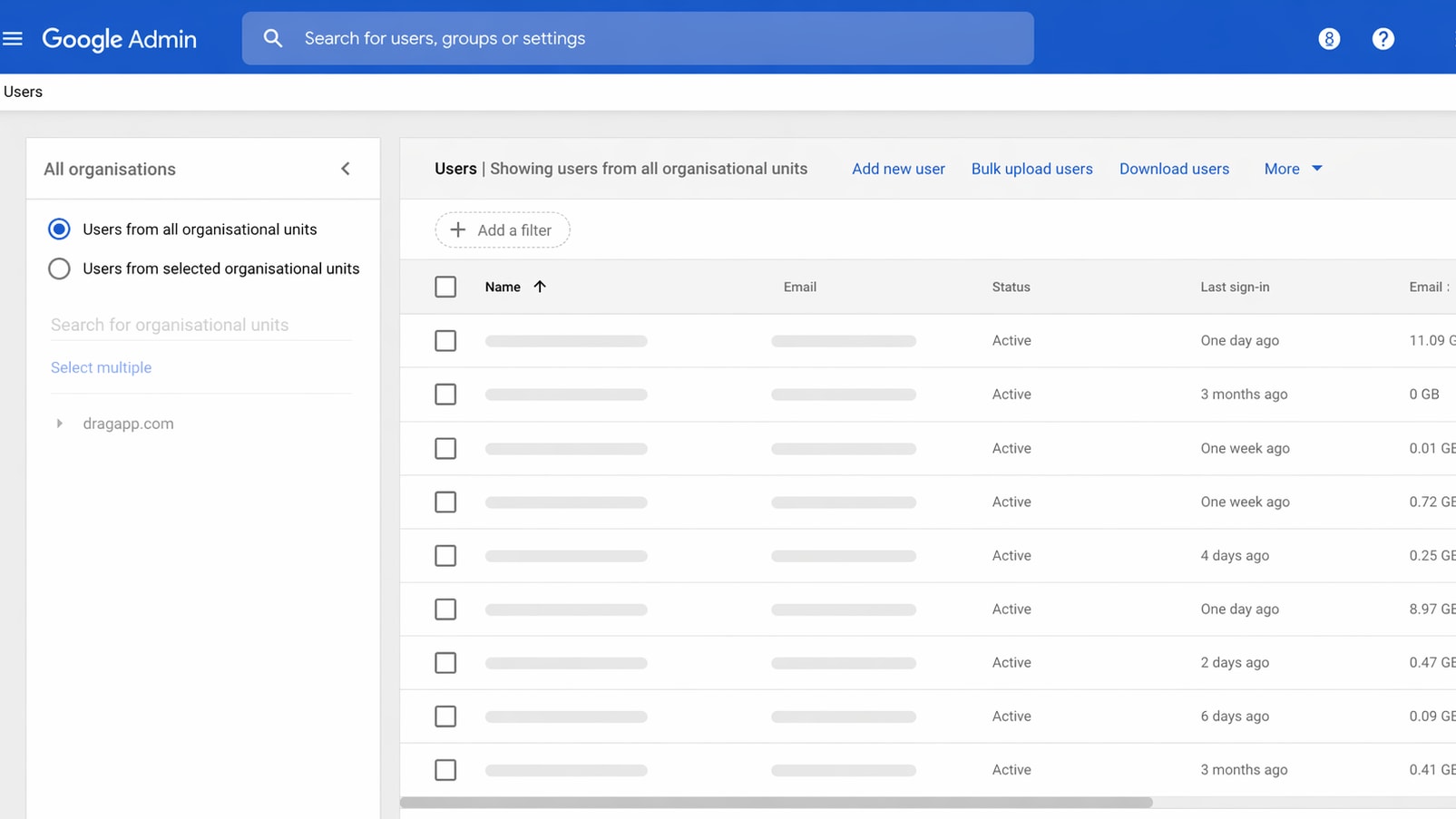
Manage users, permissions, and access policies in Google Workspace
When you have a small team, permissions are social – do not post this folder as public. When you have a larger organization, permissions need to be driven by policy – Trust and memory will not scale.
Workspace provides the administration level for managing users, groups and their access patterns in a systematic way -- this is important for onboarding and offboarding employees as well as preventing the "long tail" effect from accessing your systems, especially contractors and agencies.
If you're already thinking in terms of least privilege and access governance, then Workspace is a much more serious tool.
Google Workspace Is Stronger for Governance-Oriented Security

Manage data security and sharing policies in Google Workspace
Drive is developed to be secure from the start; however, when it comes to governance within an organization, security is much more about policy controls such as control of external sharing, retention periods for data, and whether users may unintentionally release sensitive information via sharing.
As such, Workspace has been created with administrative levers that will enable these same types of policy decisions. For example, rather than simply relying upon how employees behave regarding security practices, administrators have the ability to configure default settings and enforce compliance (and thus, the desired behaviors).
When an organization is required to handle customer data, financial documents, or regulated data, Workspace is typically the safer operating environment.
Google Drive Can Be More Cost-Effective When You Only Need Storage

Google's pricing plans and feature comparison
If your organization is purchasing both cloud storage and collaboration capabilities, then Drive is likely going to be the least expensive option - especially if you are taking advantage of the Google Drive discount for Standard and Plus plans.
When you can benefit from the features of G Suite (Gmail on your own domain, meetings, chat, admin governance) , then and only then will you see the value in your workspace pricing. When you cannot take advantage of these features , you’re simply paying for an unused interface.
Therefore, the cost of a product isn’t based upon the logo that costs less , rather, the cost is based upon the number of capabilities you're investing in versus the number of capabilities you'll be using to operate with
Google Drive Wins for Ease of Use in File-First Setups
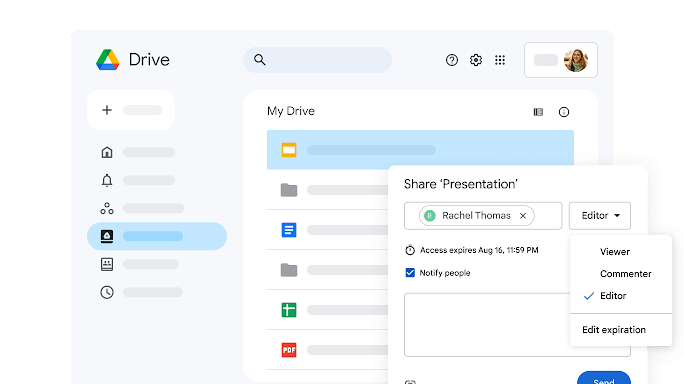
Simple file sharing and collaboration in Google Drive
The largest advantage Drive has over Workspace is how quickly the application becomes transparent in the background of daily work. Users start a document, share a link, collaborate in real-time, and move on. The interface and workflow of Drive are very familiar to most users.
Workspace is also user friendly; however, it requires making decisions regarding shared drives, group based permissions, and default security options. These are all good decisions, they just aren't invisible.
If you want to implement maximum adoption using minimal training, then Drive first is usually the path of least resistance.
Google Workspace Is Better for Integrated Communication, Meet and Chat

Seamless collaboration with Google Meet, Chat, and Docs
Drive is brilliant for working inside documents, but collaboration isn’t only editing, it’s decisions, alignment, and meetings that generate new artifacts.
Workspace ties those loops together, calendar invites, meeting links, chat threads, and documents live in one ecosystem. That reduces friction and avoids the where was this decided scavenger hunt.
If your team runs on meetings and docs, the integrated suite is a meaningful efficiency gain.
08 Google Drive vs Google Workspace: Which is the best for your business?
Google Drive is the best tool for you if:
- You need cloud storage and file sharing more than a full productivity suite.
- You collaborate frequently with clients, agencies, and partners outside your organization.
- You want minimal setup and near-instant adoption across a small team.
- Your governance needs are light and you can tolerate informal permission management.
- You want to reduce spending using the Google Drive deal on Standard and Plus plans.
 You need cloud storage and file sharing more than a full productivity suite.
Google Workspace is the best tool for you if:
- You want a managed company environment, identity, admin, and policies, rather than a standalone tool.
- You need shared drives and company-owned content as the default model.
- You want business email, meetings, and file collaboration in one ecosystem.
- You are scaling headcount and need clean onboarding and offboarding.
- You want to optimize suite costs with a Google Workspace discount on Standard plans.
Google Drive
Used by 1161 members
20% off Standard plans for 1 year
Save up to $3,460
Google Workspace
Used by 10323 members
20% off Standard plans for 1 year
Save up to $3,460
09 Alternatives to Google Drive & Google Workspace

Google Cloud (GCP)
Used by 11892 members
$2,000 in credits for 1 year if you never raised funds // $350,000 in credits for 2 years if you did
Save up to $350,000

Slack
Used by 3967 members
25% off new plan purchases
Save up to $9,000

Box
Used by 1049 members
First 2 months free
Save up to $400

Proton Drive
Used by 252 members
25% off the Professional plan for 1 year
Save up to $30
10 Promotions on Document Management and Collaboration software
Google Drive and Google Workspace are great tools, but Secret offers promo codes with discounts on over 2240+ different SaaS solutions. New deals are added regularly, helping you save money on your online subscriptions. Get access to codes for other Document Management and Collaboration software you might want to purchase

Discount for DocSend
90% off your annual DocSend plan

Airtable discount code
$1,000 in credits on licences for 1 year
Box deal
First 2 months free

Notion deal
3 months free on the Business plan with Unlimited AI

pdfFiller coupon
First month free
Slack promo code
25% off new plan purchases

Promo code for ClickUp
Additional 20% off Unlimited and Business plans for 1 year

Miro coupon
$1,000 in credits (lifetime validity)

Discount for Document360
6 months free + Wow site

Monday coupon
First month free
11 Google Drive vs Google Workspace: Conclusion
When stripped of brand identity, this comparison is based on scope. When you require a quick, easy-to-use, file-based collaboration layer with no need for strong governance to keep it secure, Google Drive would be your best choice. Google Drive is an ideal platform for early stage teams, external collaboration and any organization seeking to remain agile.The Google Drive Standard and Plus discount also makes it easier to keep costs predictable as you grow.
The best option for Google Workspace is when the company needs to have the ability to be in control, to be able to manage identity, share accountability, communicate as a whole, and enforce admin policies that do not require each individual to do the "right" thing. When you are transitioning from an informal collaboration environment to a more sustainable way of working, begin with evaluating your governance requirements,then use the Google Workspace deal to reduce the financial friction of adopting the suite.
Start saving on the best SaaS
Secret has already helped tens of thousands of startups save millions on the best SaaS like Microsoft Teams, Google Workspace & many more. Join Secret now to buy software the smart way.