


Efficient communication and team collaboration are crucial for the success of any project, whether you're coordinating a product launch, executing a digital marketing campaign, or optimizing inventory management processes. To facilitate seamless communication and collaboration within your team, it's important to choose the right messaging and communication apps.
In this article, we will delve into the comparison of two prominent communication and collaboration platforms—Slack and WhatsApp. We'll explore their primary features, functionalities, and distinct characteristics to help you make an informed decision about which one aligns best with your team's communication requirements and preferences. Whether you're considering Slack for business or WhatsApp for team communication, we've got you covered with all the insights you need.
- 01 Slack vs WhatsApp: overview
- 02 What's the difference between Slack and WhatsApp?
- 03 Slack pros and cons
- 04 WhatsApp pros and cons
- 05 Slack compared to WhatsApp
- 06 WhatsApp compared to Slack
- 07 Features comparison
- 08 Slack vs WhatsApp: Which is the best for your business?
- 09 Alternatives to Slack & WhatsApp
- 10 Promotions on Collaboration software
Start saving on the best SaaS
Secret has already helped tens of thousands of startups save millions on the best SaaS like Microsoft Teams, Google Workspace & many more. Join Secret now to buy software the smart way.

01 Slack vs WhatsApp: overview
Slack and WhatsApp are prominent contenders in the realm of team communication and collaboration apps, each offering a wide range of features and functionalities. Deciding between these two platforms can be a challenging task, especially when considering their distinct strengths and capabilities.
To simplify your decision-making process, we've created an in-depth comparison page that outlines the key attributes of Slack and WhatsApp. Using a rating system and insightful commentary, this comparison aims to equip you with the necessary information to make a well-informed choice for your team's communication and collaboration requirements.
Whether you prioritize real-time chat, file sharing, integration options, or security features, our Slack vs WhatsApp comparison will assist you in navigating the landscape and finding the solution that best suits your specific business communication needs.

Customer support
Slack provides dedicated support channels and extensive documentation for users. WhatsApp support is primarily through FAQs and email, with less direct customer service.

Slack
Integrations
Slack offers a vast ecosystem of app integrations, enhancing its functionality for team collaboration, including tools like Box, Asana, and Zoom. WhatsApp has limited integrations, focusing on direct messaging and basic business features.
Slack
Customer reviews
Slack is well-regarded for its team collaboration features and integration capabilities. WhatsApp is appreciated for its ease of use and widespread adoption for personal and business communication.
Slack
Ease of use
Slack has a moderate learning curve due to its extensive features. WhatsApp has a simple and intuitive interface, making it accessible for users of all ages and technical backgrounds.
Slack
Security
Slack offers strong security features including two-factor authentication and data encryption. WhatsApp also provides end-to-end encryption for all messages, ensuring a high level of security.
Slack
Message searchability
Slack provides comprehensive search capabilities across channels and conversations. WhatsApp allows for searching within chats but lacks the advanced search features present in Slack.
Slack
File sharing
Slack allows for easy sharing and storage of files with a searchable history, subject to storage limits on free plans. WhatsApp facilitates quick file sharing but is less practical for managing shared files long-term.
Slack
Voice and video calls
Slack includes voice and video calling capabilities, but they are not as central to the platform as they are on WhatsApp, which offers robust and user-friendly voice and video call options.
Slack
Pricing plans
Slack offers a free tier with limited features and paid plans for additional functionality. WhatsApp is free for personal use and has a free Business app, with WhatsApp Business API for larger businesses requiring a fee.
Slack
Group collaboration
Slack is designed for team collaboration, with features like channels for different topics, threaded conversations, and the ability to collaborate on documents. WhatsApp offers group chats, but lacks the same level of organizational features.
Slack
02 What's the difference between Slack and WhatsApp?

Slack is designed primarily for professional and team-oriented communication.
Slack
Enhance team communication and collaboration.
WhatsApp, on the other hand, is more commonly associated with personal communication.
WhatsApp brings the value of instant messaging, convenient communication with friends, family, and colleagues, and secure end-to-end encryption of messages.
When it comes to team communication and collaboration tools, Slack and WhatsApp stand out as popular choices with distinct differences. Both apps serve as powerful means of communication, but they cater to varying needs and preferences.
One of the primary distinctions between Slack and WhatsApp lies in their intended use cases. Slack is designed primarily for professional and team-oriented communication. It offers a workspace structure where teams can create channels for different projects, departments, or topics, facilitating organized and focused discussions. Slack's integrations with various business tools also enhance productivity by bringing multiple functions into a centralized hub.
WhatsApp, on the other hand, is more commonly associated with personal communication. While it does offer group chats and business accounts, it is often used for one-on-one conversations among friends and family. WhatsApp's simplicity and ease of use make it a preferred choice for personal interactions, but it may lack some of the advanced features required for complex team collaborations.
Another significant difference is the level of security and data protection offered by both platforms. Slack, being tailored for business use, places a strong emphasis on security and compliance. It provides features like enterprise-grade encryption, data retention policies, and administrative controls to protect sensitive information. WhatsApp, while also offering encryption, has faced privacy concerns in the past due to its parent company, Facebook, and its data-sharing practices. This may make Slack a more secure option for businesses dealing with confidential data.
Additionally, pricing structures vary between Slack and WhatsApp. Slack offers a freemium model with limited features in the free plan and tiered pricing for more advanced functionality. WhatsApp, on the other hand, is typically free for personal use but may require a business subscription for enhanced business-related features.
Slack is ideal for businesses and teams looking for robust collaboration features, security, and integrations, while WhatsApp excels as a simple and convenient tool for personal and small-scale group communication.

Slack
Enhance team communication and collaboration.
25% off new plan purchases
Save up to $9,000
03 Slack pros and cons
What are the advantages of Slack?
- Efficient communication: Slack provides real-time messaging and collaboration tools that enable quick and efficient communication among team members. Instant messaging, file sharing, and integrations with other apps streamline conversations.

- Organization: Slack allows you to create channels for specific projects, topics, or teams, helping you keep discussions organized. This structure minimizes clutter and ensures that relevant conversations are easily accessible.
- Integrations: Slack offers a vast library of integrations with other software and services. This allows teams to connect their favorite tools, such as Google Drive, Trello, or GitHub, directly to Slack for seamless workflow management.
- Search functionality: Slack's search feature is robust, enabling users to find specific messages, files, or information quickly. This makes it easy to retrieve past conversations or shared documents.
- Customization: Slack allows users to personalize their experience with custom emojis, themes, and notification settings. This customization helps make the platform more user-friendly and enjoyable.
What are the disadvantages of Slack?
- Cost: While Slack offers a free plan, many of its advanced features are available only in paid plans. This can make it a costly option for larger teams or organizations requiring extensive functionality.

- Learning curve: For some users, especially those new to team collaboration software, Slack's interface and features may have a learning curve. It can take time to become proficient with the platform.
- Notification overload: Without careful management, Slack can generate a high volume of notifications, potentially leading to distraction and decreased productivity. Users may need to fine-tune their notification settings.
- Data retention policy: Slack's free plan has limitations on message retention, meaning that older messages may become inaccessible unless you upgrade to a paid plan. This could be a drawback for teams needing long-term access to their chat history.
- Security concerns: While Slack takes security seriously and offers encryption and compliance features in its paid plans, some organizations with extremely sensitive data may have reservations about using a cloud-based platform for communication.
Compare Slack to other tools


Slack vs Monday


Slack vs Microsoft Teams

Slack vs Google Workspace

Asana vs Slack

Slack vs Discord

ClickUp vs Slack
04 WhatsApp pros and cons
What are the advantages of WhatsApp?
- Wide user base: WhatsApp boasts a massive user base, making it an effective tool for personal communication with friends and family. It's likely that most of your contacts already use the platform.
- End-to-end encryption: WhatsApp offers end-to-end encryption by default for all messages and calls, enhancing user privacy and security. It ensures that only the intended recipient can read the messages.
- Multimedia sharing: WhatsApp allows users to share a wide range of multimedia, including photos, videos, voice messages, documents, and location data, making it versatile for various types of communication.
- Voice and video calls: In addition to text messaging, WhatsApp offers high-quality voice and video calling features, allowing for free international calls over Wi-Fi or mobile data.
- Web and desktop versions: WhatsApp provides web and desktop applications that sync with your mobile device, enabling users to chat conveniently from a computer, which can be particularly useful for lengthy conversations.
What are the disadvantages of WhatsApp?
- Limited for business use: WhatsApp was primarily designed for personal use, and while it offers a business version (WhatsApp Business), it may lack some advanced features and integrations necessary for professional communication and collaboration.
- Dependency on mobile: WhatsApp requires a mobile phone to register and use, which can be inconvenient for users who prefer a desktop-first or web-only experience.
- No native support for multiple devices: Unlike some other messaging apps, WhatsApp doesn't natively support multiple devices logged into the same account, which can be restrictive for users who frequently switch devices.
- Limited customization: WhatsApp has limited customization options compared to some other messaging apps, such as the inability to create custom themes or emojis.
- Privacy concerns: While WhatsApp encrypts messages end-to-end, it is owned by Facebook, which has faced privacy controversies. Some users may have concerns about their data being used for advertising or other purposes.
05 Slack compared to WhatsApp
Slack and WhatsApp are both popular communication tools, but they serve distinct purposes. Slack is designed for professional team collaboration, offering organized channels, integrations, and robust features for businesses. It excels in managing projects, streamlining work processes, and ensuring efficient communication among teams.
WhatsApp, on the other hand, is primarily a personal messaging app, though it has a business version. It focuses on one-on-one and group chats, making it suitable for personal and small-scale team communication. Choosing between them depends on your needs: Slack for business collaboration or WhatsApp for personal and lightweight professional use.
Is Slack better than WhatsApp?
 Is Slack better than WhatsApp?
While Slack shines in professional digital communication with its structured channels and business integrations, facilitating project management and team interaction, WhatsApp offers a more casual approach, ideal for personal conversations and smaller professional groups. This distinction highlights the importance of context in selecting a communication tool. For larger, structured organizations where complex projects and workflows are the norm, Slack is the go-to platform.
In contrast, WhatsApp's simplicity and ease of use make it a favorite for personal interactions and informal business communications. Thus, the choice between Slack and WhatsApp hinges on the nature and scale of the communication needs, be it for intricate business collaborations or relaxed, personal exchanges.
What is Slack best used for?
Slack is best used for enhancing communication and collaboration within teams and organizations. It excels in providing a centralized platform for real-time messaging, file sharing, and project coordination. Teams can create channels for specific projects or topics, keeping conversations organized and accessible. With integrations to popular apps and customizable notifications, it boosts productivity by streamlining workflow processes.
Slack is particularly valuable for businesses, remote teams, and large organizations where effective communication, document sharing, and team collaboration are essential for success. Whether for project management, team discussions, or cross-functional collaboration, Slack empowers teams to work efficiently and stay connected.
Can Slack replace WhatsApp?
Slack and WhatsApp serve distinct purposes, making a direct replacement challenging. Slack excels in professional team collaboration, offering a platform for organized communication, file sharing, and project management within businesses. It's ideal for work-related discussions and structured teamwork. WhatsApp, on the other hand, is primarily a personal messaging app, best suited for one-on-one and small-group conversations among friends and family.
While WhatsApp does have a business version, it may not fully replace Slack's advanced features for professional use. The choice between the two depends on your specific needs: Slack for business communication and collaboration, WhatsApp for personal messaging.
Is Slack cheaper than WhatsApp?
Slack and WhatsApp have different pricing models and target audiences. WhatsApp, primarily a personal messaging app, is generally free for individual users, with business accounts offered at varying costs. In contrast, Slack’s pricing structure, designed for professional team collaboration, offers a free plan with limited features, and its more advanced functionality comes with paid plans that start at $7.25 per user per month.
Therefore, for personal use or small-scale communication, WhatsApp may be more cost-effective. However, for businesses and teams requiring robust collaboration tools and features, Slack's pricing could be justifiable, given its enhanced capabilities and security features.
Is there a better Collaboration software than Slack?
Choosing the right team communication and collaboration software is crucial and requires a thorough assessment of your specific requirements.
While Slack excels in providing a platform for real-time messaging, file sharing, and integrations, alternatives like Microsoft Teams, Discord, and Mattermost cater to different needs. Microsoft Teams integrates seamlessly with Microsoft 365, offering a comprehensive suite of productivity tools. Discord is popular among gaming communities but can also serve as a communication platform for teams. Mattermost focuses on self-hosted, open-source communication solutions.
The ideal choice hinges on your team's distinct needs, preferences, and workflow, ensuring effective and tailored communication and collaboration.
Slack
Enhance team communication and collaboration.
25% off new plan purchases
Save up to $9,000
06 WhatsApp compared to Slack
WhatsApp and Slack are both communication platforms, but they serve different purposes. WhatsApp, a widely-used messaging app, excels in personal and small-group conversations with its end-to-end encryption and multimedia sharing capabilities.
In contrast, Slack is designed for professional team collaboration, offering organized channels, integrations, and project management tools. Slack facilitates streamlined work communication, document sharing, and task coordination within teams and businesses. Choosing between them depends on your needs: WhatsApp for personal or lightweight professional use, and Slack for robust team collaboration, project management, and business-focused communication.
Is WhatsApp better than Slack?
The debate between WhatsApp and Slack hinges on the context and scale of communication needs. WhatsApp's strength lies in its simplicity and user-friendliness, making it an ideal choice for personal and informal professional interactions. Its end-to-end encryption ensures privacy and security, a crucial aspect in today's digital age. Furthermore, its widespread adoption makes it easily accessible for a broad user base.
In contrast, while Slack excels in professional environments with its specialized features for team collaboration and project management, it may be too complex for casual, everyday communication. Therefore, for those prioritizing ease of use, straightforward messaging, and secure personal or small-scale professional communication, WhatsApp emerges as the more suitable option.
What is WhatsApp best used for?
WhatsApp is best used for personal and small-scale group communication. With its user-friendly interface and end-to-end encryption, it offers a secure platform for text, voice, and video chats. WhatsApp is ideal for staying in touch with friends and family, sharing multimedia content like photos and videos, and making free international calls over Wi-Fi or mobile data.
While it has a business version for lightweight professional communication, WhatsApp's strength lies in its simplicity and convenience for personal interactions. It's an excellent choice for keeping connected with loved ones and maintaining ongoing conversations with close contacts.
Can WhatsApp replace Slack?
Replacing Slack with WhatsApp may not be seamless due to their different target audiences and features. WhatsApp, designed for personal messaging, excels in one-on-one and small-group communication, offering end-to-end encryption and multimedia sharing. While WhatsApp Business exists, it lacks some advanced collaboration features crucial for professional teams.
Slack, on the other hand, is purpose-built for team communication and collaboration, with organized channels, integrations, and project management tools. While WhatsApp can complement personal communication, Slack is better suited for structured work-related discussions, document sharing, and task coordination within businesses.
Is WhatsApp cheaper than Slack?
WhatsApp and Slack have different pricing models and intended purposes. WhatsApp is primarily a personal messaging app, and for individual users, it's typically free, making it a cost-effective choice for personal communication. However, WhatsApp for Business may have associated costs depending on the features and services you require.
In contrast, Slack, designed for professional team collaboration, offers a free plan with limited features, but its more comprehensive business functionality comes with paid plans that start at $7.25 per user per month. Therefore, while WhatsApp may be cheaper for personal use, Slack's pricing is justified for businesses and teams requiring advanced collaboration tools.
Is there a better Customer Support software than WhatsApp?
Choosing the right communication and messaging software depends on your specific communication needs and preferences.
While WhatsApp is widely popular for personal messaging, alternative platforms such as Signal, Telegram, Discord, and Facebook Messenger offer unique features and advantages. Signal is known for its strong focus on privacy and encryption, while Telegram offers extensive group chat capabilities and channels. Facebook Messenger integrates seamlessly with the Facebook ecosystem.
To make an informed choice, consider factors like security, group chat functionality, and integration with other apps. By aligning your specific communication requirements with a software's features, you can find the ideal solution that best suits your messaging needs and preferences.
07 Features comparison
Slack Triumphs Over WhatsApp in Integration Capabilities
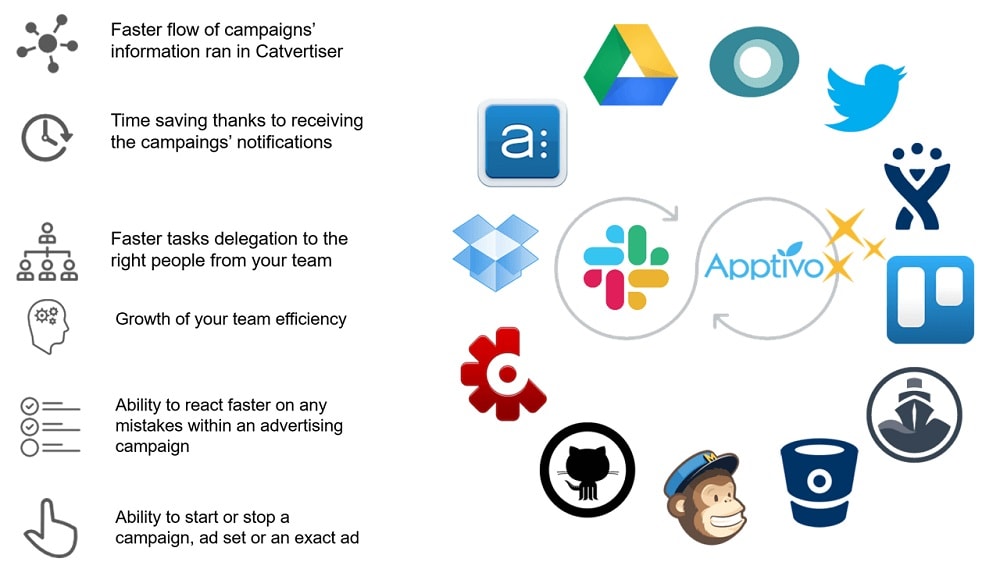
Slack seamlessly integrates with a plethora of essential business tools
When examining the integration possibilities, Slack proves to be a formidable contender, outshining WhatsApp with its extensive array of external application connections. Slack seamlessly integrates with a plethora of essential business tools, including Google Drive, Trello, Asana, GitHub, HubSpot, and many more. This vast integration ecosystem empowers users to centralize their work processes within Slack, enhancing overall productivity and efficiency.
For instance, Slack's integration with Google Drive allows for easy document sharing and collaboration, while its HubSpot integration facilitates seamless customer relationship management. Users can also personalize their workspace by adding apps from the Slack App Directory, tailoring it to their specific needs.
In stark contrast, WhatsApp offers limited third-party integrations, limiting its adaptability for businesses seeking to streamline their toolkit. While WhatsApp adequately serves basic communication needs, Slack's comprehensive integration capabilities make it the preferred choice for businesses aiming to optimize collaboration and workflow efficiency.
WhatsApp Outshines Slack in User-Friendliness

WhatsApp's interface is intuitive and straightforward, making it accessible even for less tech-savvy users.
When evaluating the user-friendliness of Slack and WhatsApp, WhatsApp emerges as the clear frontrunner. WhatsApp's interface is intuitive and straightforward, making it accessible even for less tech-savvy users. Its chat-centric design and familiarity to personal messaging apps make it a comfortable choice for individuals.
For instance, WhatsApp enables seamless one-on-one and group messaging with a simple contact list. The process of sending text, multimedia files, and voice messages is effortless. In contrast, Slack's workspace structure, channel creation, and integration setup can be intimidating, particularly for those new to the platform.
Slack's Organized Channels Trump WhatsApp for Business Communication

Slack provides a structured approach where teams, projects, or topics have dedicated channels, fostering focused discussions and streamlined information access.
Slack excels with its standout feature—organized channels. Slack provides a structured approach where teams, projects, or topics have dedicated channels, fostering focused discussions and streamlined information access. For instance, marketing teams can have a dedicated channel for campaign updates, while IT departments can maintain one for troubleshooting.
This organizational advantage ensures that relevant conversations remain separate and easily retrievable. In contrast, while WhatsApp offers group chat options, it lacks the structured organization of Slack channels, potentially resulting in scattered discussions and a lack of context.
WhatsApp Takes the Lead in Quick and Effortless Voice Calls Over Slack

WhatsApp's one-tap voice calling feature allows users to initiate audio conversations swiftly, making it particularly advantageous for rapid consultations or quick updates.
While both tools offer voice and video calling features, WhatsApp stands out for its simplicity and efficiency in audio calls. WhatsApp's one-tap voice calling feature allows users to initiate audio conversations swiftly, making it particularly advantageous for rapid consultations or quick updates. This straightforward approach enhances real-time communication and minimizes the need for typing.
For instance, in a business setting, WhatsApp's quick voice calls can facilitate spontaneous discussions or provide immediate clarifications, improving overall productivity. On the other hand, while Slack does provide voice calls, they may require a more intricate setup, potentially leading to a less streamlined experience.
File Sharing is Equally Efficient Across Both Slack and WhatsApp

For instance, in Slack, teams can effortlessly upload documents, images, and files directly into channels or private conversations, making them readily available to all team members.
Both Slack and WhatsApp shine when it comes to sharing files, documents, images, and other types of content within conversations. This eases the process of collaboration, providing a central location for shared resources.
For instance, in Slack, teams can effortlessly upload documents, images, and files directly into channels or private conversations, making them readily available to all team members. This centralized approach ensures that critical information remains accessible and organized.
Similarly, WhatsApp facilitates seamless file sharing, enabling users to send a wide range of content, including documents, photos, videos, and voice messages, directly within chats. This capability enhances real-time communication and collaboration for personal and small-group interactions.
WhatsApp’s Status Updates Provide More Personalized Communication than Slack

WhatsApp's status update feature adds a personalized dimension to communication, allowing users to share their current tasks, availability, or moods with colleagues or customers.
WhatsApp's status update feature adds a personalized dimension to communication, allowing users to share their current tasks, availability, or moods with colleagues or customers. It fosters a more engaging and human touch to interactions, making it ideal for personal or small-group conversations.
For instance, in a professional context, an employee can update their status to "In a meeting" to inform colleagues of their unavailability for a brief period. This personal touch enhances communication.
On the other hand, Slack excels at business-focused notifications and alerts. Users can customize alerts for specific keywords, mentions, or channels, ensuring that critical business messages are never overlooked. While this feature prioritizes efficiency, it may lack the personal engagement that WhatsApp's status updates provide.
Slack Offers Superior Search and Archiving Capabilities Compared to WhatsApp

Slack's powerful search functionality allows users to swiftly locate past messages, files, and information, even within extensive archives.
Slack's powerful search functionality allows users to swiftly locate past messages, files, and information, even within extensive archives. This feature proves invaluable for retrieving critical data, maintaining detailed records, and ensuring that no crucial information goes unnoticed or buried within lengthy conversations.
For instance, in a business context, Slack's search and archiving capabilities facilitate compliance with record-keeping requirements and enable quick access to historical discussions, enhancing overall productivity and organization.
In contrast, while WhatsApp offers a search feature, it may not be as advanced or comprehensive as Slack's, making it less suitable for businesses and teams that rely on efficient information retrieval and archiving.
08 Slack vs WhatsApp: Which is the best for your business?
Slack is the best tool for you if:
- You require a platform with advanced organizational features, like channels and integrations, tailored for managing complex team projects and workflows in a business environment.
- Collaboration is key in your work, and you need a tool that supports real-time messaging, file sharing, and task management, all integrated into a single platform.
- You're looking for customizable notifications and search options to streamline communication, ensuring that you stay updated without being overwhelmed by irrelevant information.
- Your team benefits from integrating various business applications and services, as Slack offers numerous integrations with tools like Google Drive, Trello, and Salesforce.
- You value a workspace that can be segmented into channels for different topics or projects, allowing for focused discussions and better organization of team communication.
 You require a platform with advanced organizational features, like channels and integrations, tailored for managing complex team projects and workflows in a business environment.
WhatsApp is the best tool for you if:
- You prioritize a user-friendly interface for personal and small-scale professional communication, with easy-to-use features for messaging, voice, and video calls.
- End-to-end encryption for privacy and security in your personal and business conversations is essential, ensuring your communications remain confidential.
- You often share multimedia files like photos, videos, and voice messages, and need a platform that supports quick and efficient media sharing.
- You prefer a widely accessible and mobile-first communication tool that allows you to stay connected with friends, family, and colleagues from anywhere.
- Your communication needs are more casual and less structured, without the requirement for complex project management or integration with multiple business tools.
Slack
Enhance team communication and collaboration.
25% off new plan purchases
Save up to $9,000
09 Alternatives to Slack & WhatsApp

Notion
Used by 21,470 members
3 months free on the Business plan with Unlimited AI
Save up to $720

Make
Used by 12,643 members
3 months free on the Teams plan (240k credits included)
Save up to $600

Google Workspace
Used by 10,615 members
20% off Standard plans for 1 year
Save up to $3,460

Airtable
Used by 8,898 members
$1,000 in credits on licences for 1 year
Save up to $1,000
10 Promotions on Collaboration and Customer Support software
Slack and WhatsApp are great tools, but Secret offers promo codes with discounts on over 2250+ different SaaS solutions. New deals are added regularly, helping you save money on your online subscriptions. Get access to codes for other Collaboration and Customer Support software you might want to purchase
Promo codes for Google Workspace
20% off Standard plans for 1 year

Freshdesk promo
14 days free
Promo code for Airtable
$1,000 in credits on licences for 1 year

Discount for LiveChat
$150 credits (Team, Business and Enterprise Plans)
Discount for Notion
3 months free on the Business plan with Unlimited AI

Manychat promo code 2026
First month free on Pro plan

Credits for Miro
$1,000 in credits (lifetime validity)

LiveAgent free credits
$120 credits on any plan

Credits for Monday
First month free

Aircall promo code 2026
First month free
Start saving on the best SaaS
Secret has already helped tens of thousands of startups save millions on the best SaaS like Microsoft Teams, Google Workspace & many more. Join Secret now to buy software the smart way.