


A reliable cloud hosting platform is crucial for businesses to ensure their websites and applications run smoothly, offering optimal performance and reliability. DigitalOcean and Cloudways are two leading names in the cloud hosting industry, each with its own set of features and benefits.
This article aims to provide a comprehensive comparison between DigitalOcean and Cloudways, focusing on their respective strengths and weaknesses. While both platforms offer cloud hosting services, they differ significantly in terms of management options, scalability, pricing structures, and additional features. By understanding these distinctions, you can make an informed decision about which platform best suits your hosting needs. Let's dive into the details of DigitalOcean vs Cloudways.
- 01 DigitalOcean vs Cloudways: overview
- 02 What's the difference between DigitalOcean and Cloudways?
- 03 DigitalOcean pros and cons
- 04 Cloudways pros and cons
- 05 DigitalOcean compared to Cloudways
- 06 Cloudways compared to DigitalOcean
- 07 Features comparison
- 08 DigitalOcean vs Cloudways: Which is the best for your business?
- 09 Alternatives to DigitalOcean & Cloudways
- 10 Promotions on Cloud Storage software
Start saving on the best SaaS
Secret has already helped tens of thousands of startups save millions on the best SaaS like Microsoft Teams, Google Workspace & many more. Join Secret now to buy software the smart way.

01 DigitalOcean vs Cloudways: overview
DigitalOcean and Cloudways are top contenders in the domain of cloud hosting and storage services, each bringing distinct advantages tailored to different business requirements.
DigitalOcean is renowned for its simplicity and developer-friendly interface, making it a preferred choice for startups and individual developers. With DigitalOcean, users have access to straightforward cloud infrastructure solutions, including virtual servers (droplets), managed databases, and Kubernetes clusters. On the other hand, Cloudways offers a managed cloud hosting platform that caters to businesses seeking a more hands-off approach to infrastructure management. Cloudways simplifies the complexities of cloud hosting by providing a user-friendly dashboard and a range of advanced features such as automated backups, server scaling, and application monitoring.
When weighing the options between DigitalOcean and Cloudways, it's crucial to consider your organization's specific needs and preferences. If you prioritize simplicity, control, and cost-effectiveness, DigitalOcean may be the ideal choice. Conversely, if you value managed services, scalability, and flexibility across multiple cloud providers, Cloudways could offer the comprehensive solution you're looking for.

Integrations
DigitalOcean provides a robust API for integrations, which is highly appreciated by developers. Cloudways offers some integrations, including tools like Slack, WordPress, and GitHub, but the platform is more focused on providing a simplified experience rather than a wide range of integrations.

DigitalOcean
Cloudways
Ease of use
Cloudways offers a managed platform that many find easier to navigate compared to the more hands-on approach required by DigitalOcean's infrastructure as a service (IaaS).
DigitalOcean
Cloudways
Global data centers
DigitalOcean has a vast network of data centers around the globe, which is beneficial for deploying applications closer to users. Cloudways also offers a choice of data centers through its partners.
DigitalOcean
Cloudways
Server performance
DigitalOcean provides high-performance SSD-based virtual machines with flexible configurations. Cloudways optimizes server performance through their stack but the underlying performance would depend on the chosen infrastructure provider.
DigitalOcean
Cloudways
Security
DigitalOcean offers solid security features but it’s largely self-managed. Cloudways adds additional security layers and manages them for the user, making it a more secure option for those less familiar with server security.
DigitalOcean
Cloudways
Customer support
Cloudways excels with its customer support, offering 24/7 help with managed plans. DigitalOcean's support is also good but primarily targeted at users who are comfortable managing their own servers.
DigitalOcean
Cloudways
Managed services
Cloudways is a managed cloud hosting platform, which means they handle the server management and offer additional services such as automatic backups and updates. DigitalOcean provides unmanaged servers that require the user to handle their own maintenance and management.
DigitalOcean
Cloudways
Positive reviews
DigitalOcean is known for its simplicity and developer-friendly approach. Cloudways is praised for its user-friendly platform and managed hosting services that simplify cloud hosting for non-technical users.
DigitalOcean
Cloudways
Pricing plans
DigitalOcean offers straightforward and competitive pricing with its droplets, which is attractive for developers looking to manage their own servers. Cloudways provides a managed service on top of providers like DigitalOcean, which adds a premium to the cost.
DigitalOcean
Cloudways
Scalability
DigitalOcean allows users to scale resources but it requires a manual approach. Cloudways provides an easier scaling solution, with more flexibility for sudden traffic changes.
DigitalOcean
Cloudways
02 What's the difference between DigitalOcean and Cloudways?

DigitalOcean Gives You the Control Over Your Droplets, Kubernetes, Apps, and More For Extensive Customization
DigitalOcean
Cloud Computing Platform
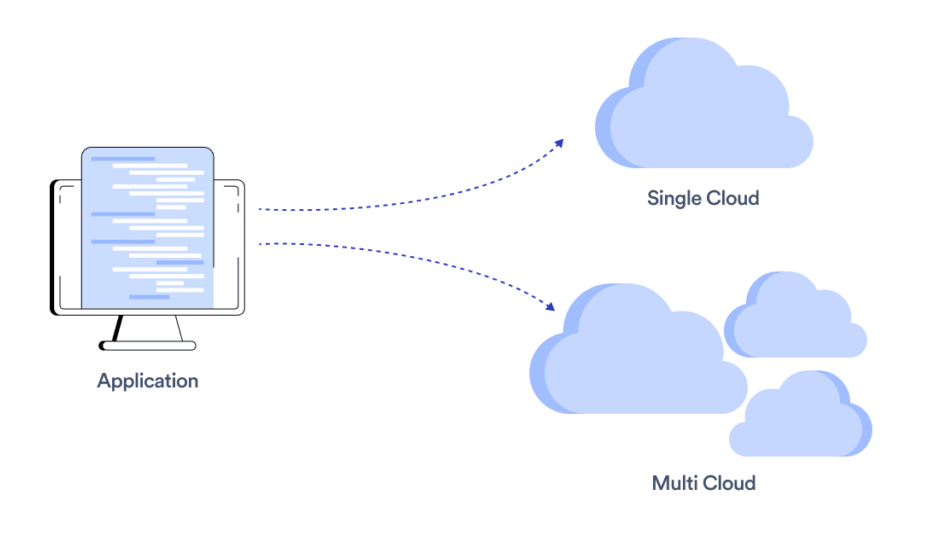
Cloudways Supports DigitalOcean, Amazon Web Services (AWS), and Google Cloud Platform (GCP), Amongst Other Cloud Providers
Cloudways
Cloudways is the tool that will help you launch a faster website in no time. You choose from top servers such as AWS, Digital Ocean, or Google Cloud, and configure your website's launch in a few clicks.
When comparing DigitalOcean and Cloudways, the primary distinction lies in their approach to cloud hosting management. DigitalOcean offers a straightforward, do-it-yourself cloud infrastructure platform that appeals to developers and small businesses. With DigitalOcean, users have direct access to virtual servers (droplets), managed databases, and Kubernetes clusters, empowering them to deploy and manage their applications with ease. The platform's user-friendly control panel and extensive documentation make it an attractive choice for those seeking simplicity and control over their cloud infrastructure.
In contrast, Cloudways provides a managed cloud hosting solution designed to simplify the complexities of cloud management. Catering to businesses of all sizes, Cloudways offers a user-friendly dashboard and a suite of advanced features, including automated backups, server scaling, and application monitoring. One of Cloudways' key advantages is its support for multiple cloud providers, allowing users to choose between providers like AWS, Google Cloud, and DigitalOcean itself. This flexibility appeals to businesses seeking scalability and the ability to tailor their hosting environment to their specific needs.
If you prefer a hands-on approach to cloud management and value simplicity, DigitalOcean may be the ideal choice. On the other hand, if you prioritize managed services, scalability, and flexibility across multiple cloud providers, Cloudways offers a comprehensive solution that may better suit your needs.

Cloudways
Cloud hosting service
30% off for 3 months
Save up to $257
03 DigitalOcean pros and cons
What are the advantages of DigitalOcean?
- Ease of use: DigitalOcean offers a user-friendly interface and straightforward setup process, making it accessible to developers of all skill levels. The platform's intuitive control panel simplifies tasks such as deploying virtual servers, managing databases, and configuring networking settings.

- Affordable pricing: DigitalOcean's pricing structure is transparent and budget-friendly, with a range of droplet (virtual server) sizes to choose from based on your requirements. Additionally, the platform offers flexible billing options, including hourly and monthly pricing, allowing users to scale their resources as needed without overpaying.
- High performance: DigitalOcean boasts high-performance servers powered by SSD storage and fast networking, ensuring reliable and responsive performance for hosted applications and websites. The platform's global data center locations further contribute to low latency and high availability.
- Strong community support: DigitalOcean has a vibrant community of developers and enthusiasts who actively contribute to forums, tutorials, and open-source projects. This wealth of resources provides valuable support and guidance for users encountering issues or seeking advice on best practices.
- Scalability and flexibility: DigitalOcean offers scalable infrastructure solutions that can grow with your business needs. Whether you're launching a small project or managing a large-scale application, DigitalOcean provides the flexibility to easily upgrade resources, add storage, or implement load balancing to accommodate changing demands.
What are the disadvantages of DigitalOcean?
- Limited managed services: While DigitalOcean excels in providing self-managed cloud infrastructure, it lacks comprehensive managed services compared to some competitors. Users may need to handle tasks such as server maintenance, security updates, and backups independently or through third-party solutions.

- Complex networking features: DigitalOcean's networking features, such as configuring virtual private clouds (VPCs) or setting up custom networking configurations, can be complex for users without networking expertise. This may require additional research or assistance to implement advanced networking setups effectively.
- No integrated load balancing: Unlike some competing cloud providers, DigitalOcean does not offer integrated load balancing as a standard feature. Users requiring load balancing for distributing traffic across multiple servers may need to implement third-party solutions or manually configure load balancers.
- Limited enterprise features: DigitalOcean primarily targets developers and small to medium-sized businesses, which may limit its suitability for enterprise-level applications or organizations with complex requirements. Advanced enterprise features such as dedicated account management or compliance certifications may be lacking compared to larger cloud providers.
- Potential resource limitations: While DigitalOcean offers scalable droplet sizes, users may encounter resource limitations or performance bottlenecks when scaling beyond certain thresholds. It's essential to monitor resource utilization and consider upgrading to higher-tier plans or optimizing configurations to avoid performance issues.
Compare DigitalOcean to other tools


DigitalOcean vs Linode


OVHcloud vs DigitalOcean

DigitalOcean vs Microsoft Azure

DigitalOcean vs AWS Activate

Heroku vs DigitalOcean

Scaleway vs DigitalOcean
04 Cloudways pros and cons
What are the advantages of Cloudways?
- Managed cloud hosting: Cloudways offers fully managed cloud hosting services, eliminating the need for users to handle server management tasks such as setup, configuration, and maintenance. This allows users to focus on their applications and business operations without worrying about server management complexities.
- Multiple cloud providers: Cloudways supports a variety of cloud providers, including AWS, Google Cloud Platform, DigitalOcean, Linode, and Vultr. This flexibility enables users to choose the cloud provider that best aligns with their performance, pricing, and geographic requirements.
- Scalability and performance: Cloudways provides scalable infrastructure solutions that can easily accommodate fluctuations in website traffic or application demand. With features like automated scaling, users can dynamically adjust server resources to ensure optimal performance and reliability.
- Advanced features: Cloudways offers a range of advanced features, including automated backups, server cloning, staging environments, and integrated CDN (Content Delivery Network) support. These features enhance security, reliability, and efficiency for hosted applications and websites.
- 24/7 support: Cloudways provides round-the-clock customer support through various channels, including live chat, ticketing system, and community forums. The support team is knowledgeable and responsive, assisting users with technical issues, troubleshooting, and best practices guidance.
What are the disadvantages of Cloudways?
- Complexity for beginners: While Cloudways simplifies many aspects of cloud hosting, it may still present a learning curve for beginners or users unfamiliar with server management concepts. Navigating the platform's dashboard and understanding advanced features may require some time and effort.
- Cost considerations: While Cloudways offers flexible pricing plans, its managed services come at a premium compared to self-managed cloud hosting options. Users should carefully consider their budget and resource requirements to ensure cost-effectiveness.
- Limited control: Despite offering managed services, Cloudways may limit users' control over certain server configurations or settings. Users accustomed to full administrative access may find this level of control restrictive for specific customization needs.
- Potential vendor lock-in: Although Cloudways supports multiple cloud providers, migrating between providers may pose challenges or limitations. Users should consider the implications of vendor lock-in when selecting a cloud provider through Cloudways.
- Performance variability: While Cloudways strives to offer high-performance cloud hosting, performance may vary depending on the selected cloud provider, server location, and configuration settings. Users should monitor performance metrics and optimize configurations to achieve desired results.
Compare Cloudways to other tools


Cloudways vs Hostinger

Cloudways vs WP Engine
05 DigitalOcean compared to Cloudways
DigitalOcean and Cloudways offer contrasting approaches to cloud hosting. DigitalOcean, known for its simplicity and developer-focused interface, provides a DIY platform ideal for those seeking direct control over their infrastructure.
On the other hand, Cloudways offers managed cloud hosting services, simplifying server management tasks for users while supporting multiple cloud providers. While DigitalOcean suits those comfortable with hands-on management and seeking cost-effective solutions, Cloudways caters to businesses valuing convenience and scalability.
Is DigitalOcean better than Cloudways?
 Is DigitalOcean better than Cloudways?
Deciding whether DigitalOcean is better than Cloudways hinges on the specific needs and expertise of the user. For developers and tech-savvy individuals who prefer a hands-on approach to manage their cloud infrastructure, DigitalOcean's straightforward and developer-centric platform may be more appealing due to its direct control and cost efficiency.
However, for businesses and users that prioritize ease of use, support, and the ability to scale without delving into the complexities of server management, Cloudways stands out. It abstracts the complexities of cloud hosting through managed services, offering a blend of simplicity and flexibility by leveraging multiple cloud providers.
What is DigitalOcean best used for?
DigitalOcean is best used for deploying and managing cloud-based applications and websites. With its user-friendly interface and straightforward setup process, DigitalOcean appeals to developers, startups, and small businesses seeking simplicity and control over their infrastructure. It excels in providing scalable virtual servers (droplets), managed databases, and Kubernetes clusters, making it an ideal platform for hosting various types of web applications, from simple blogs to complex web services.
Additionally, DigitalOcean's affordable pricing and transparent billing structure make it an attractive option for those looking to launch and scale their projects cost-effectively in the cloud.
Can DigitalOcean replace Cloudways?
While DigitalOcean offers robust cloud hosting solutions, it may not entirely replace Cloudways for all users. DigitalOcean provides self-managed infrastructure, suited for developers and those comfortable with server management tasks.
In contrast, Cloudways offers managed cloud hosting services, simplifying server management and providing additional features like automated backups and scaling. Cloudways also supports multiple cloud providers, offering flexibility that DigitalOcean alone may not match. Whether DigitalOcean can replace Cloudways depends on factors such as user preferences, technical expertise, and the level of management assistance required.
Is DigitalOcean cheaper than Cloudways?
Comparing DigitalOcean's pricing directly to Cloudways' requires consideration of various factors. DigitalOcean’s pricing is typically lower base for its infrastructure services, making it appear cheaper initially.
However, Cloudways provides managed services atop cloud providers like DigitalOcean, adding management features and support, which may result in higher overall costs. Cloudways' pricing model includes these added services, potentially making it more expensive than using DigitalOcean directly. Yet, Cloudways' managed services might justify the higher cost for users seeking convenience and support.
Is there a better Cloud Storage software than DigitalOcean?
While DigitalOcean offers reliable cloud hosting services, it's essential to explore alternative options to determine the best fit for your requirements.
Some notable alternatives to DigitalOcean in the cloud hosting landscape include AWS (Amazon Web Services), Google Cloud Platform, Microsoft Azure, and Linode.
Choosing the optimal cloud hosting provider hinges on factors such as performance, pricing, scalability, and ease of use. If you prioritize simplicity, affordability, and a developer-friendly environment, DigitalOcean may be the perfect choice.
06 Cloudways compared to DigitalOcean
Cloudways and DigitalOcean represent distinct approaches to cloud hosting. DigitalOcean offers a do-it-yourself platform, providing users with direct control over their infrastructure and appealing to developers seeking simplicity and flexibility.
On the other hand, Cloudways offers managed cloud hosting services atop multiple cloud providers, simplifying server management and catering to businesses valuing convenience and support. While DigitalOcean excels in affordability and control, Cloudways stands out for its managed services, scalability, and support.
Is Cloudways better than DigitalOcean?
Determining whether Cloudways surpasses DigitalOcean depends largely on the user's requirements and technical proficiency. Cloudways shines for users and businesses seeking a hassle-free cloud hosting experience, thanks to its managed services that simplify server management.
This approach allows users to focus on their core business without worrying about the complexities of infrastructure management. It is particularly beneficial for those who appreciate the convenience of having support and scalability at their fingertips, leveraging the strengths of various cloud providers. In contrast, DigitalOcean caters to those who prefer a more hands-on, cost-effective approach.
What is Cloudways best used for?
Cloudways is best used for businesses and individuals seeking managed cloud hosting solutions. With its user-friendly interface and extensive feature set, Cloudways simplifies server management tasks and provides scalability, reliability, and performance optimization. It caters to a wide range of use cases, including website hosting, web application deployment, e-commerce platforms, and development environments.
Cloudways excels in offering flexibility, supporting multiple cloud providers such as AWS, Google Cloud Platform, and DigitalOcean, allowing users to choose the infrastructure that best suits their needs. Whether launching a new project or managing existing applications, Cloudways provides the managed hosting solutions necessary for success in the cloud.
Can Cloudways replace DigitalOcean?
While Cloudways provides managed cloud hosting services atop cloud providers like DigitalOcean, it doesn't entirely replace DigitalOcean. DigitalOcean offers self-managed infrastructure, appealing to developers and those comfortable with server management. Cloudways, however, simplifies server management tasks and adds features like automated backups and scaling.
While Cloudways might seem to replace DigitalOcean for those seeking managed services, it depends on factors like user preferences and technical expertise. DigitalOcean remains a cost-effective option for direct control, while Cloudways suits those valuing managed services and convenience.
Is Cloudways cheaper than DigitalOcean?
Assessing the cost-effectiveness of Cloudways versus DigitalOcean requires a nuanced understanding beyond just comparing base prices. While DigitalOcean's straightforward pricing structure is appealing for its apparent affordability, particularly for those capable of managing their infrastructure, the added value Cloudways brings through its managed services cannot be overlooked.
For users and businesses that value the convenience, support, and ease of management that comes with managed hosting, Cloudways’s pricing may be well worth it. The decision hinges on the balance between the desire for cost savings and the need for managed services, making Cloudways an attractive option for those willing to invest in enhanced support and management features, despite potentially higher costs.
Is there a better Cloud Storage software than Cloudways?
When evaluating cloud hosting solutions, it's essential to explore alternatives to Cloudways to ensure you choose the best option for your specific requirements.
Several notable alternatives to Cloudways in the cloud hosting landscape include DigitalOcean, Bluehost, Hostinger, WP Engine, and Linode.
The selection of the ideal cloud hosting provider depends on factors such as performance, pricing, scalability, and ease of use. If you prioritize managed services, simplicity, and a user-friendly interface, Cloudways may be the perfect choice.
Cloudways
Cloud hosting service
30% off for 3 months
Save up to $257
07 Features comparison
DigitalOcean Surpasses Cloudways in Integration Opportunities

Some of DigitalOcean's Integrations Available to You, Including Kubernetes, Puppet, and Chef
While both DigitalOcean and Cloudways offer comprehensive features, DigitalOcean stands out for its extensive integration opportunities, particularly through its robust API ecosystem.
DigitalOcean empowers users with programmable access to manage resources seamlessly. Their well-documented APIs facilitate integration with various third-party services, enhancing flexibility and customization. For example, developers can automate infrastructure provisioning using tools like Terraform, communication software like Slack, or integrate monitoring solutions like Prometheus for enhanced performance insights.
In contrast, while Cloudways provides API access, it lacks the breadth and depth of integrations compared to DigitalOcean. The limited choices and complexity in integration processes, especially for non-technical users, may necessitate additional development efforts.
Cloudways Leads with User-Friendly Cloud Hosting Solutions

Cloudways's Click&Go Feature Allows You To Monitor 15 Important Metrics, Including Idle CPI, Free Memory, Incoming Network Traffic, and More
DigitalOcean and Cloudways prioritize user-friendliness, but Cloudways takes the lead with its intuitive interface and streamlined processes. While DigitalOcean appeals to developers, Cloudways caters to a broader audience, including non-technical users.
DigitalOcean's platform is straightforward, yet it requires familiarity with server management. Conversely, Cloudways simplifies server setup and application deployment, automating many tasks. For instance, Cloudways' "1-Click" functionality allows users to deploy popular applications like WordPress effortlessly. Additionally, its intuitive dashboard provides insights into server performance and scaling options, empowering users of all skill levels.
Cloudways Surpasses DigitalOcean in Website Performance Optimization

Setting Up Cloudways's CDN Solutions is Simple, Including on Magento Stores
While DigitalOcean's Load Balancers enhance app performance, Cloudways elevates the user experience by ensuring high-performance websites without limits on visitor numbers or additional fees.
Cloudways' platform optimizes website performance through integrated Content Delivery Network (CDN) solutions, accelerating load speeds globally. For example, businesses with a global customer base benefit from reduced latency and improved user experience, leading to higher engagement and conversion rates.
In contrast, while DigitalOcean's Load Balancers enhance app resilience, they may not offer the same level of performance optimization for websites as Cloudways. Cloudways' comprehensive approach to website performance makes it the preferred choice for businesses prioritizing scalability and user experience.
DigitalOcean Outshines Cloudways in Database Management

DigitalOcean's Database Management Gives You Insights into Utilization Metrics, like Memory Usage and CPU
Cloudways simplifies server management, but DigitalOcean surpasses it in database management capabilities. DigitalOcean offers fully managed MySQL, PostgreSQL, and Redis databases, ensuring optimal performance and alleviating administrative burdens for tech teams.
With DigitalOcean's managed databases, users can leverage features like automated backups, scaling, and security patches, enhancing reliability and efficiency. For example, developers can focus on application development without worrying about database maintenance tasks.
In contrast, while Cloudways provides convenience in server management, its database management features may not offer the same level of flexibility and control as DigitalOcean. DigitalOcean's robust database management capabilities make it the preferred choice for businesses prioritizing streamlined operations and optimal performance.
DigitalOcean Kubernetes Enhances Application Management Control Over Cloudways

A Choice of DigitalOcean's 1-Click Apps for Kubernetes, Making it Easy to Deploy Software Stacks to VMs
While Cloudways facilitates website or server cloning for testing and launching new apps, DigitalOcean's Kubernetes offers superior application distribution and scheduling automation across all Droplets.
DigitalOcean Kubernetes empowers users with robust container orchestration capabilities, ensuring maximum control and efficiency in deploying containerized applications. For example, developers can leverage Kubernetes to automate application scaling based on demand or implement advanced deployment strategies like blue-green deployments for seamless updates.
In contrast, while Cloudways simplifies the testing and launching process, its platform may not offer the same level of control and automation for containerized applications as DigitalOcean Kubernetes. DigitalOcean's Kubernetes solution provides businesses with the flexibility and scalability needed to optimize their application management workflows.
DigitalOcean and Cloudways are Equally Scalable

A Selection of DigitalOcean Droplets, From Basic to Storage-Optimized
Both DigitalOcean and Cloudways excel in scalability, offering solutions tailored to accommodate growing infrastructure needs.
Cloudways simplifies scaling with features like easy cloning of websites or servers. For example, users can quickly replicate existing servers to handle increased traffic or launch additional instances to support growing application demands.
DigitalOcean enhances scalability with Flexible Droplets, providing various sizes, configurations, and pricing options to customize cloud server needs. Whether users require additional CPU, memory, or storage resources, DigitalOcean offers flexibility to scale resources accordingly.
Cloudways Streamlines Website Launch Process Over DigitalOcean

Cloudways Allows You to Clone Websites For The Same Server or Launch a New Server
While DigitalOcean empowers developers with resource management and ecosystem integration, Cloudways excels in simplifying the website launch process.
Cloudways offers features like server cloning for testing and collaboration capabilities, streamlining infrastructure changes with just a click. For instance, developers can replicate production servers for testing new features or collaborate on projects seamlessly.
In contrast, while DigitalOcean provides a developer-friendly environment, its platform may not offer the same level of ease and speed in launching websites as Cloudways. Cloudways' streamlined website launch process makes it the preferred choice for businesses seeking efficiency and agility in their development workflows.
08 DigitalOcean vs Cloudways: Which is the best for your business?
DigitalOcean is the best tool for you if:
- You're a developer or tech-savvy individual looking for direct control over your cloud infrastructure with a DIY approach, prioritizing flexibility and customization options for your projects.
- Cost-efficiency is crucial for your project or startup, and you're seeking a cloud provider with a straightforward, predictable pricing model without sacrificing performance and reliability.
- You appreciate a clean, user-friendly interface designed with developers in mind, offering comprehensive documentation and community resources to streamline your development process.
- Scalability and agility are key to your application's growth, and you need a cloud provider that allows you to easily scale resources up or down based on demand.
- You're invested in a cloud-native development approach, requiring a platform that supports various workloads, including web applications, databases, and container deployments, with robust API access.
 You're a developer or tech-savvy individual looking for direct control over your cloud infrastructure with a DIY approach, prioritizing flexibility and customization options for your projects.
Cloudways is the best tool for you if:
- You prefer not to deal with the complexities of server management and appreciate a platform that simplifies this process, providing a user-friendly interface for managing your cloud hosting needs.
- Your business requires scalability and flexibility, offering the ability to quickly adjust resources according to demand without the need for deep technical knowledge in cloud infrastructure.
- You seek a hosting solution that offers support across multiple cloud providers, allowing you to choose the best environment for your website or application based on performance, location, or cost.
- The idea of managed security, automated backups, and regular monitoring appeals to you, ensuring your online presence is maintained with minimal effort on your part.
- You value having access to expert support for troubleshooting and advice, ensuring that any issues you encounter can be swiftly addressed without requiring deep technical expertise.
Cloudways
Cloud hosting service
30% off for 3 months
Save up to $257
09 Alternatives to DigitalOcean & Cloudways

Google Cloud (GCP)
Used by 11830 members
$2,000 in credits for 1 year if you never raised funds // $350,000 in credits for 2 years if you did
Save up to $350,000

AWS Activate
Used by 6216 members
Up to $100,000 in credits or 20-50% off your monthly spend through an AWS partner (must be spending $100+/month)
Save up to $300,000

Microsoft Azure
Used by 2748 members
$5,000 in credits for 6 months if you didn't raise funds // Up to $150,000 in credits for 2 years if you did
Save up to $150,000

Hostinger
Used by 1853 members
Additional 10% off on all 12/24/48-monthly plan purchases
Save up to $144
10 Promotions on Cloud Storage software
DigitalOcean and Cloudways are great tools, but Secret offers promo codes with discounts on over 2230+ different SaaS solutions. New deals are added regularly, helping you save money on your online subscriptions. Get access to codes for other Cloud Storage software you might want to purchase
Promo code for AWS Activate
Up to $100,000 in credits or 20-50% off your monthly spend through an AWS partner (must be spending $100+/month)
Deal for Google Cloud (GCP)
$2,000 in credits for 1 year if you never raised funds // $350,000 in credits for 2 years if you did

Deal for OVHcloud
€10,000 in credits for 1 year
Hostinger offer
Additional 10% off on all 12/24/48-monthly plan purchases

GoDaddy promo code
1st year .com domain purchase for $11.99

mongoDB discounts
$500 in credits for 1 year

Discount for Google Drive
20% off Standard plans for 1 year

Confluent deal
12 months free

Internxt promotion
87% off lifetime plans

Snowflake coupon code
$1,250 in credits
Start saving on the best SaaS
Secret has already helped tens of thousands of startups save millions on the best SaaS like Microsoft Teams, Google Workspace & many more. Join Secret now to buy software the smart way.