


Effective team collaboration is crucial for streamlining workflows, facilitating remote work, and ensuring productive communication in today's fast-paced business environment. To achieve this, many organizations turn to collaboration and communication platforms like Zoom and Microsoft Teams. These platforms serve as centralized hubs for video conferencing, messaging, file sharing, and more, enhancing collaboration and productivity across teams.
However, choosing between Zoom and Microsoft Teams can be a daunting task, given their widespread popularity and robust features. In this article, we aim to simplify your decision-making process by providing a detailed comparison of Zoom vs Teams. We will delve into their key features, pricing structures, and distinctive attributes, allowing you to make an informed choice that aligns with your organization's specific communication and collaboration needs.
- 01 Zoom Meetings vs Microsoft Teams: overview
- 02 What's the difference between Zoom Meetings and Microsoft Teams?
- 03 Zoom Meetings pros and cons
- 04 Microsoft Teams pros and cons
- 05 Zoom Meetings compared to Microsoft Teams
- 06 Microsoft Teams compared to Zoom Meetings
- 07 Features comparison
- 08 Zoom Meetings vs Microsoft Teams: Which is the best for your business?
- 09 Alternatives to Zoom Meetings & Microsoft Teams
- 10 Promotions on Video Conferencing software
Start saving on the best SaaS
Secret has already helped tens of thousands of startups save millions on the best SaaS like Microsoft Teams, Google Workspace & many more. Join Secret now to buy software the smart way.

01 Zoom Meetings vs Microsoft Teams: overview
Zoom and Microsoft Teams are prominent contenders in the realm of online communication and collaboration tools, each with distinct features and advantages tailored to various organizational needs.
Zoom is well-known for its high-quality video conferencing capabilities and user-friendly interface. It offers a reliable platform for hosting virtual meetings, webinars, and video chats, making it a top choice for teams and businesses needing seamless communication. On the other hand, Microsoft Teams shines with its integration within the Microsoft 365 suite. It provides a unified hub for chat, file sharing, video conferencing, and collaborative workspaces, making it an excellent choice for organizations already invested in the Microsoft ecosystem.
In this article, we will delve into the Zoom vs. Microsoft Teams comparison, dissecting their key features, pricing models, and unique strengths, to assist you in making an informed decision when selecting the right online communication and collaboration tool for your specific needs.

Ease of Use
Zoom can be easier to jump into thanks to its user interface and the fact that it has less features. But once you learn how Teams works, it can be user-friendly too.

Zoom Meetings
Microsoft Teams
Advanced video conferencing features
Both Zoom and Teams offer advanced video conferencing features like whiteboards, breakout rooms, screen sharing, and more.
Zoom Meetings
Microsoft Teams
Data storage and limits
Both Zoom and Teams offer ample limits and video recordings, but these features are available in different tiers for Zoom and Teams.
Zoom Meetings
Microsoft Teams
Participant capacity
Both Teams and Zoom let you host meetings for up to 1,000 people, but Teams can support up to 10,000 view-only participants.
Zoom Meetings
Microsoft Teams
Collaboration tools
Zoom is mostly focused on video conferencing, while Teams can be a fully-fleshed team comms solution, complete with text messaging and other productivity tools.
Zoom Meetings
Microsoft Teams
International support
Zoom only supports live translations into 12 langauges, while Teams can accommodate users speaking 40 different languages.
Zoom Meetings
Microsoft Teams
Customer Support
Both Zoom and Teams offer robust customer service, including live phone support on higher pricing tiers.
Zoom Meetings
Microsoft Teams
Pricing Plan
Both tools have a good price, but Teams can be as cheap as $4/month, while you’ll pay more than double that for an equivalent Zoom plan.
Zoom Meetings
Microsoft Teams
Customer Reviews
Both Teams and Zoom hover around 4.3 and 4.5 with most review aggregators, so no tool’s better than the other based ranking alone.
Zoom Meetings
Microsoft Teams
Integrations
Both choices integrate with a lot of applications, including Zapier. But Teams has 700+ integrations, while Zoom offers almost 2,500.
Zoom Meetings
Microsoft Teams
02 What's the difference between Zoom Meetings and Microsoft Teams?

Zoom is only focused on video calls, while Teams has a lot of features for complex team collaboration, including messaging.
Zoom Meetings
Communication and collaboration platform

Cloud storage is also better on lower pricing plans from Teams.
Microsoft Teams
Microsoft Teams brings value by providing a collaborative platform for teams to communicate, collaborate, and stay organized. It integrates various tools and features such as chat, video calls, file sharing, task management, and third-party app integrations, all in one place. Teams allows users to work together in real-time, improving productivity and streamlining workflows. Additionally, it offers a secure and reliable infrastructure, making it suitable for businesses of all sizes.
Zoom and Teams have a lot of similarities, and pretty much the same capabilities for video conferencing. Both apps offer whiteboarding, screen, app and document sharing, breakout rooms, live chat, and more. If you need a professional app for video calls, you can’t go wrong with either option.
The biggest difference between the two platforms is in scope. Zoom is only focused on video calls, while Teams has a lot of features for complex team collaboration, including messaging.
Besides this distinction, there are small differences between the platforms that will matter in niche cases.
For example, Teams has 20 extra minutes for calls on the free plan. If you’re on a tight budget, it’s probably the safer choice. It also has better capacity for view-only participants (up to 10,000), and much better support for international teams.
Cloud storage is also better on lower pricing plans from Teams. You get up to 10 GB of storage, while Zoom only offers 1GB. However, Zoom gives you unlimited storage on higher tiers, while Teams caps you off.
In our experience Zoom can perform better than Teams sometimes. It’s also slightly easier to use, because it has less features. If you need the best video calling platform, go with Zoom. But in most cases, we recommend Teams. It’s much cheaper, and you’ll get way more bang for your buck.

Zoom Meetings
Communication and collaboration platform
$20 off per user on the annual Workplace Pro plan
Save up to $180
03 Zoom Meetings pros and cons
What are the advantages of Zoom Meetings?
- Ease of use: Zoom is known for its user-friendly interface. It's relatively easy to set up and join meetings, making it accessible to a wide range of users, including those who may not be tech-savvy.

- Versatility: Zoom offers a variety of features beyond video conferencing, including screen sharing, virtual backgrounds, chat, and recording capabilities. This versatility makes it suitable for a range of purposes, from business meetings to webinars and online education.
- Reliability: Zoom has invested in infrastructure and has a strong track record for providing stable and high-quality video and audio during meetings. This reliability is crucial for productive virtual interactions.
- Integration: Zoom integrates well with other software and services, making it easy to schedule and manage meetings through calendar apps like Google Calendar and Microsoft Outlook. It also supports integrations with various productivity and collaboration tools.
- Cross-platform compatibility: Zoom is available on multiple platforms, including Windows, macOS, iOS, and Android. This broad compatibility ensures that participants can join meetings from their preferred devices.
What are the disadvantages of Zoom Meetings?
- Privacy and security concerns: Zoom faced significant scrutiny over privacy and security issues, particularly in 2020. While the company has taken steps to address these concerns, users should remain vigilant and stay informed about security best practices.

- Meeting time limits: Free Zoom accounts have time limits on group meetings, which can be restrictive for longer discussions. Paid plans offer extended meeting durations, but this limitation can still be a drawback for some users.
- Bandwidth requirements: High-quality video calls require a stable and relatively high-speed internet connection. Users with slower internet connections may experience issues with video and audio quality.
- Cost: While Zoom offers a free basic plan, many of its advanced features and capabilities are available only with paid subscriptions. This cost can add up for businesses or organizations with a large number of users.
- Fatigue and lack of engagement: Prolonged use of video conferencing platforms like Zoom can lead to "Zoom fatigue" for some users. Additionally, it may be challenging to maintain engagement and connections in virtual meetings compared to in-person interactions.
Compare Zoom Meetings to other tools


Dialpad vs Zoom Meetings


Zoom Meetings vs Webex

Google Meet vs Zoom Meetings

Zoom Meetings vs ZoomInfo

Loom vs Zoom Meetings
04 Microsoft Teams pros and cons
What are the advantages of Microsoft Teams?
- Integration with Microsoft 365: Teams seamlessly integrates with other Microsoft 365 applications like Word, Excel, PowerPoint, SharePoint, and Outlook. This integration allows for easy file sharing, document collaboration, and email management within the Teams platform.
- Team collaboration: Teams provides a centralized hub for team communication, allowing users to create channels for different projects or topics. It promotes collaboration through chat, file sharing, and the ability to co-author documents in real-time.
- Video conferencing: Teams includes robust video conferencing features, making it suitable for virtual meetings, webinars, and remote presentations. Features like screen sharing, meeting recording, and participant management enhance the virtual meeting experience.
- Security and compliance: Microsoft invests heavily in security and compliance features for Teams. It offers data encryption, multi-factor authentication, and compliance with industry standards and regulations, making it suitable for organizations with strict security requirements.
- Customization and app integration: Teams allows users to customize their experience with a wide range of apps and integrations from the Microsoft App Store and third-party developers. This flexibility allows teams to tailor the platform to their specific needs and workflows.
What are the disadvantages of Microsoft Teams?
- Learning curve: Teams can be complex for new users, particularly those who are not familiar with Microsoft 365 applications. The array of features and settings may require time and training to master.
- Resource intensive: Teams can be resource-intensive for older computers and slower internet connections. Running the application alongside other Microsoft 365 apps may lead to performance issues on some devices.
- Notification overload: Users can receive a high volume of notifications from Teams, including chat messages, mentions, and updates from different channels and teams. Managing these notifications effectively can be challenging.
- Lack of cross-platform features: Some features, such as background blur in video meetings, may not be available on all platforms (e.g., macOS vs. Windows). This can lead to a disparity in the user experience.
- Cost: While there is a free version of Microsoft Teams available, many advanced features, such as meeting recording and advanced security and compliance options, are only accessible through paid Microsoft 365 plans. This cost can be a factor for organizations on a tight budget.
Compare Microsoft Teams to other tools


Microsoft Teams vs Google Workspace

Slack vs Microsoft Teams
05 Zoom Meetings compared to Microsoft Teams
Zoom and Microsoft Teams are two leading video conferencing and collaboration platforms. Zoom is known for its simplicity and ease of use, making it popular for virtual meetings and webinars. It offers versatile features and cross-platform compatibility.
On the other hand, Teams is deeply integrated with Microsoft 365 apps, making it a robust choice for businesses already using Microsoft's ecosystem. It excels in team collaboration, offering chat, file sharing, and document co-authoring. However, it may have a steeper learning curve. Ultimately, the choice between Zoom and Teams depends on your organization's needs and existing software ecosystem, with each platform offering distinct advantages.
Is Zoom Meetings better than Microsoft Teams?
 Is Zoom Meetings better than Microsoft Teams?
Determining whether Zoom is better than Teams or vice versa depends on your specific needs and priorities. Zoom is known for its user-friendly interface and is particularly strong in real-time video communication, making it a top choice for virtual meetings, webinars, and remote collaboration.
Meanwhile, Teams offers deep integration with Microsoft 365 apps, excelling in ongoing team collaboration, chat, file sharing, and document co-authoring within the Microsoft ecosystem. The "better" option varies based on whether you prioritize efficient video communication or comprehensive team collaboration, as well as your organization's existing software infrastructure and preferences.
What is Zoom Meetings best used for?
Zoom is primarily best used for hosting virtual meetings, webinars, and video conferences. It excels in providing a user-friendly platform for real-time communication and collaboration among participants who may be geographically distant.
Zoom's features like screen sharing, chat, and recording make it ideal for business meetings, educational webinars, and even social gatherings. Its versatility allows it to accommodate a wide range of use cases, from one-on-one discussions to large-scale events. While it can be used for team collaboration, its core strength lies in facilitating effective and reliable remote communication, making it a go-to choice for many organizations and individuals.
Can Zoom Meetings replace Microsoft Teams?
Zoom and Teams serve different purposes within the realm of communication and collaboration. Zoom is primarily designed for virtual meetings, webinars, and video conferences, emphasizing real-time communication and collaboration with participants, both internal and external. Teams, on the other hand, is a comprehensive collaboration platform deeply integrated with Microsoft 365 apps, promoting ongoing team communication, file sharing, and document co-authoring.
While Zoom is excellent for specific real-time interactions, it typically doesn't replace Teams entirely. Teams is better suited for organizations seeking a unified hub for continuous teamwork and seamless integration with Microsoft's productivity tools.
Is Zoom Meetings cheaper than Microsoft Teams?
The cost comparison between Zoom and Teams depends on several factors, including the scale of usage and specific features needed. Zoom offers a free basic plan with limited features, which can be cost-effective for small-scale use. However, for advanced features, longer meetings, and larger teams, Zoom's paid plans can become relatively expensive.
Teams, on the other hand, is often included as part of Microsoft 365 subscriptions, making it a cost-effective choice for businesses already invested in the Microsoft ecosystem. While some advanced features may require additional licensing, Teams can be more budget-friendly for organizations that rely on Microsoft's suite of productivity tools. The cost comparison varies based on individual needs and existing software subscriptions.
Is there a better Video Conferencing software than Zoom Meetings?
Whether there's a "better" software than Zoom depends on your specific video conferencing and collaboration needs. Zoom is widely recognized for its ease of use, versatility, and reliability, making it a popular choice for virtual meetings, webinars, and remote communication.
However, alternatives like Microsoft Teams, Google Meet, and Cisco Webex may be more suitable for certain organizations. Microsoft Teams excels in seamless integration with Microsoft 365 apps, while Google Meet is tightly integrated with Google Workspace. Cisco Webex offers advanced security features. The determination of the "better" software depends on your unique communication requirements, preferred ecosystem, and security considerations.
Zoom Meetings
Communication and collaboration platform
$20 off per user on the annual Workplace Pro plan
Save up to $180
06 Microsoft Teams compared to Zoom Meetings
Microsoft Teams and Zoom are two prominent communication and collaboration platforms with distinct strengths. Teams is part of the Microsoft 365 suite, offering deep integration with Office apps and a focus on team collaboration, file sharing, and persistent chat. It's well-suited for organizations already invested in the Microsoft ecosystem.
In contrast, Zoom is renowned for its user-friendly interface and is primarily designed for virtual meetings, webinars, and video conferences, making it a popular choice for real-time communication. The choice between Teams and Zoom depends on specific needs; Teams excels for ongoing collaboration, while Zoom is ideal for efficient and reliable video communication.
Is Microsoft Teams better than Zoom Meetings?
Deciding whether Teams is superior to Zoom depends on your specific communication and collaboration requirements. Teams is part of the Microsoft 365 suite and excels at ongoing team collaboration, chat, file sharing, and document co-authoring within the Microsoft ecosystem. It's ideal for organizations heavily invested in Microsoft tools. Zoom, on the other hand, specializes in real-time video communication and is popular for virtual meetings, webinars, and remote collaboration.
The choice between Teams and Zoom hinges on whether you prioritize comprehensive team collaboration within an existing ecosystem (Teams) or efficient video communication (Zoom). The "better" option depends on your organization's unique needs and workflow preferences.
What is Microsoft Teams best used for?
Microsoft Teams is best used as a comprehensive collaboration hub for organizations. It excels in facilitating ongoing teamwork, enabling real-time communication through chat, video calls, and meetings. Teams serves as a centralized platform for sharing files, co-authoring documents, and managing tasks, enhancing productivity and project management. Its integration with Microsoft 365 apps like Word, Excel, and SharePoint streamlines workflow.
Teams is particularly valuable for businesses seeking a unified digital workspace and secure communication within the Microsoft ecosystem. Whether for remote work or office-based collaboration, Teams fosters efficient, organized, and collaborative environments, making it ideal for modern workplaces.
Can Microsoft Teams replace Zoom Meetings?
Teams and Zoom serve distinct purposes in the realm of communication and collaboration. Teams, part of the Microsoft 365 suite, is designed for continuous teamwork, file sharing, and document co-authoring within the Microsoft ecosystem. Zoom, on the other hand, specializes in real-time video communication, making it an excellent choice for virtual meetings, webinars, and video conferences.
While Teams includes video conferencing features, it may not fully replace Zoom for organizations primarily needing efficient video communication. The choice depends on specific needs; Teams is a comprehensive collaboration platform, while Zoom excels in real-time video interactions. In some cases, both tools may complement each other within an organization's toolkit.
Is Microsoft Teams cheaper than Zoom Meetings?
The cost comparison between Teams and Zoom is contingent upon various factors, including the scale of usage and specific features required. Teams is often included as part of Microsoft 365 subscriptions, making it cost-effective for organizations already invested in Microsoft's ecosystem. While some advanced features may require additional licensing, the base offering is accessible without extra cost.
Zoom, on the other hand, offers a free basic plan but charges for advanced features and extended meeting durations, which can become relatively expensive for larger teams or organizations. The cost differential depends on your organization's needs, existing software subscriptions, and the specific features required for your virtual communication and collaboration.
Is there a better Video Conferencing software than Microsoft Teams?
Determining whether there's a better software than Teams depends on your specific communication and collaboration needs. Various alternatives cater to diverse business requirements.
Alternatives to Teams include Zoom, Google Meet, Cisco Webex, and Slack, each offering unique strengths. For instance, Zoom is renowned for its user-friendly video conferencing features, while Slack specializes in team messaging and integrations. The choice of the optimal software depends on your individual circumstances, preferred ecosystem, and communication priorities. A thorough evaluation of these factors is essential to select the tool that best aligns with your communication goals and enhances your team's productivity and connectivity.
07 Features comparison
Zoom's User-Friendly Interface Outshines Microsoft Teams

Zoom's intuitive interface is a shining example of user-friendliness, catering to both tech-savvy individuals and those less familiar with technology.
When it comes to ease of use, Zoom stands out as the more accessible option compared to Microsoft Teams. Zoom's intuitive interface is a shining example of user-friendliness, catering to both tech-savvy individuals and those less familiar with technology. The simplicity begins with the installation process—starting or joining a meeting is a one-click affair, minimizing any potential confusion.
Zoom's user-centric design extends to its functionalities, which are straightforward to navigate. Features are neatly organized and presented, preventing users from feeling overwhelmed or lost. In contrast, Microsoft Teams, with its integration into the broader Microsoft ecosystem, may pose a steeper learning curve. The inclusion of advanced features can make it slightly more challenging for newcomers to find their way around, requiring some extra time for acclimatization.
Zoom's Virtual Workspaces Enhance Remote Collaboration Beyond Microsoft Teams

Zoom goes the extra mile by empowering teams to create virtual workspaces.
In the realm of remote work facilitation, both Zoom and Microsoft Teams play vital roles. However, Zoom sets itself apart by offering a distinct feature – virtual workspaces. While Microsoft Teams primarily relies on chats and file sharing for collaboration, Zoom goes the extra mile by empowering teams to create virtual workspaces.
Zoom's virtual workspaces enable connected teams to seamlessly unite their efforts. This innovative approach saves valuable time by bridging desktop and hybrid experiences. It provides a cohesive and pleasant working environment for all employees, regardless of their physical location. This feature-rich environment in Zoom allows for smoother communication, project management, and collaboration, making it a standout choice for organizations looking to optimize their remote work capabilities.
Microsoft Teams Excels in File Sharing and Collaboration Compared to Zoom
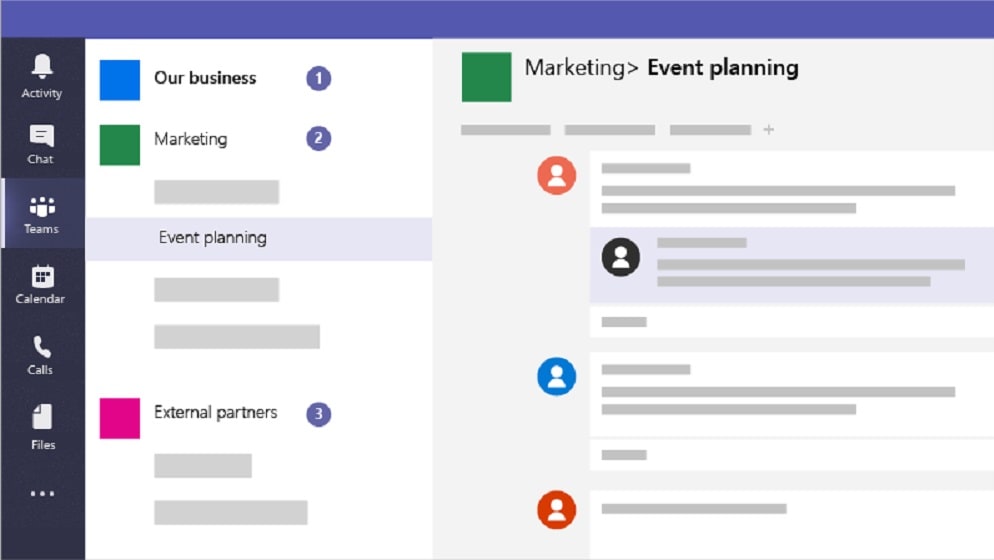
What sets Teams apart is its support for real-time collaboration on shared documents—multiple users can work together on the same document concurrently, fostering teamwork and enhancing overall productivity.
When it comes to the ease of file sharing and collaboration, Microsoft Teams emerges as the front-runner. Its file-sharing capabilities are seamless, allowing users to share documents, spreadsheets, and presentations directly within chats or channels. What sets Teams apart is its support for real-time collaboration on shared documents—multiple users can work together on the same document concurrently, fostering teamwork and enhancing overall productivity.
While Zoom does offer team chat functionality with the ability to share files, it falls short when it comes to supporting real-time collaboration on these shared documents. Zoom's file-sharing feature lacks the depth of real-time co-authoring, making Teams the superior choice for organizations seeking a comprehensive and collaborative approach to document management and teamwork.
Zoom and Microsoft Teams are Equally Robust for Video Conferencing

Zoom takes a distinctive approach by introducing an AI-powered assistant that aids in meeting organization, helping users schedule and manage their meetings more efficiently.
Zoom and Microsoft Teams are formidable contenders in the realm of video conferencing, offering powerful tools for efficient and effective virtual meetings. Both platforms come equipped with essential features like screen sharing and participant management, enhancing the overall meeting experience.
Zoom takes a distinctive approach by introducing an AI-powered assistant that aids in meeting organization, helping users schedule and manage their meetings more efficiently. This intelligent feature streamlines the administrative aspects of virtual gatherings, saving time and improving productivity.
In contrast, Teams shines with its background blur feature, which enhances video quality by reducing distractions in the background, thereby providing a more professional and focused meeting environment.
Microsoft Teams is More Equipped in Security and Compliance than Zoom

Teams incorporates robust data encryption measures, multi-factor authentication (MFA), and adherence to industry standards, such as ISO 27001 and HIPAA.
When it comes to security and compliance, Microsoft Teams outshines Zoom by offering a comprehensive suite of features designed to safeguard sensitive information and ensure regulatory adherence.
Teams incorporates robust data encryption measures, multi-factor authentication (MFA), and adherence to industry standards, such as ISO 27001 and HIPAA. This comprehensive approach to security ensures data protection, user authentication, and compliance across various sectors, making Teams a trusted choice for organizations operating in highly-regulated industries.
In contrast, Zoom, while providing AES 256-bit encryption for voice calls, does not provide the same level of clarity regarding security measures for other communication modes. Therefore, Teams stands out as the safer and more secure option for companies that prioritize stringent security and compliance requirements, offering a shield against potential data breaches and regulatory penalties.
Zoom's Robust VoIP Phone System Outshines Microsoft Teams

Zoom's Voice over Internet Protocol (VoIP) phone system is designed to meet the communication needs of businesses of all sizes, offering a high level of reliability and geographic redundancy.
When it comes to reliable phone systems, Zoom holds a distinct advantage over Microsoft Teams. Zoom's Voice over Internet Protocol (VoIP) phone system is designed to meet the communication needs of businesses of all sizes, offering a high level of reliability and geographic redundancy. This redundancy ensures uninterrupted communication even in the face of network disruptions or outages.
Zoom further enhances its appeal by providing worldwide phone coverage, allowing businesses to establish a global presence with ease. Security is also a top priority, with secure calls utilizing robust AES 256-bit encryption to safeguard sensitive conversations.
On the other hand, while Microsoft Teams offers a wide range of communication capabilities, it doesn't specify a dedicated VoIP phone system offering, making Zoom the clear winner in this category. For organizations seeking a reliable and secure phone system, Zoom's comprehensive VoIP solution stands out as the superior choice.
Zoom's Integration Versatility Trumps Teams

Zoom's integration ecosystem is expansive and diverse, seamlessly connecting with numerous third-party applications and services.
When it comes to integration capabilities, Zoom unquestionably holds a distinct advantage over Microsoft Teams. Zoom's integration ecosystem is expansive and diverse, seamlessly connecting with numerous third-party applications and services. For instance, it easily integrates with popular productivity tools like Slack, Trello, and Dropbox, streamlining workflows and enhancing productivity.
Moreover, Zoom's integration extends to hardware compatibility, ensuring compatibility with a wide array of conference room equipment, cameras, and audio devices. This level of versatility makes it a top choice for organizations seeking to tailor their video conferencing experience to their specific needs.
In contrast, while Teams does offer integration options, Zoom's breadth and adaptability in this area truly set it apart as the superior choice for businesses looking to create a comprehensive and customizable communication and collaboration environment.
08 Zoom Meetings vs Microsoft Teams: Which is the best for your business?
Zoom Meetings is the best tool for you if:
- You need a reliable video conferencing platform that offers high-quality audio and video for business meetings and webinars.
- You require a user-friendly interface that allows easy scheduling, screen sharing, and recording of virtual meetings.
- You want a versatile platform that supports both one-on-one conversations and large-scale online events with hundreds of participants.
- You value seamless integration with other productivity apps like calendars and messaging platforms, enhancing your workflow.
- You seek a solution that offers various pricing options, including a free plan, making it accessible for individuals and small businesses.
 You need a reliable video conferencing platform that offers high-quality audio and video for business meetings and webinars.
Microsoft Teams is the best tool for you if:
- You need a comprehensive collaboration platform, integrating chat, video conferencing, and file sharing to streamline teamwork and communication.
- Your organization relies on Microsoft 365, as it seamlessly integrates with Office apps, enhancing productivity and document collaboration.
- Security and compliance are top priorities, offering robust data protection features and adherence to industry standards.
- You require a solution for remote work and virtual meetings, with features like background blur and screen sharing for effective online presentations.
- You seek a scalable platform suitable for both small teams and large enterprises, with customizable features to meet diverse organizational needs.
Zoom Meetings
Communication and collaboration platform
$20 off per user on the annual Workplace Pro plan
Save up to $180
09 Alternatives to Zoom Meetings & Microsoft Teams

Notion
Used by 17077 members
6 months free on the Business plan with Unlimited AI
Save up to $12,000

Google Workspace
Used by 9067 members
20% off Plus plans for 1 year
Save up to $518

Slack
Used by 3738 members
25% off new plan purchases
Save up to $9,000

ClickUp
Used by 3274 members
Additional 20% off Unlimited and Business plans for 1 year
Save up to $1,000
10 Promotions on Video Conferencing software
Zoom Meetings and Microsoft Teams are great tools, but Secret offers promo codes with discounts on over 2190+ different SaaS solutions. New deals are added regularly, helping you save money on your online subscriptions. Get access to codes for other Video Conferencing software you might want to purchase
Google Workspace coupon code 2026
20% off Plus plans for 1 year

Zoom Video Webinars promotion
$20 off per user on the annual Workplace Pro plan

Livestorm discounts
Forever Free Plan with 25 live attendees per event
Slack discount code
25% off new plan purchases

Promo codes for ZoomInfo
14 days free

Discount for Google Meet
20% off Plus plans for 1 year

Promo code for Flutin
50% off for the first year

Credits for Fathom AI
First month free on the Premium plan

Loom deal
Free forever for up to 10 users

Credits for GrowSurf
40% off for the first 12 months
Start saving on the best SaaS
Secret has already helped tens of thousands of startups save millions on the best SaaS like Microsoft Teams, Google Workspace & many more. Join Secret now to buy software the smart way.