


When it comes to facilitating remote collaboration and communication, choosing the right platform is crucial to maintain productivity and drive innovation within your organization. In today's digital landscape, two of the leading contenders in this space are Zoom and Webex.
Selecting the ideal video conferencing and collaboration tool can make all the difference in centralizing information storage, streamlining workflows, and fostering seamless teamwork. Given the competitive nature of the market, it's essential to carefully evaluate your options.
To assist you in making an informed decision, we have prepared an in-depth comparison of Zoom and Webex. We will walk you through their key features and distinctions, allowing you to determine which platform aligns best with your specific business requirements.
- 01 Zoom Meetings vs Webex: overview
- 02 What's the difference between Zoom Meetings and Webex?
- 03 Zoom Meetings pros and cons
- 04 Webex pros and cons
- 05 Zoom Meetings compared to Webex
- 06 Webex compared to Zoom Meetings
- 07 Features comparison
- 08 Zoom Meetings vs Webex: Which is the best for your business?
- 09 Alternatives to Zoom Meetings & Webex
- 10 Promotions on Video Conferencing software
Start saving on the best SaaS
Secret has already helped tens of thousands of startups save millions on the best SaaS like Microsoft Teams, Google Workspace & many more. Join Secret now to buy software the smart way.

01 Zoom Meetings vs Webex: overview
Zoom and Webex stand out as two major contenders in the realm of online meetings and video conferencing, each offering a distinct set of features designed to cater to specific user requirements.
Zoom has gained widespread recognition for its user-friendly interface and robust video conferencing capabilities. It provides a comprehensive platform that includes features such as screen sharing, breakout rooms, and webinar hosting. On the other hand, Webex offers a complete suite of online collaboration tools, encompassing video conferencing, messaging, and file sharing, making it a versatile choice for businesses.
Now, let's dive into the Zoom vs. Webex comparison to help you make an informed decision when selecting the right online meeting and collaboration solution for your unique needs.

Security
Zoom and Webex have very similar security features. However, Webex is not as popular, so it’s less likely to be targeted by malicious actors.

Zoom Meetings
Webex
Customer Support
Both Zoom and Webex offer live chat and live phone support for paid users.
Zoom Meetings
Webex
Video Quality
Both platforms support 1080p, but Webex doesn’t have it enabled by default.
Zoom Meetings
Webex
Text messaging
Both Webex and Zoom have advanced messaging features, like threading, or quoting. But Zoom also lets you chat before, during, and after a meeting.
Zoom Meetings
Webex
Pricing Plan
You’ll have to pay $14.99 for Zoom’s cheapest plan, and $14.50 for the cheapest plan of Webex. However, Zoom has more plans for enterprise clients.
Zoom Meetings
Webex
Ease of Use
Ease of use is almost identical between the two tools, with Webex being slightly smoother in some areas.
Zoom Meetings
Webex
Customer Reviews
Zoom scores 4.5-4.6 stars across all review aggregators. Webex is slightly lower, but the difference is negligible.
Zoom Meetings
Webex
Advanced conferencing features
Webex and Zoom features overlap a lot. However, live streaming is available in cheaper plans from Zoom. With Webex, you’ll need the most expensive plan to stream on Facebook or YouTube.
Zoom Meetings
Webex
Integrations
Zoom has 1500+ integrations, including Zapier. Webex only has a few hundred.
Zoom Meetings
Webex
02 What's the difference between Zoom Meetings and Webex?

Zoom One's Monthly Pricing Plans Charged Per User, With Zoom's Other Products (Phone, Events & Webinars, Rooms) Listed
Zoom Meetings
Communication and collaboration platform
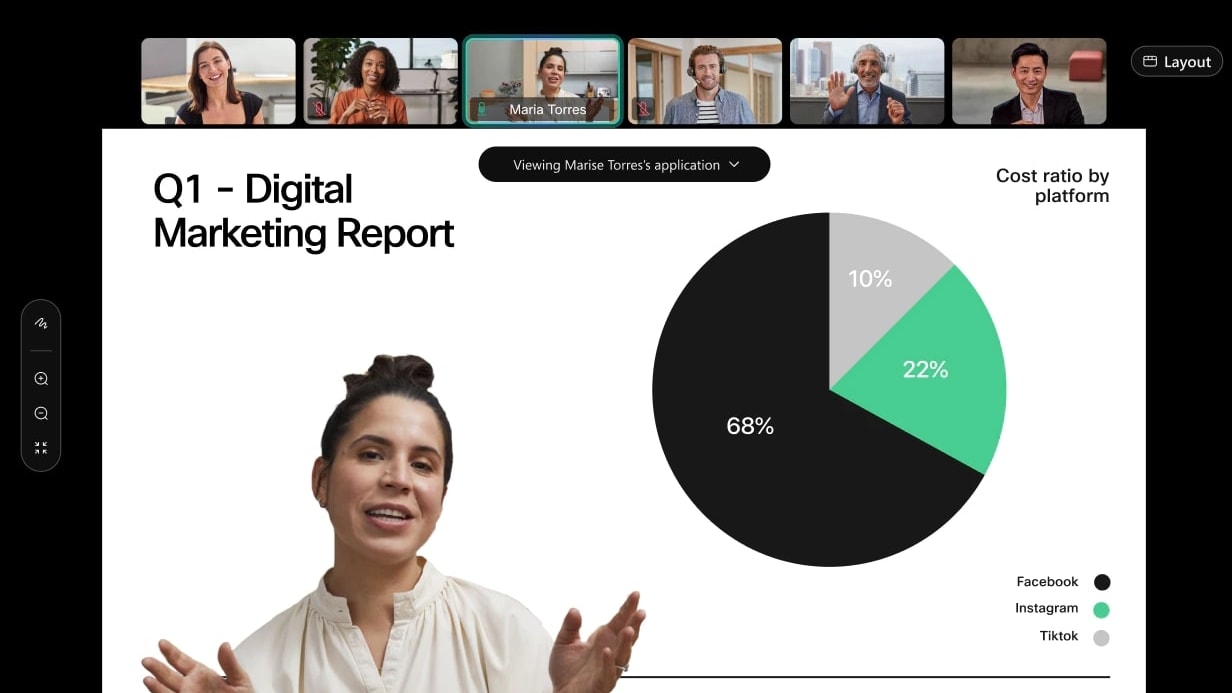
Webex's User-Friendly Interface for Efficient Team Meetings, Including Features like Screen Sharing
Webex
Webex is a video conferencing software that offers remote collaboration, virtual meetings, and webinars for businesses and individuals. Its value lies in its ability to connect people from anywhere in the world, enabling effective communication and collaboration regardless of location or device.
Zoom and Webex are very similar. They’re at the same price point, around $14-15 for their cheapest subscription, and they offer very similar deals. Even the free plans have the same limits, 40 minutes for a meeting with maximum 100 attendees.
Both platforms also have nearly identical text messaging features, screen sharing options, and customization settings for meetings.
So for most businesses, you can’t really go wrong with either option. Webex and Zoom are reliable video conferencing apps that do their job well.
However, in our testing and research we found that Zoom is slightly better. For starters, it has over 1,000 more integrations than Webex, which makes it much easier to add Zoom to an existing toolset, or get more out of it with third-party apps.
Moreover, live streaming is available on more platforms on Zoom, and you can do it on the cheapest plan. In Webex, you can only do it with their most expensive plan. If streaming to Facebook or YouTube is important to you, and you’re looking to save money, pick Zoom.
Webex is slightly smoother to set-up, mainly due to a cleaner interface. But the difference is negligible. And contrary to popular belief, Webex isn’t necessarily safer than Zoom. Both tools have more or less the same security measures in place. You’re just less likely to be targeted by trolls or cybercriminals on Webex, because it’s less popular.
Lastly, while both Zoom and Webex support 1080p resolutions, Webex doesn’t have them enabled by default. It’s a small hurdle, but with all the other little stuff, it adds up. That’s why we recommend Zoom.

Zoom Meetings
Communication and collaboration platform
$20 off per user on the annual Workplace Pro plan
Save up to $180
03 Zoom Meetings pros and cons
What are the advantages of Zoom Meetings?
- Ease of use: Zoom is known for its user-friendly interface, making it accessible to both tech-savvy and non-technical users. Joining or hosting a meeting is straightforward, and the platform offers intuitive controls.

- Versatile features: Zoom offers a wide range of features such as video conferencing, screen sharing, chat, breakout rooms, and webinar hosting. This versatility makes it suitable for various purposes, from casual video chats to large-scale webinars and online collaboration.
- Cross-platform compatibility: Zoom is available on multiple platforms, including Windows, macOS, iOS, Android, and web browsers. This cross-compatibility ensures that participants can join meetings from virtually any device.
- Reliable performance: Zoom has a reputation for providing stable and high-quality video and audio performance. It employs adaptive streaming technology to adjust to varying network conditions, reducing disruptions during meetings.
- Integration capabilities: Zoom integrates seamlessly with a wide range of third-party applications and services, including popular productivity tools like Slack, Google Workspace, and Microsoft Office 365. This integration enhances its usability and productivity.
What are the disadvantages of Zoom Meetings?
- Security concerns: Zoom faced security and privacy issues in the past, particularly during the early stages of the COVID-19 pandemic. Although the company has taken steps to address these concerns, some users may still have reservations.

- Meeting duration limits: Free Zoom accounts have time limits on group meetings, which can be a limitation for longer discussions. Paid plans offer extended meeting durations, but this can be a drawback for users on a tight budget.
- Resource intensive: Zoom can be resource-intensive on certain devices, particularly older computers or mobile devices. Running Zoom alongside other applications may lead to performance issues.
- Cost: While Zoom offers a free basic plan, its premium plans can be relatively expensive for businesses and organizations, especially if they require advanced features or host frequent meetings.
- Overwhelming features: The abundance of features in Zoom can sometimes be overwhelming for new users. Navigating through all the options and settings may require some time and learning.
Compare Zoom Meetings to other tools


Zoom Meetings vs Microsoft Teams


Dialpad vs Zoom Meetings

Google Meet vs Zoom Meetings

Zoom Meetings vs ZoomInfo

Loom vs Zoom Meetings
04 Webex pros and cons
What are the advantages of Webex?
- Security and compliance: Webex places a strong emphasis on security and compliance, making it a preferred choice for businesses and organizations with strict data protection requirements. It offers end-to-end encryption, data loss prevention, and compliance with various industry standards.
- Reliable performance: Webex is known for its reliable and stable performance in terms of video and audio quality. It can handle large meetings and webinars with ease, ensuring a smooth user experience.
- Integration with other tools: Webex integrates seamlessly with popular productivity and collaboration tools, such as Microsoft Teams, Google Workspace, and Slack. This makes it convenient for users who rely on multiple applications.
- Feature rich: Webex offers a comprehensive set of features, including video conferencing, screen sharing, chat, file sharing, and whiteboarding. It also provides advanced capabilities like real-time translation and transcription.
- Mobile accessibility: Webex provides mobile apps for both iOS and Android devices, allowing users to join meetings and collaborate on the go. The mobile apps are well-designed and offer a consistent user experience.
What are the disadvantages of Webex?
- Pricing: Webex can be relatively expensive, especially for businesses and organizations that require advanced features or have a large number of users. The cost may be a barrier for smaller companies or those on a tight budget.
- Learning curve: While Webex offers a wide range of features, this can also make it complex for new users. It may take some time for users to become familiar with all the settings and options.
- Resource intensive: Running Webex on certain devices, especially older computers or mobile devices, may be resource-intensive and can lead to performance issues.
- Limited free plan: Webex's free plan has limitations, including a maximum meeting duration and fewer advanced features compared to paid plans. This may not be suitable for businesses with extensive collaboration needs.
- Admin overhead: For administrators, managing and configuring Webex for a large organization can be complex and time-consuming. Setting up user accounts, permissions, and security policies may require dedicated IT resources.
05 Zoom Meetings compared to Webex
When comparing Zoom and Webex, Zoom distinguishes itself with its user-friendliness and robust set of features, making it a compelling option for individuals and teams with diverse needs in the realm of online meetings and video conferencing. Zoom's pricing structure, which includes a free plan and affordable paid options, caters to startups and small businesses looking to enhance their communication without a significant financial commitment.
While both Zoom and Webex excel in facilitating online meetings and collaboration, the choice between the two hinges on your specific requirements. Zoom offers a cost-effective solution with a focus on ease of use and reliable performance, making it an ideal choice for teams looking to improve their online communication.
Is Zoom Meetings better than Webex?
 Is Zoom Meetings better than Webex?
Zoom's strengths lie in its versatility, cross-platform compatibility, and integration capabilities, making it suitable for a wide range of collaboration needs. It offers features like screen sharing, chat, breakout rooms, and webinar hosting, catering to various use cases. Its user-friendly interface and robust features make it a top pick for businesses and organizations looking for a dependable communication solution.
In contrast, Webex provides a comprehensive suite of online collaboration tools with a strong emphasis on security and compliance. The choice between Zoom and Webex depends on your specific needs for online meetings and collaboration. Zoom excels in terms of user-friendliness and versatility, making it an ideal option for those seeking a reliable and accessible communication platform.
What is Zoom Meetings best used for?
Zoom is best used for facilitating virtual communication and collaboration. It excels in providing a platform for video conferencing, webinars, and online meetings. With Zoom, you can easily connect with colleagues, clients, or partners in real-time, regardless of geographical distances. Its user-friendly interface, screen sharing capabilities, and chat features make it a preferred choice for remote work, virtual events, and educational purposes.
Zoom is particularly valuable for hosting large-scale virtual meetings or webinars, offering interactive features like breakout rooms for group discussions and webinars for presentations to a broad audience. Its recording and playback options also enhance its utility for content sharing and archiving.
Can Zoom Meetings replace Webex?
While Zoom offers a compelling set of features for video conferencing, it's important to consider whether it can entirely replace Webex for your specific needs.
Webex and Zoom are both powerful video conferencing solutions, but they have their unique strengths and features. Zoom is well-regarded for its ease of use, robust virtual meeting capabilities, and extensive integrations. It's an excellent choice for hosting webinars, virtual meetings, and collaborative discussions.
However, whether Zoom can completely replace Webex depends on your specific requirements. Webex, with its deep integration into Cisco's collaboration ecosystem, may still be the preferred option for organizations heavily invested in Cisco technology. Additionally, Webex offers advanced security features that cater to the needs of some enterprises.
Is Zoom Meetings cheaper than Webex?
When evaluating the pricing of these two popular video conferencing and online meeting platforms, there are key differences to take into account.
Zoom’s pricing offers a vaste range of options, including a free plan with certain limitations and several paid plans that provide access to advanced features. The free plan may be suitable for smaller teams and casual users, but it comes with constraints such as meeting duration limits. Webex, on the other hand, tends to be more expensive than Zoom, especially when comparing their paid plans.
While both Zoom and Webex offer free plans, Zoom generally offers more affordable pricing options, especially for businesses and users seeking cost-effective solutions for their online meeting and collaboration needs.
Is there a better Video Conferencing software than Zoom Meetings?
When it comes to online meetings and video conferencing, Zoom is a popular choice, but it's crucial to explore whether there might be a more suitable option for your specific needs.
Several notable alternatives to Zoom in the online meeting and video conferencing space include Webex, Microsoft Teams, GoToMeeting, and BlueJeans, among others. The choice of online meeting software depends on your organization's unique requirements, security considerations, integration preferences, and meeting size. While Zoom excels in versatility and ease of use, other platforms may offer more specialized features or enhanced security features that better align with your objectives.
Zoom Meetings
Communication and collaboration platform
$20 off per user on the annual Workplace Pro plan
Save up to $180
06 Webex compared to Zoom Meetings
Webex distinguishes itself with its robust and secure approach to online meetings and collaboration, making it an appealing choice for individuals and teams seeking a reliable communication platform. Webex's pricing structure, which includes both free and paid options, caters to various user needs, from small businesses to large enterprises, offering flexibility while maintaining a focus on security and compliance.
While both Webex and Zoom excel in online meetings and collaboration, the choice between the two depends on your specific requirements. Webex provides a comprehensive and secure solution for teams looking to conduct meetings and collaborate online while prioritizing data security and compliance.
Is Webex better than Zoom Meetings?
The comparison between Webex and Zoom comes down to individual needs and priorities. Webex has its strengths, particularly in its deep integration with Cisco's collaboration ecosystem and advanced security features, making it a top choice for organizations deeply invested in Cisco technology or those with stringent security requirements. On the other hand, Zoom offers an intuitive and user-friendly platform for video conferencing, webinars, and online meetings. Its extensive integrations and versatility make it a preferred choice for many businesses and individuals, especially when it comes to virtual communication and collaboration.
In essence, the decision of whether Webex is better than Zoom depends on the specific needs of your organization and the importance you place on factors like integration, security, and ease of use. Both tools have their merits, and the choice should align with your unique requirements and priorities.
What is Webex best used for?
Webex, on the other hand, is primarily designed for virtual communication and collaboration. It excels in providing a platform for video conferencing, webinars, and online meetings. With Webex, you can easily connect with colleagues, clients, or partners in real-time, regardless of geographical distances. Its user-friendly interface, screen sharing capabilities, and chat features make it a preferred choice for remote work, virtual events, and educational purposes.
Webex is particularly valuable for hosting large-scale virtual meetings or webinars, offering interactive features like breakout rooms for group discussions and webinars for presentations to a broad audience. Its recording and playback options also enhance its utility for content sharing and archiving.
Can Webex replace Zoom Meetings?
When considering whether Webex can replace Zoom, it's important to recognize that both tools have their unique strengths and applications. Webex is a robust platform known for its deep integration with Cisco's collaboration ecosystem and advanced security features, making it a preferred choice for organizations heavily invested in Cisco technology or those with stringent security requirements. On the other hand, Zoom is celebrated for its user-friendly interface and versatility in virtual communication and collaboration, making it a top choice for remote work, online events, and general video conferencing needs.
The decision of whether Webex can replace Zoom ultimately hinges on your organization's specific needs, existing technology stack, and priorities. While both tools offer excellent video conferencing capabilities, the choice should align with your unique requirements and considerations, including factors like integration, security, and ease of use.
Is Webex cheaper than Zoom Meetings?
When assessing the cost considerations between these two widely used online meeting and video conferencing platforms, there are significant differences to take into account.
Webex offers a range of pricing options, including a free plan with limited features, and several paid plans catering to various business needs. The free plan may be suitable for smaller teams and individuals but has constraints such as meeting duration limits. While both Webex and Zoom offer free plans, Zoom typically provides more budget-friendly options, particularly for businesses and users looking for cost-effective solutions for their online meeting and collaboration needs.
Is there a better Video Conferencing software than Webex?
When it comes to online meetings and video conferencing, Webex is a reputable choice, but it's crucial to explore whether there might be a more suitable option for your specific needs.
Several notable alternatives to Webex in the online meeting and video conferencing space include Zoom, Microsoft Teams, GoToMeeting, and BlueJeans, among others. The choice of online meeting software depends on your unique requirements, security considerations, integration preferences, and meeting size. While Webex offers robust features and a strong focus on security and compliance, other platforms may provide more specialized features or cater to specific industry needs.
07 Features comparison
Zoom's Team Chat Functionality Surpasses that of Webex

Zoom's instant messaging service serves as a dynamic channel for team members to share thoughts, insights, and documents swiftly, enhancing the efficiency of discussions and decision-making processes
In instant communication, Zoom's integrated instant messaging service surpasses the chat and file sharing capabilities of Webex. Zoom's messaging functionality facilitates the seamless and rapid exchange of crucial information, be it before, during, or after a meeting. This real-time communication feature plays a pivotal role in elevating overall productivity and fostering collaboration within teams.
Zoom's instant messaging service serves as a dynamic channel for team members to share thoughts, insights, and documents swiftly, enhancing the efficiency of discussions and decision-making processes. It ensures that information flows seamlessly, contributing to a more connected and productive work environment. Whether it's a quick clarification, sharing important data, or simply staying in sync, Zoom's messaging capability proves invaluable in facilitating instant and effective communication.
Webex Provides Superior Performance Monitoring Compared to Zoom

Webex offers a comprehensive feature set that delivers valuable insights into team members' effectiveness and identifies areas that may benefit from additional support
When it comes to monitoring team performance, Webex stands out as the frontrunner when compared to Zoom. Webex offers a comprehensive feature set that delivers valuable insights into team members' effectiveness and identifies areas that may benefit from additional support. This in-depth performance monitoring plays a pivotal role in assisting businesses in refining their operational processes and ultimately achieving superior results.
Webex's performance monitoring functionality serves as a crucial tool for businesses to assess individual and team productivity, track project milestones, and identify potential bottlenecks. By offering detailed feedback and analytics, it empowers organizations to make informed decisions and implement targeted improvements. This data-driven approach aids in optimizing workflow efficiency and driving continuous improvement, ultimately leading to enhanced outcomes and success.
Zoom’s VoIP Phone System is More Reliable than that of Webex

One of the key strengths of Zoom's VoIP system is its commitment to security. It employs robust AES 256-bit encryption, providing a strong shield against potential threats or breaches.
Startups seeking a dependable phone system will find Zoom's VoIP system to be the perfect solution when compared to Webex. Zoom offers a VoIP system that not only delivers excellent call quality but also guarantees high reliability and geographic redundancy. This ensures that startup operations, whether they span across regions or the entire globe, remain secure and uninterrupted.
One of the key strengths of Zoom's VoIP system is its commitment to security. It employs robust AES 256-bit encryption, providing a strong shield against potential threats or breaches. This level of encryption assures startups that their communications and data are well-protected, instilling confidence in the system's reliability.
Zoom Pulls Ahead of Webex for User-Friendliness
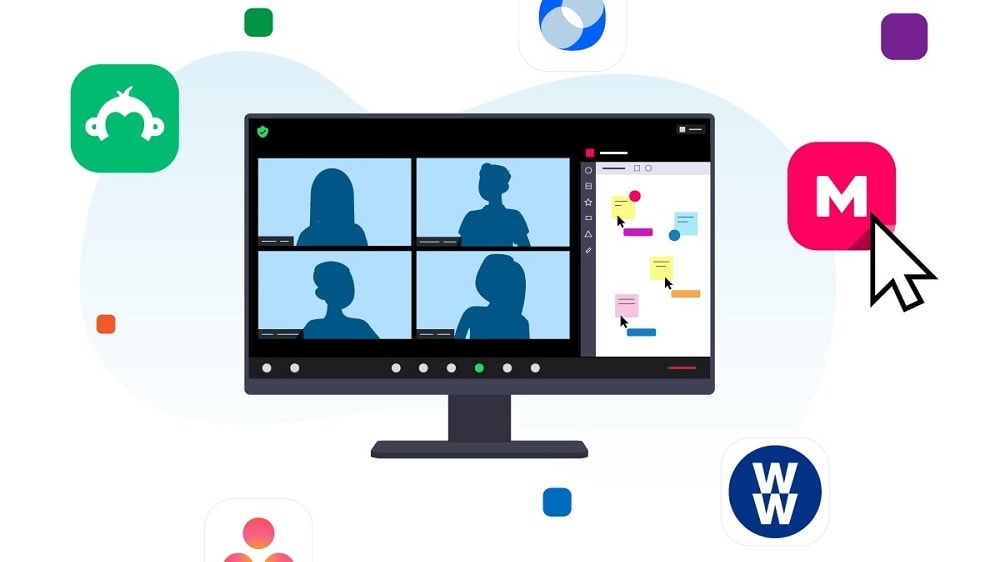
Setting up meetings, sharing screens, and transitioning to gallery view are all effortless tasks within Zoom, making it particularly appealing to individuals with varying levels of tech proficiency.
When it comes to ease of use, Zoom consistently stands out as the preferred choice. Both Zoom and Webex offer intuitive interfaces, but Zoom receives accolades for its exceptionally user-friendly design. Setting up meetings, sharing screens, and transitioning to gallery view are all effortless tasks within Zoom, making it particularly appealing to individuals with varying levels of tech proficiency.
Zoom's platform offers a seamless and intuitive user experience, demanding minimal training or technical expertise. Key features like recording, muting/unmuting, and screen sharing are readily accessible at the bottom of the screen, neatly organized in a toolbar. On the other hand, while Webex is also user-friendly, its interface is somewhat more complex, requiring a bit more time for users to become fully accustomed to its layout and functionalities.
Zoom Offers Smoother Virtual Meetings than Webex

Zoom boasts an incredibly user-friendly interface that simplifies the virtual meeting experience. Its seamless integration with calendars and email services adds an extra layer of convenience, making scheduling a breeze.
Zoom's virtual meeting capabilities unquestionably outshine Webex. Zoom boasts an incredibly user-friendly interface that simplifies the virtual meeting experience. Its seamless integration with calendars and email services adds an extra layer of convenience, making scheduling a breeze.
What truly sets Zoom apart is its exceptional speed in launching video conferences and team meetings. This swiftness not only saves valuable time but also significantly enhances overall performance, regardless of where participants are located. Whether it's a last-minute collaboration or a planned virtual gathering, Zoom's efficiency is a game-changer, allowing teams to connect and collaborate with ease and effectiveness.
Zoom’s Integration Directory Wins Out Over Webex

Zoom seamlessly integrates with a plethora of productivity, chat, email, and calendar applications.
Both Zoom and Webex offer robust integration capabilities, enabling businesses to connect their communication tools with various other software solutions. However, when it comes to integrations, Zoom takes the lead by providing a wider array of options with key business tools.
Zoom seamlessly integrates with a plethora of productivity, chat, email, and calendar applications. It offers compatibility with popular platforms such as Microsoft Outlook, Google Calendar, Slack, and even project management tools like Asana and Trello. This extensive compatibility simplifies the scheduling and joining of meetings, reducing the need for constant app switching and enhancing workflow efficiency.
Webex, on the other hand, also offers integrations with several major tools, including Microsoft Teams, Google Drive, and Salesforce. However, its selection is not as extensive as Zoom's, potentially limiting its effectiveness in environments where multiple software collaborations are essential for maintaining smooth workflows.
08 Zoom Meetings vs Webex: Which is the best for your business?
Zoom Meetings is the best tool for you if:
- You need reliable and high-quality video conferencing for meetings, webinars, or virtual events.
- You require robust screen sharing and collaboration features for team collaboration and presentations.
- Ease of use and user-friendly interface are essential for your participants, including non-technical users.
- You value integration options with popular productivity and communication tools like Slack, Microsoft Teams, and Google Workspace.
- You need scalability to accommodate various group sizes and the flexibility to host meetings across multiple devices and platforms.
 You need reliable and high-quality video conferencing for meetings, webinars, or virtual events.
Webex is the best tool for you if:
- You require a secure and compliant video conferencing solution, especially for sensitive discussions or industries.
- Collaboration features like whiteboarding and document sharing are vital for your team's productivity.
- You need seamless integration with Cisco's broader suite of collaboration and communication tools.
- Hybrid work environments are essential, and you require a solution that supports both in-office and remote collaboration.
- You value high-quality video and audio, along with robust analytics and reporting for monitoring meeting performance and usage.
Zoom Meetings
Communication and collaboration platform
$20 off per user on the annual Workplace Pro plan
Save up to $180
09 Alternatives to Zoom Meetings & Webex

Notion
Used by 20347 members
3 months free on the Business plan with Unlimited AI
Save up to $720

Google Workspace
Used by 10195 members
20% off Standard plans for 1 year
Save up to $3,460

Slack
Used by 3929 members
25% off new plan purchases
Save up to $9,000

Loom
Used by 3872 members
Free forever for up to 10 users
Save up to $750
10 Promotions on Video Conferencing software
Zoom Meetings and Webex are great tools, but Secret offers promo codes with discounts on over 2230+ different SaaS solutions. New deals are added regularly, helping you save money on your online subscriptions. Get access to codes for other Video Conferencing software you might want to purchase
Google Workspace coupon code 2026
20% off Standard plans for 1 year

Zoom Video Webinars promotion
$20 off per user on the annual Workplace Pro plan

Livestorm discounts
Forever Free Plan with 25 live attendees per event
Slack discount code
25% off new plan purchases

Promo codes for ZoomInfo
14 days free

Discount for Google Meet
20% off Standard plans for 1 year

Promo code for Flutin
50% off for the first year

Credits for Fathom AI
First month free on the Premium plan
Loom deal
Free forever for up to 10 users

Credits for GrowSurf
40% off for the first 12 months
Start saving on the best SaaS
Secret has already helped tens of thousands of startups save millions on the best SaaS like Microsoft Teams, Google Workspace & many more. Join Secret now to buy software the smart way.