


Choosing the right project management tool is an important decision that significantly impacts your team's ability to accomplish tasks effectively and efficiently. In a world where 'good' just isn't good enough, having the best project management tool tailored to your needs can be the difference between success and failure.
This comprehensive blog aims to compare two of the better-known project management platforms—Airtable and Asana. Our analysis covers features, pricing, ease of use, customer support, and more, to provide you with a well-rounded view of which tool is the best fit for your business.
- 01 Airtable vs Asana: overview
- 02 What's the difference between Airtable and Asana?
- 03 Airtable pros and cons
- 04 Asana pros and cons
- 05 Airtable compared to Asana
- 06 Asana compared to Airtable
- 07 Features comparison
- 08 Airtable vs Asana: Which is the best for your business?
- 09 Alternatives to Airtable & Asana
- 10 Promotions on Collaboration software
Start saving on the best SaaS
Secret has already helped tens of thousands of startups save millions on the best SaaS like Microsoft Teams, Google Workspace & many more. Join Secret now to buy software the smart way.

01 Airtable vs Asana: overview
Airtable and Asana are notable players in the realm of collaborative work management and project tracking software, each offering distinct features and capabilities to support various business needs.
Airtable stands out with its flexibility and adaptability, providing users with a unique hybrid of database and spreadsheet functionalities. It's an ideal platform for creating custom databases, designing workflows, and managing projects with ease. On the other hand, Asana excels in project and task management. It offers a structured and efficient platform for creating and tracking tasks, managing projects, and collaborating with team members.
Now, let's explore the Airtable vs. Asana comparison to help you make an informed decision about selecting the right collaborative work management and project tracking solution for your specific business needs.

Scalability
Both are highly scalable, catering to various team sizes. Airtable's database approach might offer an edge for expansive projects that require high level details.

Airtable
Asana
Ease of Use
Asana's user interface is streamlined and more intuitive, making it user-friendly. Airtable's flexibility requires a steeper learning curve for beginners. Yet, it aligns with their purpose, since Airtable is meant for complex tasks and Asana is meant more for simpler project management.
Airtable
Asana
Integrations
Asana boasts 300+ integrations, showing its adaptability. Airtable, although versatile, has a narrower range of third-party integrations. However, they both integrate with top softwares including Google Workspace, Office 365 and Slack.
Airtable
Asana
Pricing Plan
While Airtable offers extensive features, it's more expensive. Asana provides a more cost-effective solution, especially for tighter budgets. Airtable starts at $20 per seat per month, and Asana starts at $10.99 per seat per month. They both do offer free versions of their software.
Airtable
Asana
Customer Reviews
Both Airtable and Asana have received favorable reviews. Asana edges out slightly, indicating slightly higher overall user satisfaction.
Airtable
Asana
Customer Support
Both platforms provide exemplary 24/7 customer support with vast resources. Asana is better known from prompt customer support as it dedicates an individual customer support team and account management team for each subscriber.
Airtable
Asana
Customization
Airtable shines with its deep customization features like custom fields. Asana is customizable but doesn't match Airtable's depth in this area. This makes Airtable a better choice for teams looking for higher control for their data.
Airtable
Asana
Security
Both meet high-security standards. Airtable's ISO 27001 certification is rigorous, while Asana's SOC 2 Type 2 is also a robust standard making them secure platforms with user data.
Airtable
Asana
02 What's the difference between Airtable and Asana?

Airtable's No-Code Platform Showing the Tables, Fields, Views, Records, and More that You Can Create
Airtable
Easily store and organize your data

Asana's Dashboard with a Comprehensive View on Your Priorities, Projects and Collaborators for Efficient Management
Asana
Asana's platform supports you across work management and project planning. The platform allows you to have more visibility in how your daily work is connected to the company's bigger picture, and how to better organize yourself, communicate more efficiently, manage tasks and deadlines in order to finalize your products, services or deliverables on time; less work about work, and more focus time on what matters most.
When it comes to project management and team collaboration tools, Airtable and Asana stand as two of the most reputable names in the industry. However, the core difference between the two lies in their primary focus and adaptability. Airtable is engineered to be a highly customizable platform that essentially serves as a robust database with project management capabilities. It's not just a place to list out tasks; it allows you to create custom fields, views, and even formulas. You can mold it to suit the unique workflow of your organization, making it a favorite among businesses that have intricate projects involving various data types. Compared to Airtable, Asana offers a more streamlined and task-focused approach. While it does allow for customization, its forte is user-friendliness, primarily geared towards businesses who need straightforward task and project management.
Another significant difference between the two platforms is in their integrations and ecosystem. Asana comes with over 300 integrations, spanning across various functionalities from file storage to automated workflows. This extensive range of integrations makes Asana incredibly adaptable and easily embeddable into existing tech stacks of larger organizations. Airtable, although highly customizable, lags slightly in this department compared to Asana. It offers around 100+ integrations, focusing on popular applications like Google Drive, Salesforce, and Dropbox. However, Airtable's powerful API can be a game-changer for businesses that have the resources to build custom integrations.
Lastly, let's talk about the user experience. In terms of ease of use, Asana scores higher with its intuitive design. For a new user, jumping into Asana might feel less daunting compared to the myriad of customization options in Airtable. On the flip side, Airtable offers greater depth for those willing to dive in, especially beneficial for businesses dealing with complex projects that require highly specific views or data manipulation features. Both platforms have their own sets of advantages and limitations, but understanding these key differences can guide you in making the most informed decision for your organization's unique needs.

Airtable
Used by 8,902 members
$1,000 in credits on licences for 1 year
Save up to $1,000

Asana
Used by 942 members
75% off the annual Starter and Advanced plans for 1 year
Save up to $22,491
03 Airtable pros and cons
What are the advantages of Airtable?
- Flexibility and customization: Airtable is highly flexible and customizable, allowing you to create tailored databases, spreadsheets, and project management tools to suit your specific needs.

- User-friendly interface: It features a user-friendly, visually appealing interface that makes it accessible to users with varying levels of expertise.
- Collaboration: Airtable offers robust collaboration features, including real-time collaboration and the ability to comment on data, making it ideal for team projects.
- Integration capabilities: It supports a wide range of integrations with other software and services, enabling you to enhance its functionality and connectivity.
- Mobile accessibility: Airtable provides mobile apps for both iOS and Android, allowing you to access and edit your data on the go, which is beneficial for businesses with remote or field workers.
What are the disadvantages of Airtable?
- Pricing: While Airtable offers a free plan, more advanced features and higher usage levels can be expensive, which may not be suitable for budget-conscious users.

- Learning curve: Creating complex databases and workflows may require some learning, and beginners might need time to become proficient.
- Scaling challenges: Airtable may have limitations when handling very large datasets or complex enterprise-level operations.
- Limited advanced features: It may lack some of the advanced features found in dedicated software for specific tasks, such as advanced project management or data analysis.
- Offline access: Airtable relies on an internet connection, which could be a limitation for users who need offline access to their data.
Compare Airtable to other tools


Airtable vs Monday

Airtable vs Coda

Airtable vs Excel

Airtable vs Smartsheet

Airtable vs Google Sheets

Pipedrive vs Airtable
04 Asana pros and cons
What are the advantages of Asana?
- User-friendly interface: Asana features an intuitive and user-friendly interface, making it easy for both individuals and teams to get started and manage tasks effectively.
- Task and project management: Asana excels in task and project management, allowing users to create, assign, and track tasks, set due dates, and organize projects with ease.
- Collaboration and communication: Asana offers robust collaboration and communication features, including the ability to comment on tasks, share files, and discuss projects within the platform.
- Integration capabilities: It supports a wide range of integrations with other tools and services, enabling users to connect Asana with their existing workflows and enhance its functionality.
- Customization: Asana allows users to customize their workspace, task views, and project structures to match their specific needs, providing flexibility for different work styles and requirements.
What are the disadvantages of Asana?
- Learning curve: While Asana is user-friendly, mastering its more advanced features and settings may require some learning, particularly for complex project management needs.
- Pricing: The cost of Asana can be relatively high for premium features, which may not be suitable for budget-conscious users or small teams.
- Limited time tracking: Asana's built-in time tracking features are basic, and more advanced time-tracking needs may require third-party integrations or other tools.
- Task dependency limitations: While Asana supports task dependencies, it may not offer the same level of complexity and control as some specialized project management software.
- Limited document management: Asana is primarily task and project management software and may not provide extensive document management features, which could be a limitation for teams with significant document-related needs.
Compare Asana to other tools

Asana vs Monday

Taskade vs Asana

Asana vs Trello
Asana vs Smartsheet

Asana vs Todoist

Asana vs Process Street
05 Airtable compared to Asana
When comparing Airtable and Asana, Airtable distinguishes itself with its flexibility and adaptability, offering a hybrid of database and spreadsheet functionalities. It's the ideal choice for users seeking versatile data organization, custom database creation, and visually appealing project management tools. Airtable's strength lies in its capacity to provide highly customizable and adaptable solutions for a wide range of use cases.
The choice between Airtable and Asana depends on the level of customization, adaptability, and visual appeal required for your data management and project tracking needs. Airtable excels in providing flexible and visually engaging solutions, while Asana offers a more structured approach for task and project management with its robust task and project tracking features.
Is Airtable better than Asana?
 Is Airtable better than Asana?
Determining whether Airtable is better than Asana depends on your specific data management and project tracking needs. Airtable stands out with its flexibility and adaptability, offering users a unique hybrid of database and spreadsheet features. It's an excellent choice for those looking for versatile data organization and the creation of customized databases and visually appealing project management tools.
On the other hand, Asana excels in task and project management, providing structured and efficient solutions for creating and tracking tasks and managing projects. The decision between Airtable and Asana hinges on the level of customization, adaptability, and visual appeal you require for your data management and project tracking. Airtable may be the preferable choice if you prioritize flexibility, adaptability, and visually engaging solutions, while Asana may be more suitable if you value structured task and project management.
What is Airtable best used for?
Airtable excels as a highly flexible and adaptable data organization and collaboration platform. It is best used for businesses and individuals seeking a versatile solution for their specific data management needs. Airtable empowers users to create customized databases, spreadsheets, and project management tools tailored to their unique requirements.
With its visual and user-friendly interface, it enables users to collaborate on data and projects seamlessly. Airtable's strength lies in its capacity to provide versatile and visually engaging data organization, making it a valuable tool for businesses and individuals looking to streamline their data management and collaboration efforts in a way that suits their specific workflows and preferences.
Can Airtable replace Asana?
Whether Airtable can effectively replace Asana depends on your specific data management and project tracking needs. Airtable is known for its flexibility and adaptability, offering a hybrid of database and spreadsheet functionalities, making it an excellent choice for versatile data organization and visually appealing project management tools.
On the other hand, Asana excels in task and project management, providing a structured and efficient platform for creating and tracking tasks and managing projects. The decision between Airtable and Asana hinges on the level of customization, adaptability, and visual appeal you require for your data management and project tracking. Airtable may be the preferable choice if you prioritize flexibility, adaptability, and visually engaging solutions, while Asana may be more suitable if you value structured task and project management.
Is Airtable cheaper than Asana?
When comparing the cost of Airtable and Asana, it's important to consider the differences in their pricing models. Airtable's pricing structure typically offers a range of pricing plans, including a free plan and paid options, with the cost often based on the features, users, and usage you require. This flexibility can be advantageous for businesses looking to align their expenses with their specific data management and project tracking needs.
On the other hand, Asana also offers a range of pricing plans, but accessing advanced features and scaling up may lead to higher expenses. Asana's pricing structure can vary based on the size of your team and the level of functionality you require. Careful consideration of both pricing models is essential to determine the most budget-friendly option for your specific data management and project tracking requirements.
Is there a better Collaboration software than Airtable?
While Airtable is highly regarded for its data organization and collaboration capabilities, it's important to explore whether there might be a more suitable software for your specific needs.
Several notable alternatives to Airtable in the data management and collaboration space include Smartsheet, Microsoft Excel, Google Sheets, and Notion.
The choice of data management and collaboration software should align with your unique objectives, budget, and the depth of customization and collaboration features you require. While Airtable excels in providing a flexible and visually engaging platform, other software may offer more structured spreadsheet-like solutions, seamless integration with existing tools, or specialized features that better match your data management and collaboration needs and goals.

Airtable
Premium
Easily store and organize your data
$1,000 in credits on licences for 1 year
Save up to $1,000
06 Asana compared to Airtable
Asana distinguishes itself with its robust project management and task tracking capabilities, making it a compelling choice for organizations seeking efficient and structured project management solutions. Asana's pricing structure offers various plans, accommodating users with diverse project and collaboration needs, regardless of their budget.
While both Asana and Airtable excel in project management and collaboration, the choice between the two depends on your specific requirements. Asana provides a structured and efficient solution for managing tasks and projects, particularly for teams aiming to enhance their project workflows and collaboration. It's ideal for those looking for a structured approach to task and project management and for businesses prioritizing efficient project tracking and team coordination.
Is Asana better than Airtable?
Determining whether Asana is better than Airtable centers on your specific data management and project tracking needs and objectives. Asana is known for its structured approach to task and project management, making it an ideal choice for businesses and individuals seeking an efficient platform for organizing tasks and projects.
However, it's important to acknowledge that Airtable excels in its flexibility and adaptability, providing highly customizable data organization and collaboration solutions. If your primary focus is on versatile and visually engaging data management and collaboration, Airtable remains a compelling option. The decision between Asana and Airtable depends on the level of structure and customization that best aligns with your unique data management and project tracking requirements.
What is Asana best used for?
Asana is a versatile and structured project management and task tracking platform, making it best suited for businesses and teams aiming to efficiently organize and manage their projects and tasks. It excels in providing a unified platform for creating and tracking tasks, setting priorities, and managing project workflows.
Asana's collaboration features enable teams to work together, assign tasks, set due dates, and monitor progress, making it invaluable for businesses seeking to streamline their project management efforts and enhance team productivity. Additionally, Asana's reporting and data visualization tools empower data-driven decision-making, making it an ideal choice for organizations prioritizing structured project management and efficient task tracking strategies.
Can Asana replace Airtable?
Whether Asana can effectively replace Airtable depends on your specific data management and project tracking needs. Asana is well-regarded for its structured approach to task and project management, making it a suitable choice for organizations looking for a more efficient and organized way to manage their projects and tasks.
However, it's important to acknowledge that Airtable excels in its flexibility and adaptability, providing users with the ability to create customized databases and visually engaging project management tools. If your primary focus is on versatile and visually appealing data management and collaboration, Airtable may offer features and capabilities that align better with your specific data organization and project tracking requirements.
Is Asana cheaper than Airtable?
When comparing the cost of Asana and Airtable, it's important to consider the differences in their pricing models. Asana typically offers a range of pricing plans, including a free basic plan and paid options, with the cost often based on the size of your team and the level of features and functionality you require.
On the other hand, Airtable's pricing is structured based on the features, users, and usage you need, potentially providing a more cost-effective choice for businesses and individuals looking to align their expenses with their specific data management and collaboration requirements.
Is there a better Collaboration software than Asana?
While Asana is a powerful and structured project management and task tracking tool, it's important to explore whether there might be a more suitable software solution for your specific needs.
Several notable alternatives to Asana in the project management and collaboration software space include Trello, Wrike, Microsoft Project, and Monday.com.
The choice of project management and collaboration software should align with your unique objectives, budget, and the level of customization and collaboration features you require. While Asana offers a structured and efficient approach to task and project management, other platforms may provide more flexibility, specialized solutions, or industry-specific tools that better match your data organization and project tracking needs and goals.

Asana
Premium
Project management platform
75% off the annual Starter and Advanced plans for 1 year
Save up to $22,491
07 Features comparison
Airtable is Better than Asana at Setting up Notifications and Reminders
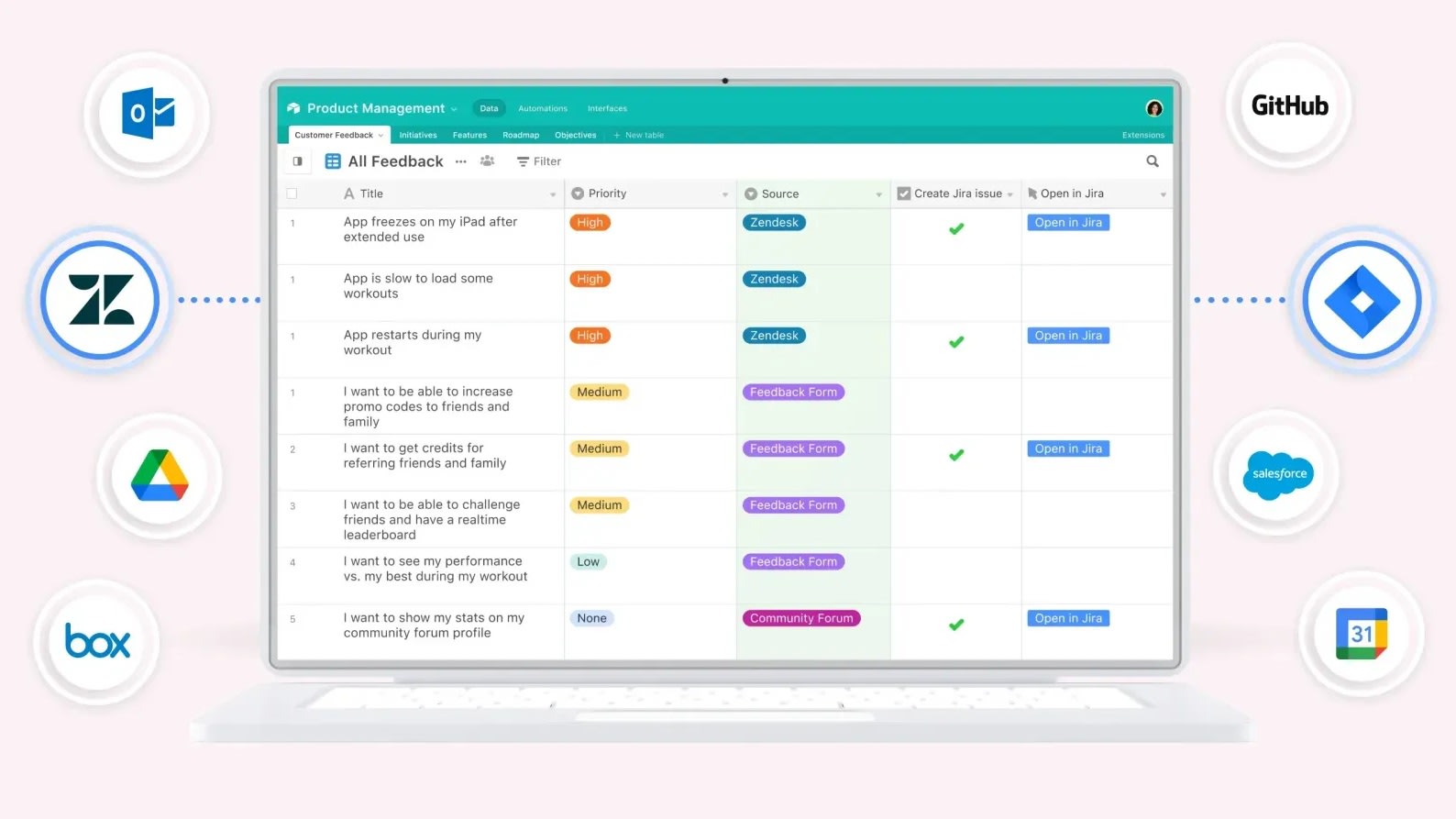
Airtable offers users the ability to configure notifications and reminders for essential tasks and deadlines.
Efficient task management hinges on maintaining a well-organized approach, and Airtable simplifies this process with its notification and reminder features. Airtable offers users the ability to configure notifications and reminders for essential tasks and deadlines. These alerts are triggered when records undergo updates, as deadlines draw near, or when specific predefined conditions are met.
Such proactive notifications act as a safety net, ensuring that critical tasks remain at the forefront of your attention. This distinctive feature sets Airtable apart from Asana, as it offers an extra layer of task management precision, preventing important responsibilities from slipping through the cracks and helping users stay on top of their workflow with ease.
Asana Excels Ahead of Airtable in User-Friendly Design

Asana's interface offers a seamless and intuitive experience, making task and project management a breeze.
In terms of user-friendliness, Asana shines when pitted against Airtable. Asana's interface offers a seamless and intuitive experience, making task and project management a breeze. Its straightforward design streamlines collaboration and task tracking, ensuring teams stay organized effortlessly.
In contrast, Airtable, while versatile, may present a steeper learning curve due to its database-oriented structure. Asana's simplicity caters to users looking for quick adoption and efficient workflow management. Its user-friendly features empower teams to efficiently handle projects and tasks, keeping everyone on the same page. In summary, Asana's ease-of-use sets it apart from Airtable, making it an ideal choice for those seeking a straightforward project management solution.
Asana’s Impressive Integration Ecosystem Outperforms Airtable’s
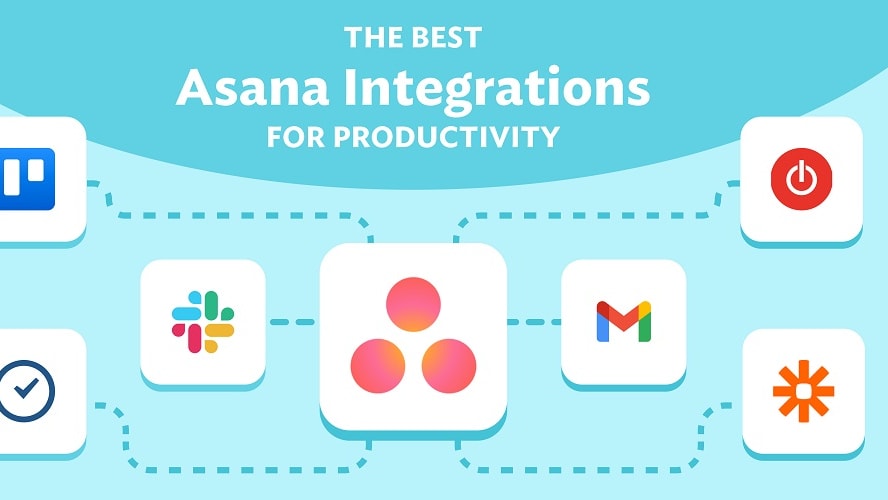
Asana boasts a robust array of integrations, boasting compatibility with over 300+ third-party applications such as Microsoft Office 365, Google Workspace, and Salesforce.
Airtable and Asana both offer extensive integration capabilities to enhance their functionality. Asana boasts a robust array of integrations, boasting compatibility with over 300+ third-party applications such as Microsoft Office 365, Google Workspace, and Salesforce. This wide selection ensures that users can seamlessly connect Asana with various tools and services, expanding its capabilities and streamlining workflows.
On the other hand, Airtable also offers a range of integrations, allowing users to connect with diverse apps and services to tailor their database management and collaboration experience. While the exact number of Airtable's integrations may vary, it provides ample options for users to customize their workflows and extend the platform's versatility. In essence, both Asana and Airtable excel in integration options, catering to diverse user needs.
Asana Excels at Customizing Processes Over Airtable

Whether you're handling product development, IT requests, or creative projects, Asana empowers you to craft customized workflows to suit your unique requirements.
Asana and Airtable provide customization features, but Asana particularly excels in tailoring business processes. Whether you're handling product development, IT requests, or creative projects, Asana empowers you to craft customized workflows to suit your unique requirements.
The platform offers a dedicated process customization tool that streamlines the management of these workflows. This functionality greatly enhances the efficiency of inter-team collaboration, ultimately leading to enhanced overall performance. Asana's focus on adaptable processes sets it apart, enabling businesses to optimize their operations and adapt to their specific needs, making it a valuable asset for teams across various industries seeking to improve their workflow management.
Airtable and Asana are Equal Robust for Automating Repetitive Tasks

Asana offers the capability to create custom rules and forms, facilitating the automation of recurring tasks and simplifying work request processes.
Airtable and Asana excel in the realm of task automation, alleviating repetitive workloads, minimizing errors, and enhancing overall workflow efficiency. Airtable empowers users with its data automation workflows, enabling the seamless automation of data-related processes.
Meanwhile, Asana offers the capability to create custom rules and forms, facilitating the automation of recurring tasks and simplifying work request processes. Both platforms are adept at saving precious time and upholding precision, ensuring that routine tasks are handled effortlessly and accurately. Their automation features contribute significantly to streamlined operations, making them invaluable tools for businesses and teams seeking to optimize their productivity while reducing the risk of human error.
08 Airtable vs Asana: Which is the best for your business?
Airtable is the best tool for you if:
- You value a hybrid platform blending spreadsheet functionality with robust database features for versatile data management.
- Real-time collaboration with diverse views, such as kanban and calendar, is crucial for your project visualization needs.
- Integration with popular cloud storage solutions and other apps to optimize your workflow is a priority.
- Customizability and scalability in design to evolve with your growing business needs are of utmost importance.
- You're seeking a user-friendly interface that transforms complex data into visually engaging and digestible formats effortlessly.
 You value a hybrid platform blending spreadsheet functionality with robust database features for versatile data management.
Asana is the best tool for you if:
- Task management, project tracking, and team collaboration in a singular, intuitive platform are paramount for your operations.
- You desire customizable workflows with automation to streamline repetitive processes and boost overall team productivity.
- Visualization options like list, board, timeline, and calendar views are essential for diverse project management styles.
- You prioritize integration with popular apps and tools, ensuring seamless synchronization and optimized workflow across platforms.
- Real-time notifications, goal-setting, and progress tracking capabilities are crucial for keeping teams aligned and projects on course.
Airtable
Used by 8,902 members
$1,000 in credits on licences for 1 year
Save up to $1,000
Asana
Used by 942 members
75% off the annual Starter and Advanced plans for 1 year
Save up to $22,491
09 Alternatives to Airtable & Asana

Notion
Used by 21,598 members
3 months free on the Business plan with Unlimited AI
Save up to $720

Make
Used by 12,653 members
3 months free on the Teams plan (240k credits included)
Save up to $600

Slack
Used by 4,047 members
25% off new plan purchases
Save up to $9,000

ClickUp
Used by 3,461 members
Additional 20% off Unlimited and Business plans for 1 year
Save up to $1,000
10 Promotions on Collaboration software
Airtable and Asana are great tools, but Secret offers promo codes with discounts on over 2250+ different SaaS solutions. New deals are added regularly, helping you save money on your online subscriptions. Get access to codes for other Collaboration software you might want to purchase

Google Workspace offer
20% off Standard plans for 1 year
Deal for Notion
3 months free on the Business plan with Unlimited AI
Slack coupon code
25% off new plan purchases

Promo code for Miro
$1,000 in credits (lifetime validity)

Promo code for Monday
First month free
Promo codes for ClickUp
Additional 20% off Unlimited and Business plans for 1 year

Credits for bolt.new
20% off all plans for the first 3 months

Deal for xTiles
20% off monthly or annual plans

Google Drive promotion
20% off Standard plans for 1 year

Discount for Zoom Meetings
$20 off per user on the annual Workplace Pro plan
Start saving on the best SaaS
Secret has already helped tens of thousands of startups save millions on the best SaaS like Microsoft Teams, Google Workspace & many more. Join Secret now to buy software the smart way.