


Facilitating efficient project management and application development is crucial to accelerating business growth and enhancing operational productivity. The market offers a variety of platforms designed to streamline these processes, each with its unique strengths and capabilities. Selecting the ideal tool can be a daunting task given the plethora of choices.
Among the standout SaaS offerings, Bubble and Airtable emerge as leading contenders in their respective domains. Our analysis delves into the essential features, comparative advantages, and differentiating factors of Bubble and Airtable. With a comprehensive evaluation, we aim to provide you with the insights necessary to make an informed decision, ensuring that you harness the full potential of the SaaS platform most aligned with your business objectives.
- 01 Bubble vs Airtable: overview
- 02 What's the difference between Bubble and Airtable?
- 03 Bubble pros and cons
- 04 Airtable pros and cons
- 05 Bubble compared to Airtable
- 06 Airtable compared to Bubble
- 07 Features comparison
- 08 Bubble vs Airtable: Which is the best for your business?
- 09 Alternatives to Bubble & Airtable
- 10 Promotions on No-Code Development software
Start saving on the best SaaS
Secret has already helped tens of thousands of startups save millions on the best SaaS like Microsoft Teams, Google Workspace & many more. Join Secret now to buy software the smart way.

01 Bubble vs Airtable: overview
Bubble and Airtable are two trailblazers in the world of no-code development and database management solutions, each offering distinctly different functionalities tailored to the needs of various businesses.
Bubble is a prominent figure in the no-code development platform sector, providing individuals and companies with the capability to construct complex, fully-functional web applications without the need for programming knowledge. In contrast, Airtable operates within the realm of cloud-based database management, combining the simplicity of a spreadsheet interface with the robust functionality of a database. It's designed to offer an organized and flexible way to store, manage, and collaborate on information.
When considering Bubble vs. Airtable, it's important to reflect on your specific needs: whether you're looking to develop a web-based application from the ground up with no-code tools or seeking a versatile database solution to organize your business data. Each platform shines in its own right, and your choice will hinge on whether you're prioritizing application development or data management capabilities.

Data management
Airtable offers more intuitive data management solutions, akin to an advanced spreadsheet. Bubble provides more complexity but might be overkill for simple tasks.

Bubble
Airtable
Company audience
Both platforms are commonly used in the small-business segment, though Airtable has a slightly broader appeal across different scales of businesses. Nevertheless, Airtable and Bubble are both commonly used in the small-business segment.
Bubble
Airtable
Industry appeal
Airtable is popular in industries like marketing and advertising, while Bubble is often chosen for its web app development capabilities in software-centric fields.
Bubble
Airtable
No-code capabilities
Airtable excels in providing a structured, no-code platform especially for database management. Bubble is powerful but may require more time to master.
Bubble
Airtable
Customer Reviews
Both platforms have strong reviews, though Airtable leads slightly in terms of overall user satisfaction. With over 2,000 reviews on G2, Airtable is better received among a wider audience.
Bubble
Airtable
Pricing Plan
Airtable offers more affordable plans starting at $10/user/month. Bubble's lowest paid plan starts at $29/month. Both offer free trials or free limited plans.
Bubble
Airtable
Customer service
Airtable appears to have more robust customer service options. They offer phone support and quicker response times compared to its competitors.
Bubble
Airtable
Workflow management
While both platforms offer workflow management, Bubble comes out on top for allowing more complex, scalable workflows suitable for intricate web apps.
Bubble
Airtable
Ease of Use
Airtable is widely lauded for its user-friendly interface. Bubble offers greater flexibility but comes with a steeper learning curve since even though it’s a no-code platform, it requires past knowledge in design and wireframing.
Bubble
Airtable
Integrations
Both platforms offer a wide range of integrations, including Zapier for Airtable and various APIs for Bubble. Depending on your needs, either could be a strong contender.
Bubble
Airtable
02 What's the difference between Bubble and Airtable?
Bubble is a visual programming platform that allows users to build web applications without the need to code
Bubble
You don't need to be a coder to build software.

Airtable is primarily designed to act as a super-powered spreadsheet with relational database capabilities.
Airtable
The power of a relational database, without the need to code or use Excel, is enhanced by AI in Airtable to streamline data organization and optimize workflows efficiently.
The fundamental difference between Airtable and Bubble lies in their core functionalities. Airtable is primarily designed to act as a super-powered spreadsheet with relational database capabilities. It aims to simplify complex data management tasks, making it easy for businesses to organize their workflows, projects, and more. On the other hand, Bubble is a visual programming platform that allows users to build web applications without the need to code. It provides you with the tools to create complex web-based software, thereby expanding far beyond the realm of data management into actual software development.
Another distinction is where each platform excels. Airtable shines in its ease of use and versatility, particularly for project management and team collaboration. Its features like linking records, customizable views, and a large number of integrations make it a powerful tool for businesses that need to manage data in a more structured yet flexible manner. It is especially beneficial for those in the marketing, sales, and content management sectors. Bubble, on the other hand, has its strength in customization and scalability. It allows you to create more complex, interactive web applications with user authentication, payments, and custom data structures. It is best suited for businesses that aim to build a unique, scalable web application from scratch but do not have the technical expertise to code.
In terms of depth and flexibility, both Airtable and Bubble offer a lot, but in different ways. Airtable allows for a deep dive into data management, sorting, and analysis without requiring a steep learning curve. Its "blocks" feature lets you add maps, charts, and pivot tables, providing a multi-dimensional view of your data. Bubble, compared to Airtable, offers an even greater level of flexibility but at the cost of ease of use. You can practically build any feature you envision for your web application, but this comes with a need for a greater investment of time to master its functionalities.

Bubble
Used by 1874 members
30% off on monthly plans for 1 year
Save up to $957

Airtable
Used by 8693 members
$1,000 in credits on licences for 1 year
Save up to $1,000
03 Bubble pros and cons
What are the advantages of Bubble?
- No-code development: Bubble's primary advantage is its no-code approach, allowing individuals with little to no coding experience to create complex web applications. This empowers non-technical users to bring their app ideas to life.

- Rapid development: Bubble facilitates rapid application development by providing a visual interface for designing and configuring app elements. This significantly reduces development time and accelerates time-to-market for new projects.
- Scalability: Bubble is suitable for both small-scale projects and more substantial applications. It offers the flexibility to start with a basic prototype and then scale up as your business or project grows.
- Extensive plugin ecosystem: Bubble offers a wide range of plugins and integrations that enable you to extend your app's functionality easily. This allows you to incorporate third-party services, APIs, and features seamlessly.
- Hosting and deployment: Bubble provides hosting and deployment services, simplifying the process of taking your app live. You can also connect your custom domain for a professional look.
What are the disadvantages of Bubble?
- Learning curve: While Bubble is no-code, it still has a learning curve, especially for users who are entirely new to the platform. Understanding its logic and interface may take some time.

- Limited flexibility for highly customized solutions: Bubble may have limitations when it comes to highly customized or complex applications. In some cases, you might find it challenging to implement specific features.
- Cost considerations: While Bubble offers a free plan, more advanced features and scalability options come at a cost. Costs can add up as your app's usage and complexity increase.
- Dependency on Bubble's infrastructure: Since Bubble is a hosted platform, you are somewhat dependent on their infrastructure and updates. Any downtime or changes on their end can impact your app's availability.
- Exporting code: If you ever decide to move away from Bubble or need to export your code for other purposes, you may find limitations in exporting fully functional code that can be easily transferred to a different development environment.
Compare Bubble to other tools


Bubble vs FlutterFlow

AppGyver vs Bubble

Bildr vs Bubble

Webflow vs Bubble

Softr vs Bubble

Adalo vs Bubble
04 Airtable pros and cons
What are the advantages of Airtable?
- Ease of use: Airtable's intuitive user interface is designed like a spreadsheet, making it accessible for users of all skill levels. You can start using it with minimal training.
- Flexibility: Airtable's flexibility allows you to create databases and spreadsheets for a wide range of use cases, from project management and content calendars to inventory tracking and customer relationship management.
- Collaboration: Airtable excels at collaboration, enabling multiple users to work on the same database simultaneously. Real-time updates and commenting make it a powerful tool for team collaboration and coordination.
- Customization: You can customize the structure of your databases and tables, define field types, and create views tailored to your specific needs. This adaptability makes it versatile for various workflows.
- Integration: Airtable integrates with numerous third-party apps and services, allowing you to connect it to your existing tools and automate workflows. This enhances efficiency and connectivity within your organization.
What are the disadvantages of Airtable?
- Limited complexity: While Airtable is versatile, it may not handle extremely complex data relationships and operations as efficiently as dedicated database management systems. It's better suited for simpler databases.
- Data export: Exporting data from Airtable can be somewhat limited in terms of formatting options. Advanced formatting and layout may require additional work outside the platform.
- Cost for advanced features: While Airtable offers a free plan, more advanced features, such as automations and additional storage, come with a cost. As your usage grows, subscription costs can increase.
- Limited reporting: Airtable's reporting capabilities are basic compared to specialized reporting tools. If you require in-depth data analysis and reporting, you may need to export data to other software for advanced analytics.
- No version control: Airtable lacks robust version control features, which can be a drawback if your team needs to track changes to records and collaborate on specific versions of a database.
Compare Airtable to other tools


Airtable vs Monday

Airtable vs Asana

Airtable vs Coda

Airtable vs Notion

Airtable vs Google Sheets

Airtable vs Smartsheet
05 Bubble compared to Airtable
Bubble and Airtable serve different primary purposes in the world of software tools. Bubble is a no-code application development platform, enabling users to create web applications with ease, making it ideal for those looking to build custom web apps without extensive coding skills.
On the other hand, Airtable functions as a cloud-based relational database and collaboration tool, offering flexibility for data organization and teamwork. While Bubble focuses on app development, Airtable excels in data management and collaborative workflows. Choosing between the two depends on whether you require app development capabilities or robust data organization and collaboration features.
Is Bubble better than Airtable?
 Is Bubble better than Airtable?
Comparing Bubble and Airtable isn't a matter of one being inherently better than the other; it's about their suitability for different purposes. Bubble is a no-code app development platform, ideal for creating web applications without coding skills. Airtable, in contrast, is a cloud-based relational database and collaboration tool, excelling in data management and teamwork.
So, the choice depends on your needs. If you require app development capabilities, Bubble is the way to go. If robust data organization and collaboration features are your priority, Airtable is the better choice. It's not a question of better or worse but of what aligns with your specific goals.
What is Bubble best used for?
Bubble is best used for creating custom web applications without coding. It empowers individuals and businesses to design and build web apps tailored to their specific needs and ideas. With its no-code approach, Bubble is an excellent choice for entrepreneurs, startups, and small to medium-sized businesses looking to develop web-based tools, platforms, or marketplaces. It's also suitable for prototyping and testing app concepts quickly.
Bubble's versatility and scalability make it ideal for a wide range of applications, from simple web forms to complex multi-user platforms. Ultimately, Bubble is a valuable tool for those seeking to bring their web app ideas to life efficiently.
Can Bubble replace Airtable?
Bubble and Airtable serve distinct purposes and aren't direct replacements for each other. Bubble is primarily a no-code application development platform, allowing users to create web apps without coding. In contrast, Airtable is a cloud-based relational database and collaboration tool focused on data organization and teamwork.
While Bubble can integrate data from Airtable, it doesn't replace Airtable's core functions. So, Bubble doesn't replace Airtable but can complement it by building web apps that interact with data stored in Airtable. The choice depends on your specific needs; Bubble for app development and Airtable for data management and collaboration.
Is Bubble cheaper than Airtable?
Comparing the cost of Bubble and Airtable depends on your usage and requirements. Both platforms offer free plans with limitations. Bubble's pricing is based on factors like the number of users and app usage, and costs can increase as your app grows. Airtable offers a free plan with limited records and storage, and its paid plans are priced per user per month.
The choice depends on your specific needs; if you need to build web apps, Bubble might be more cost-effective for that purpose. However, if your primary requirement is data management and collaboration, Airtable's pricing structure may suit you better.
Is there a better No-Code Development software than Bubble?
When considering no-code application development platforms like Bubble, it's crucial to explore whether there might be a more suitable alternative for your unique needs.
Several alternatives to Bubble include Adalo, OutSystems, AppSheet, and Appy Pie. Each of these platforms offers its own set of features, pricing structures, and target audiences.
Choosing the right no-code platform hinges on factors such as your project complexity, desired integrations, scalability requirements, and budget considerations. While Bubble stands out for its no-code versatility, other platforms may excel in specific areas like mobile app development, enterprise-level solutions, or specialized industries.

Bubble
You don't need to be a coder to build software.
30% off on monthly plans for 1 year
Save up to $957
06 Airtable compared to Bubble
Airtable and Bubble serve distinct purposes in the world of software tools. Airtable is a cloud-based relational database and collaboration platform known for its versatility in data organization and teamwork. It resembles a spreadsheet but offers advanced database capabilities.
In contrast, Bubble is a no-code application development platform that empowers users to create web applications without coding. While Airtable excels in data management and collaboration, Bubble focuses on app development. The choice between them depends on your specific needs; Airtable is ideal for data-centric tasks, while Bubble is the go-to for web app creation, making them complementary tools in different domains.
Is Airtable better than Bubble?
Comparing Airtable and Bubble isn't a matter of one being inherently better than the other; it's about their suitability for different purposes. Airtable shines as a versatile cloud-based relational database and collaboration tool, ideal for data organization and teamwork. In contrast, Bubble is a no-code app development platform, empowering users to create web applications without coding.
The choice depends on your specific goals; if you prioritize robust data management and collaboration, Airtable may be better. However, if your focus is on web app development, Bubble is the preferred option. It's not a question of better or worse but of what aligns with your specific needs.
What is Airtable best used for?
Airtable excels as a versatile cloud-based tool ideal for various use cases. Its strength lies in data organization, collaboration, and project management. Businesses and individuals use it for tasks such as creating and managing databases, tracking inventory, project planning, content calendars, and customer relationship management. Its spreadsheet-like interface simplifies data entry and management, making it accessible to users of all skill levels.
Airtable's ability to accommodate custom fields, views, and integrations ensures adaptability to diverse workflows. Whether you're organizing information, collaborating with a team, or managing projects, Airtable provides a flexible and user-friendly solution for a wide range of tasks.
Can Airtable replace Bubble?
Airtable and Bubble serve fundamentally different purposes, and as such, one cannot replace the other. Airtable is primarily a cloud-based relational database and collaboration tool, ideal for data organization and teamwork. In contrast, Bubble is a no-code application development platform, empowering users to create web applications without coding.
While Airtable can store and manage data that Bubble applications may interact with, it doesn't possess the capabilities needed to replace Bubble's app development features. The choice between them hinges on your specific needs: Airtable for data management and collaboration, Bubble for web app development. They can even complement each other in some workflows.
Is Airtable cheaper than Bubble?
The cost comparison between Airtable and Bubble depends on your usage and specific requirements. Both platforms offer free plans with certain limitations. Airtable's pricing is typically structured around the number of users and storage, with paid plans billed per user per month.
In contrast, Bubble's pricing can be influenced by factors such as app usage and additional features, potentially making it more cost-effective for certain projects. The choice ultimately rests on your individual needs. If you prioritize web app development, Bubble's pricing may be more suitable. However, if your primary focus is data management and collaboration, Airtable's pricing structure may align better with your budget.
Is there a better Collaboration software than Airtable?
When exploring alternatives to Airtable, it's crucial to assess whether there's a software solution better aligned with your distinct needs.
Several notable competitors to Airtable in the realm of cloud-based relational databases and collaboration tools include Notion, Coda, Smartsheet, and Google Sheets.
Selecting the most suitable platform depends on your specific requirements, such as data organization, collaboration, and project management. While Airtable excels in its flexibility and ease of use, other alternatives may offer advanced features, specific industry-focused templates, or integrations better suited to your workflow and objectives.

Airtable
Premium
Easily store and organize your data
$1,000 in credits on licences for 1 year
Save up to $1,000
07 Features comparison
Airtable Shows a Stronger Approach to Automation than Bubble

Users can seamlessly set up workflows to automate recurring tasks and streamline various business processes.
In the realm of task automation, Airtable takes the lead with its robust capabilities. Users can seamlessly set up workflows to automate recurring tasks and streamline various business processes. For instance, a sales team can automate lead tracking and follow-up processes, ensuring timely actions and enhanced productivity. Airtable's additional feature of setting notifications and reminders for crucial tasks and deadlines further ensures that nothing falls through the cracks.
On the other hand, Bubble primarily empowers users with full control over user interactions and transactional processes, particularly in the realm of web application development. While it may offer flexibility in building custom applications, it doesn't specifically emphasize task automation or notification setups.
Bubble Outperforms Airtable in Database Management

Bubble allows users to effortlessly create and manage data structures, offering custom data type definitions and the ability to establish relationships between data objects
When it comes to database management, both Bubble and Airtable offer powerful tools, but Bubble takes the lead with its robust features and flexibility.
Bubble allows users to effortlessly create and manage data structures, offering custom data type definitions and the ability to establish relationships between data objects. For instance, a project management app built with Bubble can seamlessly link tasks to projects, users, and due dates, providing a comprehensive view of project progress.
While Airtable does provide options for customizing databases with specific field types, it doesn't match the depth of complexity and flexibility that Bubble offers. Therefore, if you require extensive data manipulation and intricate database structures, Bubble emerges as the preferred choice for robust database management.
Airtable Offers Robust Data Visualization, While Bubble Focuses on App Development

Airtable distinguishes itself with its strong data visualization capabilities, making it an excellent choice for those who need to turn data into meaningful insights
Airtable distinguishes itself with its strong data visualization capabilities, making it an excellent choice for those who need to turn data into meaningful insights. Users can effortlessly create various visual representations, including pie charts, bar graphs, line charts, and more, directly within the platform. For instance, a marketing team can visualize campaign performance through intuitive charts or a project manager can track task progress with dynamic graphs. These visualizations enhance data communication, helping users better understand patterns, trends, and relationships.
In contrast, Bubble primarily focuses on app development and doesn't emphasize comprehensive data visualization features. While it may support embedding external charts or graphs, it may not offer the same level of built-in data visualization capabilities as Airtable. Therefore, when prioritizing robust data visualization, Airtable proves to be the preferred choice.
Bubble Offers Greater Customization with Custom Domain and Branding Over Airtable

Bubble provides a powerful set of tools for customization
When it comes to crafting a distinctive brand identity, Bubble provides a powerful set of tools for customization. Users can seamlessly connect custom domains to their applications and tailor branding elements such as logos, colors, and fonts. This ensures a cohesive user experience and elevates brand presence. For example, an e-commerce startup can create a branded shopping platform with a custom domain, logo, and color scheme, fostering brand recognition.
On the other hand, while Airtable excels in data management and collaboration, it doesn't seem to offer similar features for custom domains or comprehensive branding. Airtable's primary focus is on data organization and teamwork, making it a better fit for tasks like project management or customer database management.
Both Bubble and Airtable Demonstrate Effective Collaboration and Team Development Features

Bubble enables efficient teamwork by allowing users to invite team members, assign specific roles and permissions, track changes to the application, and leave comments.
Both Bubble and Airtable prioritize the significance of seamless collaboration among team members, although they approach it differently.
Bubble enables efficient teamwork by allowing users to invite team members, assign specific roles and permissions, track changes to the application, and leave comments. For example, a project manager can collaborate with developers, designers, and clients, assigning roles to each and tracking project progress through comments and change logs.
On the other hand, Airtable shines in real-time, simultaneous collaboration on the same base. This ensures that everyone working on the database has access to the most up-to-date information, minimizing data discrepancies. For instance, a sales team can collectively update customer information, ensuring accurate and synchronized data.
Bubble Excels Ahead of Airtable for User-Friendliness
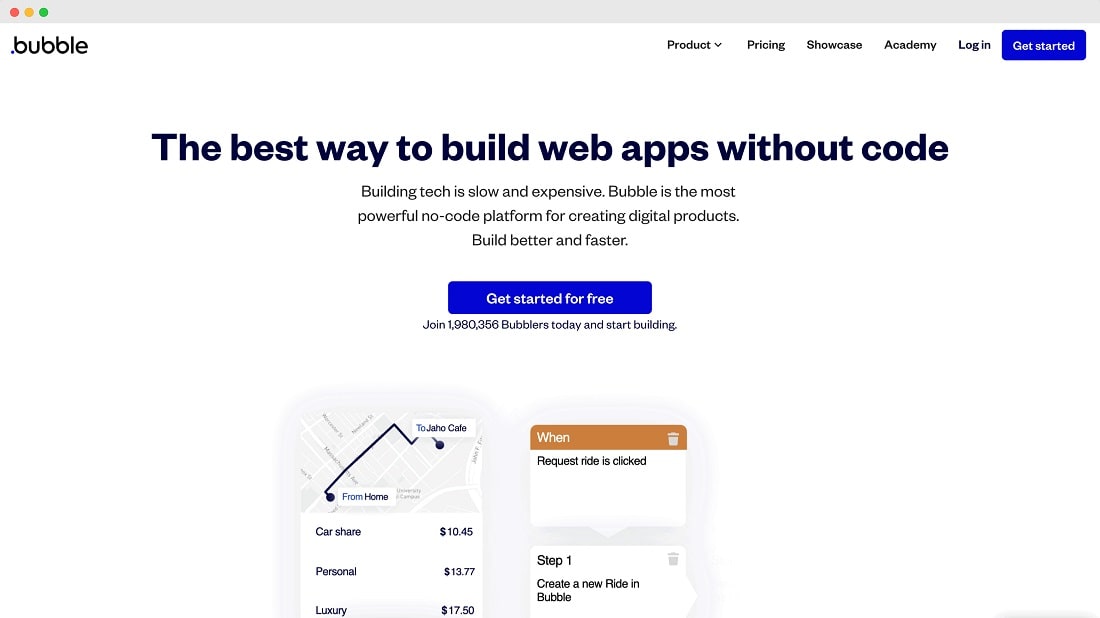
Bubble adopts a remarkably user-centric approach, enabling individuals to bring their ideas to life without the need for coding expertise.
When it comes to ease-of-use, both Bubble and Airtable boast intuitive interfaces, yet Bubble stands out as the more user-friendly option. Airtable presents an attractive interface with spreadsheet-like features and drag-and-drop functionality. However, it demands a certain level of familiarity with database concepts for users to harness its full potential.
In contrast, Bubble adopts a remarkably user-centric approach, enabling individuals to bring their ideas to life without the need for coding expertise. Its 'point and click' development style ensures that even novices can comfortably design and deploy web applications. For instance, a small business owner can effortlessly create an appointment booking system on Bubble, whereas a similar task might be more complex in Airtable, requiring knowledge of database structures and relationships.
Airtable Surpasses Bubble in Integration Capabilities

Airtable boasts seamless integration with a wide array of applications
When it comes to integration possibilities, Airtable outshines Bubble by a significant margin. While Bubble does offer solid integration options with popular tools like Google, Slack, and Stripe, it falls short in comparison to the extensiveness and flexibility of Airtable's integration ecosystem.
Airtable boasts seamless integration with a wide array of applications, spanning CRM tools such as Salesforce and HubSpot, project management platforms like Asana and Trello, and even social media platforms such as Twitter and Instagram. This versatility ensures that businesses can seamlessly connect their data across various tools and departments. Furthermore, Airtable's robust capabilities extend to easy data import/export via CSV files, simplifying data management tasks. It also excels in its integration with external databases, making it a preferred choice for businesses with complex data needs.
08 Bubble vs Airtable: Which is the best for your business?
Bubble is the best tool for you if:
- You want to create web applications without coding skills, thanks to Bubble's no-code app development platform.
- You seek rapid application development, saving time and resources in bringing your ideas to life.
- Scalability matters; Bubble can accommodate small-scale projects and grow with your business.
- Extensive plugin ecosystem appeals to you, allowing easy integration of third-party services and features.
- You value a user-friendly platform that empowers both beginners and experienced users to build custom web apps.
 You want to create web applications without coding skills, thanks to Bubble's no-code app development platform.
Airtable is the best tool for you if:
- You need a versatile cloud-based relational database for data organization, project management, and collaboration across your organization.
- Visualizing data through charts and graphs enhances your decision-making process, and you require built-in data visualization features.
- Seamless integration with a wide range of applications and services is critical for your workflow and data connectivity.
- Customizing database fields and structures to your specific needs is essential for efficient data management and collaboration.
- You prioritize a user-friendly platform for team collaboration and project management with the flexibility to adapt to various use cases.
Bubble
Used by 1874 members
30% off on monthly plans for 1 year
Save up to $957
Airtable
Used by 8693 members
$1,000 in credits on licences for 1 year
Save up to $1,000
09 Alternatives to Bubble & Airtable

Webflow
Used by 4886 members
40% off annual plans
Save up to $120

Slack
Used by 3923 members
25% off new plan purchases
Save up to $9,000

Base44
Used by 3315 members

Emergent
Used by 2543 members
20% off your first month on the Pro plan
Save up to $40
10 Promotions on No-Code Development and Collaboration software
Bubble and Airtable are great tools, but Secret offers promo codes with discounts on over 2230+ different SaaS solutions. New deals are added regularly, helping you save money on your online subscriptions. Get access to codes for other No-Code Development and Collaboration software you might want to purchase

Make coupon code 2026
3 months free on the Teams plan (240k credits included)

Google Workspace deal
20% off Standard plans for 1 year
Discount for Webflow
40% off annual plans
Slack coupon
25% off new plan purchases

Promo code for Softr
20% off monthly or annual Professional plan

Miro discount
$1,000 in credits (lifetime validity)

Notion promo
3 months free on the Business plan with Unlimited AI

Monday discount
First month free

bolt.new promo code
20% off all plans for the first 3 months

Asana promo
75% off the annual Starter and Advanced plans for 1 year
Start saving on the best SaaS
Secret has already helped tens of thousands of startups save millions on the best SaaS like Microsoft Teams, Google Workspace & many more. Join Secret now to buy software the smart way.